Description
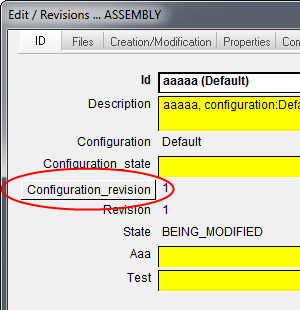
This script is associated to the CONFIGURATION_REVISION system field in the PDM database and it's fired when pressing the relative button in the input data form.
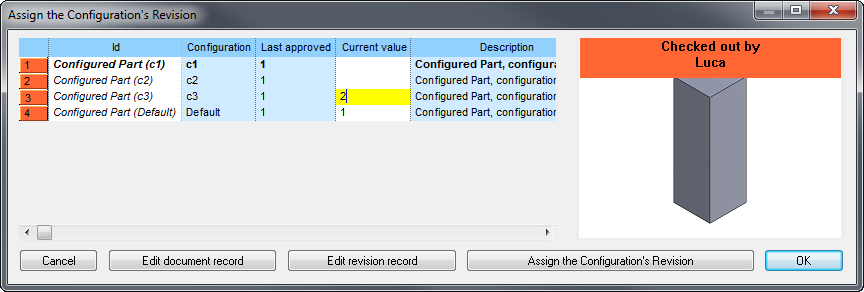
It starts the default dialog for controlling the configuration revision behavior:
Location
LST folder
Activation
The file CONFIGURATION_REVISION.SPT must exist and option Environment→Configurations→ Manage Revisions of Configurations must be enabled.
Parameters
The following parameters could be passed to the script so to drive/arrange the results of the user interface dialog.
The check about the validation of the dialog:
@CONFIGURATION_REVISION_CANCEL_PRESSED |
0/1 |
Then for each configuration revision changed from the Configuration Revision Assignment Dialog:
@CONFIGURATION_REVISION_UNIQUE_ID |
unique ID |
|---|---|
@CONFIGURATION_REVISION_OLD_VALUE |
old CONFIGURATION_REVISION value |
@CONFIGURATION_REVISION_NEW_VALUE |
new CONFIGURATION_REVISION value |