Prerequisites
•DBWLM can be installed as a system service only on the SERVER where the USERS folder is located;
•on the CLIENTS only make sure that parameters point to correct server USERS\ folder,
•the DBWORKS_SERVER\USERS\ folder has to be Full Control by Everyone.
oIn case you want to run the DBLM on a server that's not logged in, the DBWORKS_SERVER\USERS\ folder has to be shared (to allow the UNC path; no mapped drive is available if not logged in).
•The service has to be started as Local Administrator (domain administrator could not work)
•make sure you have the following files, that are necessary for running dbwlm as a service
odbwlm.exe
ocreateService.bat
oinstsrv.exe
osrvany.exe
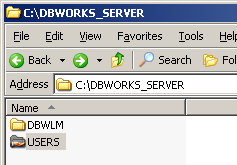
you can place such files -for example- under C:\DBWORKS_SERVER\DBWLM\ folder
Example
Procedure
1.Modify the createService.bat file, setting the correct path of the executable:
Example
Replace the code
REM "(full path)\instsrv.exe" DBWLM "(full path)\srvany.exe"
with
"C:\DBWORKS_SERVER\DBWLM\instsrv.exe" DBWLM "C:\DBWORKS_SERVER\DBWLM\srvany.exe"
2.Run the batch createService.bat, then make sure the service has been created
3.In the service’s properties, choose the kind of login depending on your needs
Example
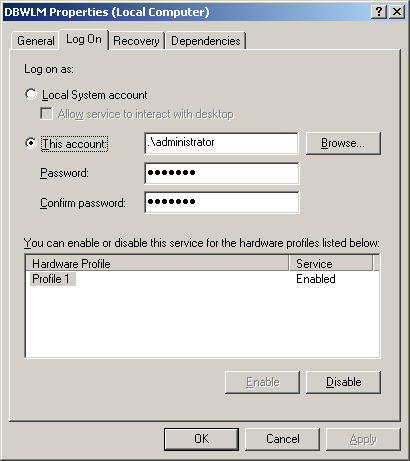
in this case you won’t see any dialog since it’s intended to run on servers where usually no user is logged in.
4.Open the regedit.exe registry editor
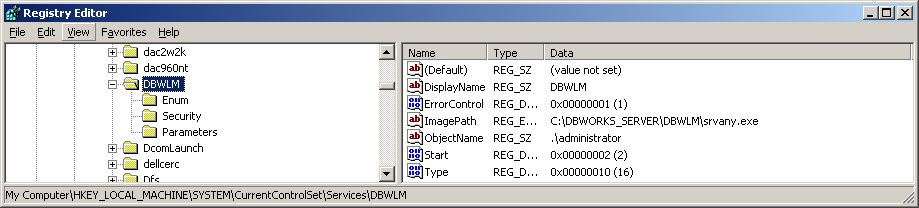
5.Locate the key DBWLM under HKEY_LOCAL_MACHINE\SYSTEM\CurrentControlSet\Services\DBWLM\
6.Create a new key named Parameters
7.Create a new string value named Application
8.Insert in the string value the full path of DBWLM.EXE, followed by the path of the USERS directory

Then check about correctness of srvany.exe location in DBWLM\ImagePath key:
9.Finally start the service
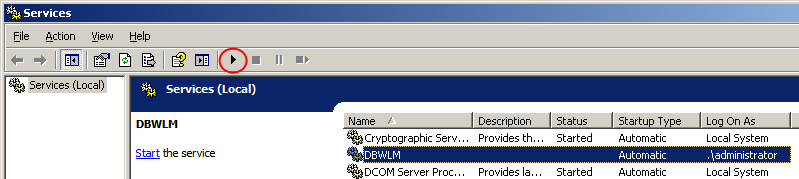
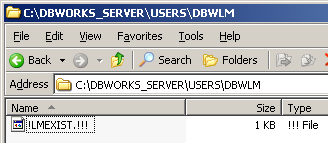
If the procedure has been completed successfully, in the DBWORKS_SERVER\USERS\ folder you should see that a subfolder named DBWLMW is created.