Introduction
Starting from windows 2008 server, you cannot create a service with srvany.exe utility anymore.
The way to make DBWLM work even on such platform is to run it as a task.
Prerequisites
•The task must be run on the same pc where the DBWORKS_SERVER folder is located
•Make sure you have DBWLM.exe and DBWLM.bat in a local drive folder (if the server will not be logged in, no network drives will be mapped)
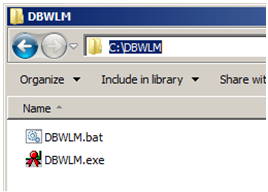
Procedure
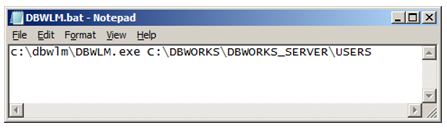
1.Edit the DBWLM.bat accordingly with this format:
<path_of_dbwlm.exe><space><local_path_of_USERS_folder>
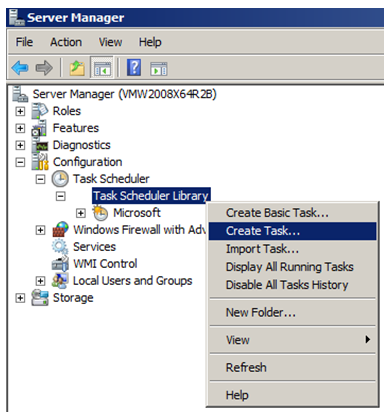
2.Create a new task in Server Manager→task scheduler
3.Set the tab as shown in following screencaptures:
a.
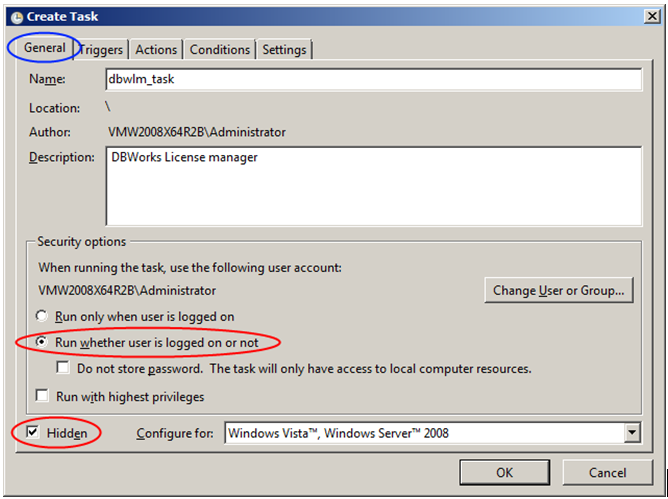
b.
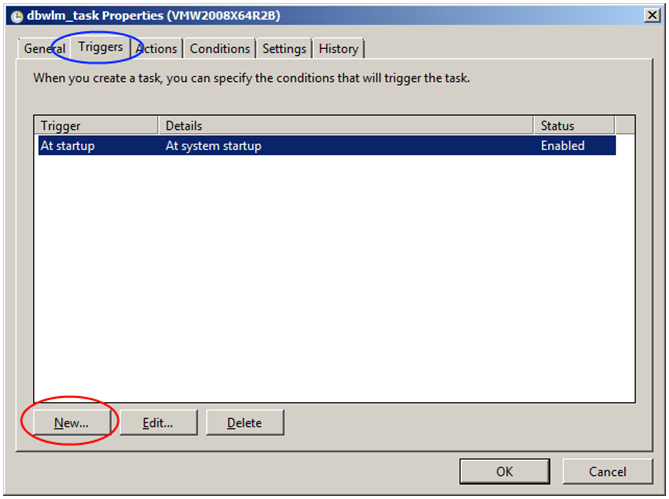
c.
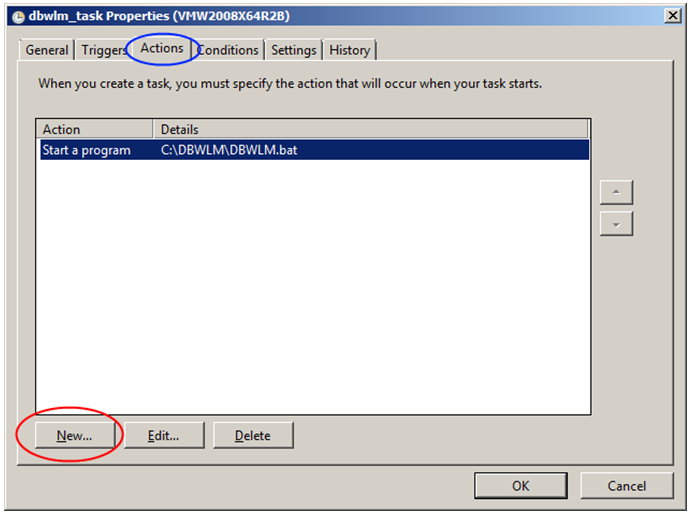
d.
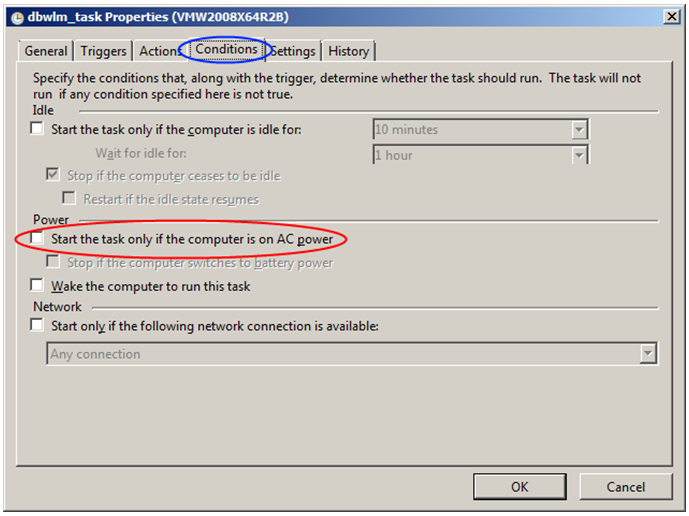
e.
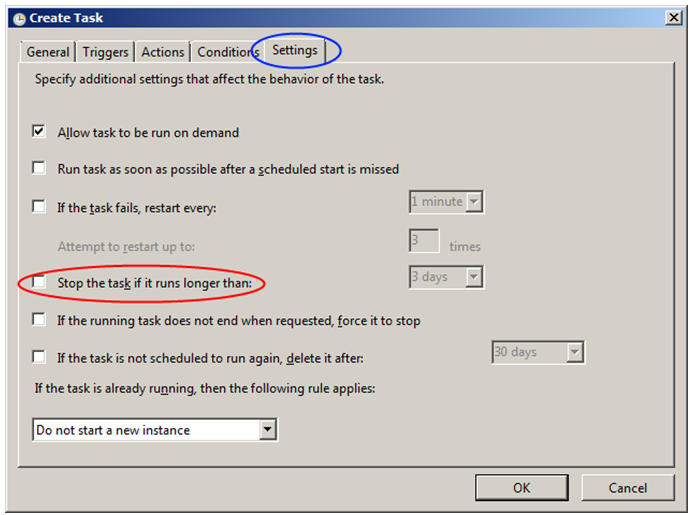
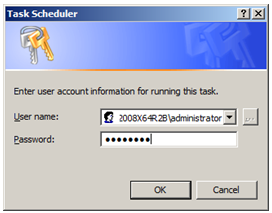
4.On clicking OK, the login will be requested:
5.Finally the task is ready:

6.Perform a pc restart and leave it unlogged in
7.As a test, you can run the DBWLMClient from a client and verify that everything is working as expected