Example of advanced data input: read values from an Excel file
In this example it's shown how to make the user chosing between values taken from an Excel file so to fill a data input mask field.
Suppose to have an Excel file containing some values that you want to chose from for filling the DESCRIPTION field.
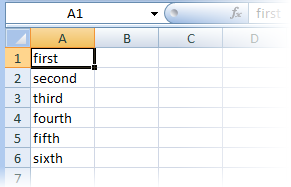
1.Create a file named LST\DESCRIPTION.LST
2.Add the following code to such file
.VBSCRIPT
Dim xlObj
rows=6
xlFile="c:\rx\procept\source.xls"
values=""
Sub main()
DBWInit(TRUE)
'retrieve data from the xl file
Set xlObj=GetObject(xlFile)
For i=1 To rows
'MsgBox xlobj.Sheets(1).Range("A" & CStr(i)).value
values = values & xlobj.Sheets(1).Range("A" & CStr(i)).value & vbcrlf
next
Set xlObj=Nothing
'show the dialog to chose value from
If DBWList(values, "select a value", 2, Resp) Then
dbwoutput DBWLookUp("NAME_FIELD_DESCRIPTION"),resp,ForWriting
End if
End Sub
3.When the input data form is show, select the DESCRIPTION field and click the script button on the right side of the field.
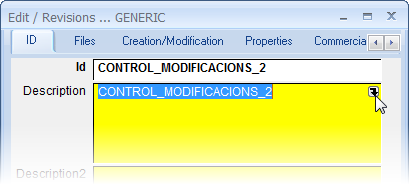
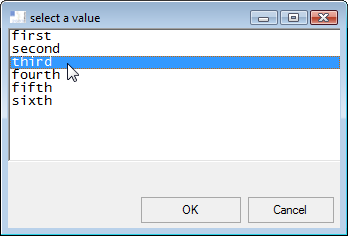
4.A DBWList dialog will appear and you can chose a value
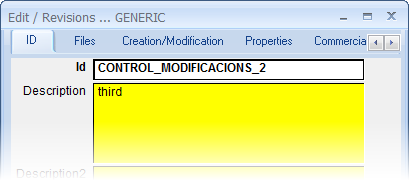
5.After clicking OK in the dialog, the chosen value is shown in the DESCRIPTION field.