Description
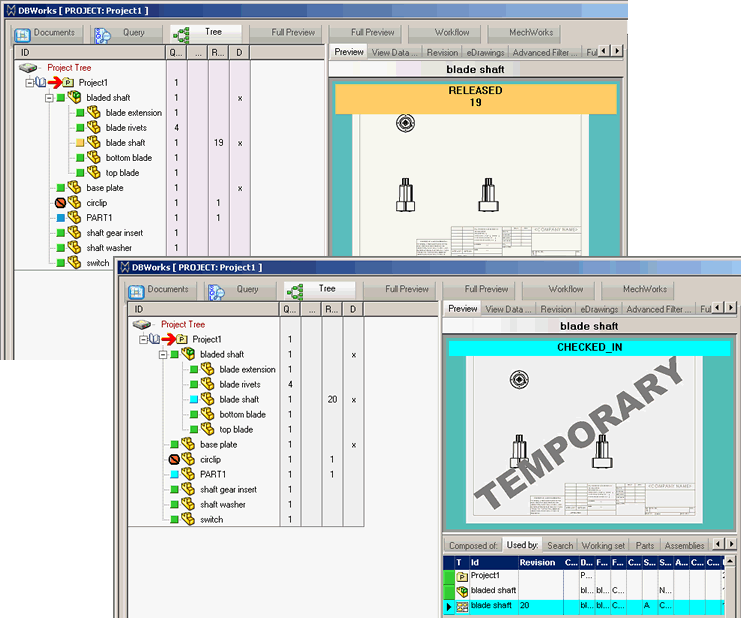
Here is an example of how to use the DBWorks capabilty of writing last revision data (in file custom properties) for applying a watermark on the drawing according with the document state.
When the document is checkedin from a checkout, it is marked with the label "TEMPORARY".
At approval time the mark is drop (replaced with an empty value).
Step by step procedure
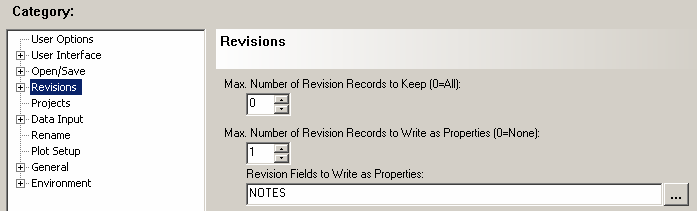
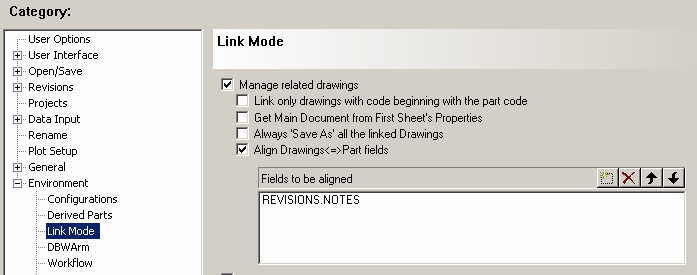
For this example we'll consider the field NOTES of REVISION TABLE.
1.Set options about REVISIONS and LINK MODE in this way:
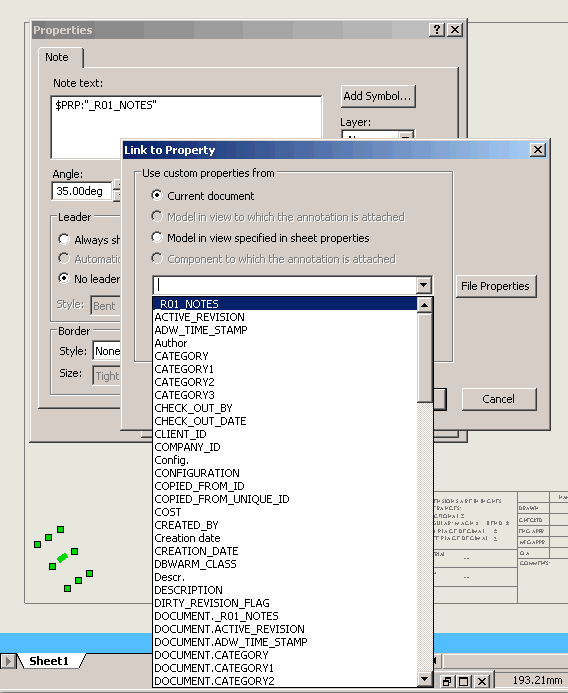
2.Create a variant note in the drawing and link its value to the field in this way:
3.Enable the script in Options→Revisions→ Use OnOkRev.LST script when pressing OK
Example of OnOkRev.LST
.VBSCRIPT
Sub main()
DBWInit(TRUE)
' action = 0 Record editing
' action = 1 New Revision
' action = 2 Revision Approved
' action = 3 Revision Activated
' action = 4 Revision Visualized
action = DBWInput("@REVISION_ACTION")
docuid= DBWInput("DOCUMENT_UNIQUE_ID")
' approvalType = 0 if action=2, approve to next revision
' approvalType = 1 if action=2, approve to previous revision
approvalType = DBWInput("@REVISION_APPROVAL_TYPE")
' if not empty and action = 3, rollback revision name
rollbackName = DBWInput("@REVISION_ROLLBACK_NAME")
If action=2 Then 'APPROVAL
DBWOutput "NOTES","-",ForWriting
'DBWMsgBox _
' "action=" & action & vbcrlf &_
' "approvalType=" & approvalType & vbcrlf &_
' "rollbackName=" & rollbackName,,"OnOkRev.LST"
DBWOutput "@OKDATAREV",1,ForAppending
ElseIf action=1 Then 'CHECKIN
DBWOutput "NOTES","TEMPORARY",ForWriting
DBWOutput "@OKDATAREV",1,ForAppending
else
DBWOutput "@OKDATAREV",1,ForWriting
End if
End Sub