available from build: 20250220 |
Description
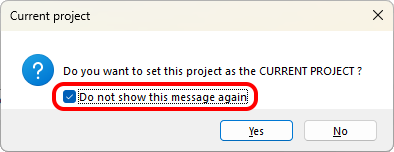
This command checks whether a particular message box has been made hidden using the check box Do not show this message again that appears in some PDM dialogs.
Syntax
call DBWShell("GetHiddenMessage msg")
Parameters
msg |
The parameter name that identifies the specific dialog to be checked |
Results
@OPTION_VALUE |
0: the passed message is not present in the list of hidden, so it's visible |
Remarks
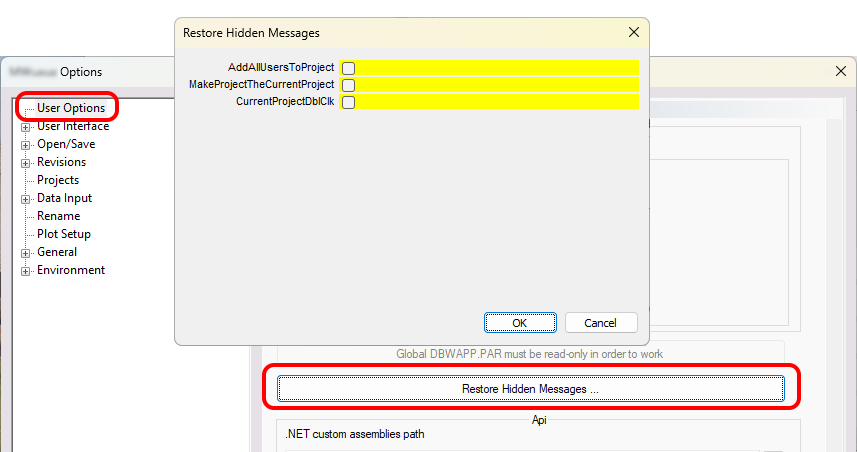
The currently hidden messages are available from the User options:
Allowed parameters
SaveFilter
Inventor_PrintRotatedCustomSizeBy90Degrees
RecordAlreadyRegistered
SuppressedComponentsQuestion
SuppressedComponentsWarning
AlwaysUseDatabaseForMissingReferences
DBSESaveError
DBSESelectedComponentMustBeLoaded
DBWAppIsProtectedInReadOnly
AddAllUsersToProject
MakeProjectTheCurrentProject
ReplicationPartnersVerificationInOptions
FirstLevelBOMComparison
IncrementNewRevisionConfirm
ConfirmAddAll
ConfirmRemoveAll
MultipleRecordsAreSelected
WorkflowSuperAdminStateChange
ConfirmationDialogOkDeleteFiles
UseDefaultValuesForTaskManager
WarnWhenDeselectingADocumentOnRestoreRevision
CurrentProjectDblClk
CurrentProject
SaveSheetPreviewImages
RevisionAlreadyExistingAutoRecovery
OffSiteMode_DownloadMissingReferencesOnOpen
Example
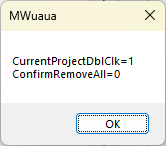
this example show the state of two parameters accordingly to the previous image: the first has been muted while the second has not.
sub main()
DBWInit(TRUE)
value1 = "CurrentProjectDblClk"
value2 = "ConfirmRemoveAll"
DBWShell("GetHiddenMessage " & value1)
res1 = DBWResult("@OPTION_VALUE")
DBWShell("GetHiddenMessage " & value2)
res2 = DBWResult("@OPTION_VALUE")
dbwmsgbox value1 & "=" & res1 & vbcrlf & value2 & "=" & res2
end sub
the result is this dialog: