MechWorks .NET API
Customizing the Event System
As prerequisite, the system must install .NET Framework 4.
We suggest MSDEV2010 or later as IDE
The main steps for debugging through MSDEV are:
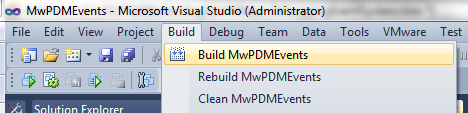
1.Compile MwPDMEvents.dll using build command
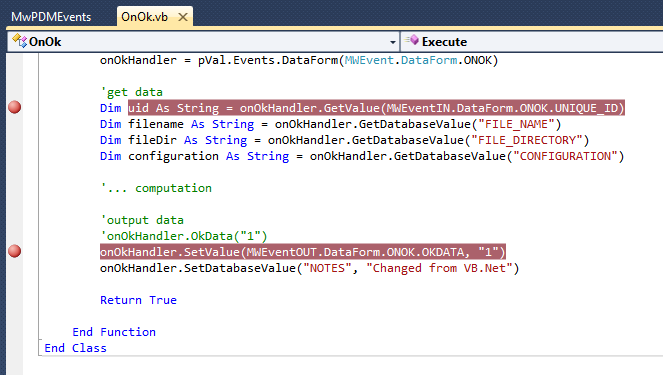
2.Place breakpoints in the code as required for debugging
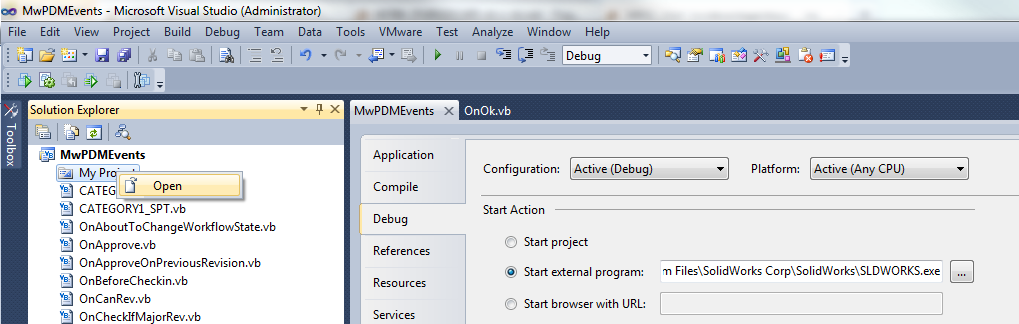
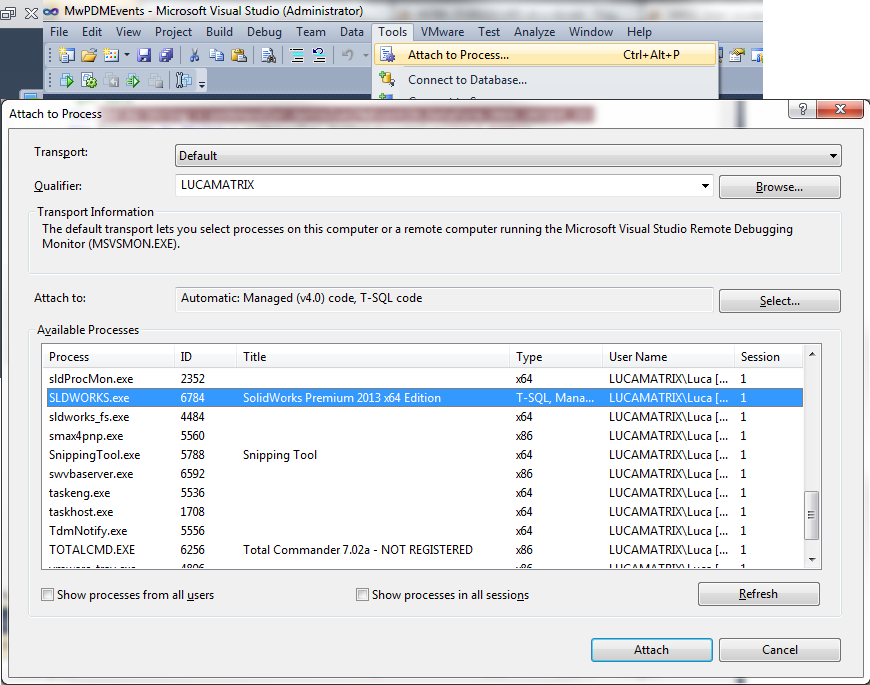
3.Run Debug from MSDEV
•Start exe (available for premium MSDE version only1)
•attach to an existing process
1: on express version you need to modify the MwPDMEvents.vbproj.user file that must be placed in the same folder of .vbproj project file.
<?xml version="1.0" encoding="utf-8"?>
<Project ToolsVersion="4.0" xmlns="http://schemas.microsoft.com/developer/msbuild/2003">
<PropertyGroup Condition="'$(Configuration)|$(Platform)' == 'Debug|AnyCPU'">
<StartAction>Program</StartAction>
<StartProgram>C:\Program Files\SolidWorks Corp\SolidWorks\sldworks.exe</StartProgram>
</PropertyGroup>
<PropertyGroup Condition="'$(Configuration)|$(Platform)' == 'Release|AnyCPU'">
<StartAction>Program</StartAction>
<StartProgram>C:\Program Files\SolidWorks Corp\SolidWorks\sldworks.exe</StartProgram>
</PropertyGroup>
</Project>