Order documents by... / Order projects by...
This command is available from the popup menu of tree projects root.
The command displays a popup dialog where you can define the field to order documents or projects by.
It allows the display of the documents in the Tree ordered by an arbitrary field belonging to the DOCUMENT or PARENT_CHILD table. The ordering is global, and affects all the Trees displayed by the current user.
Typical usages of the function are to order the Document Tree by PARENT_CHILD_BOM_POS, for displaying the list ordered by the assigned BOM positions, or by the CREATION_DATE, for inspecting the insertion history of the assembly components.
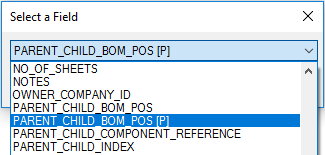
Once invoked, the function show the Field Selector Dialog, that displays both the DOCUMENT and PARENT_CHILD fields:
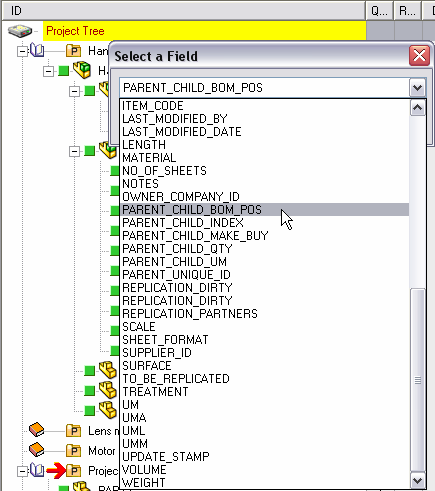
Selecting again the same field will invert the order (ascending ↔ descending)
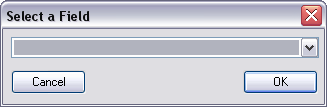
It is possible to reset the order to its default value by selecting the empty field (at the begin of the list):
It's not possible to use following fields for ordering the tree:
T
ID
FILE_NAME
FILE_DIRECTORY
CONFIGURATION
MAKE_BUY
STATE
REVISION
ACTIVE_REVISION
UNIQUE_ID
Please note known limitations:
•Order Project by... function sorting is performed on top level projects only.
•Order Documents by... sorts documents and subprojects of a project (all together, without differentiating between the two types).
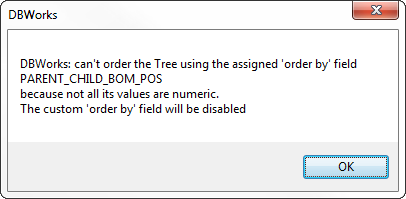
If the chosen field produces an error during the ordering action, a dialog informs that the order criteria will be reset:
PARENT_CHILD_BOM_POS
Starting from R16sp1 it is possible to have a double ordering behavior for the field PARENT_CHILD_BOM_POS:
•PARENT_CHILD_BOM_POS
the ordering is applied only to child components of assemblies
•PARENT_CHILD_BOM_POS [P]
the ordering is applied also to any child document of Projects
The entry is available from the RMB on the project Tree root: