How to rebuild database indexes
How to create a scheduled task
1.From within SQL Management Studio, click RMB and select Maintenance Plans, then Maintenance Plan Wizard
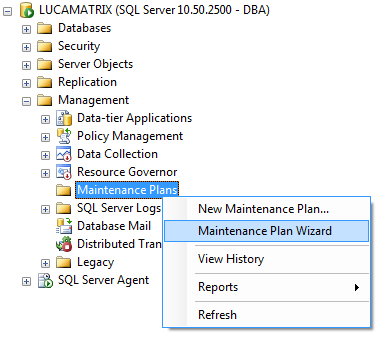
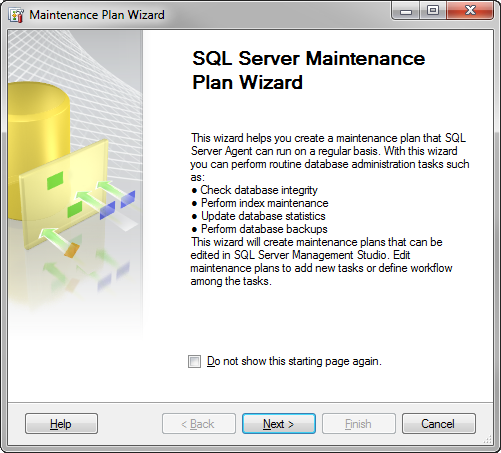
2.Choose the button to begin the maintenance plan for rebuilding the indexes of the PDM database
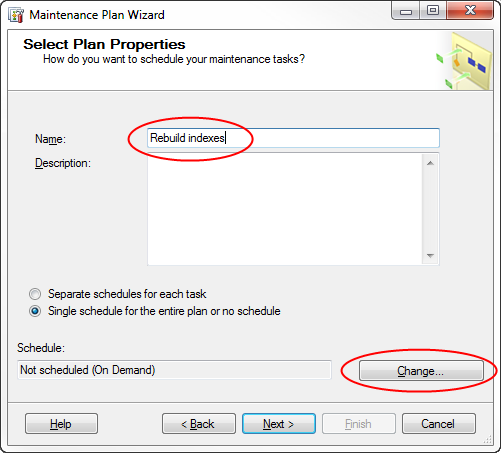
3.Name the new maintenance plan, then click the to schedule it.
4.Set the frequency for this maintenance plan. In this example the plan is set to run monthly. When set, proceed with button.
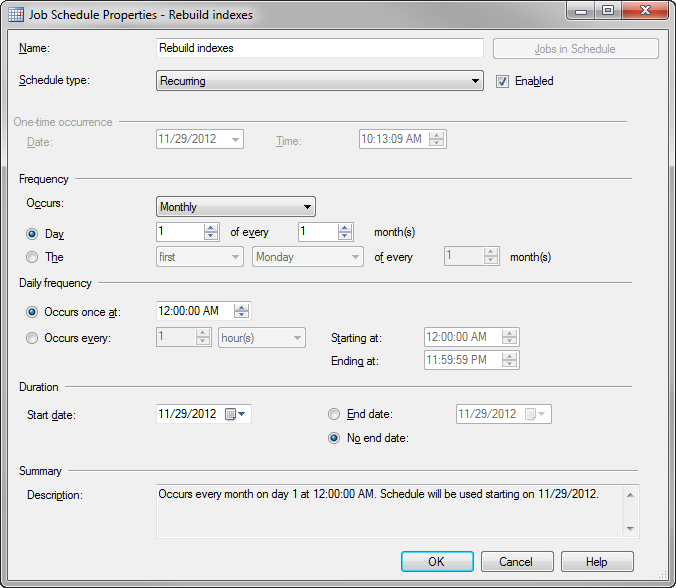
Once back to the previous dialog, confirm with the button:
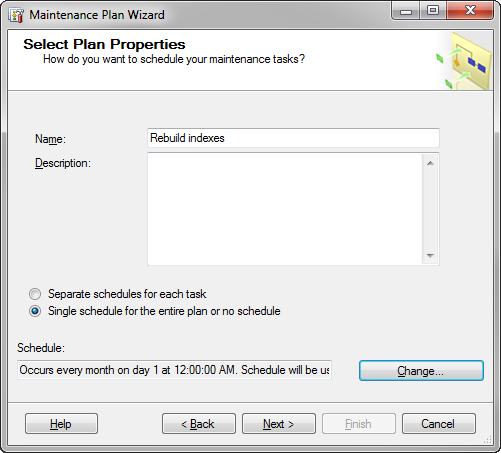
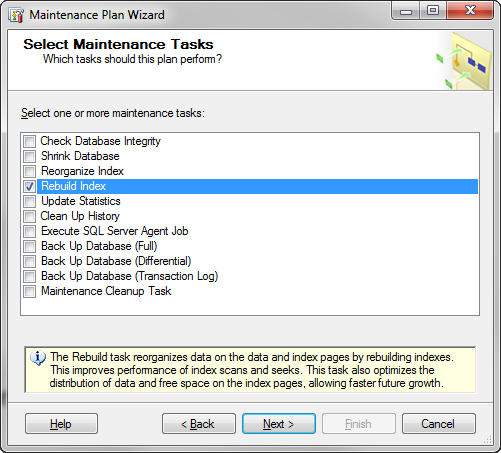
5.In the maintenance Task choose the Rebuild Index tast. Click the button to proceed:
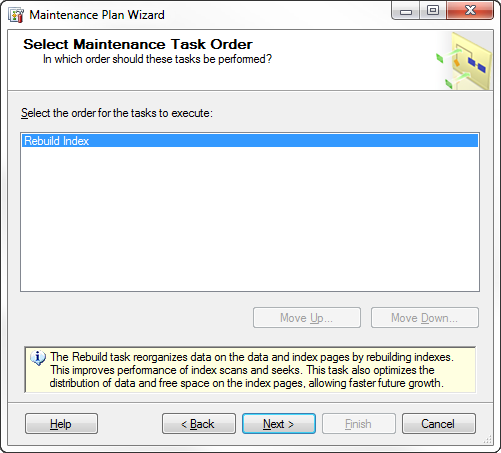
6.Since there is only one task there is no need to change any order. Click the button to proceed:
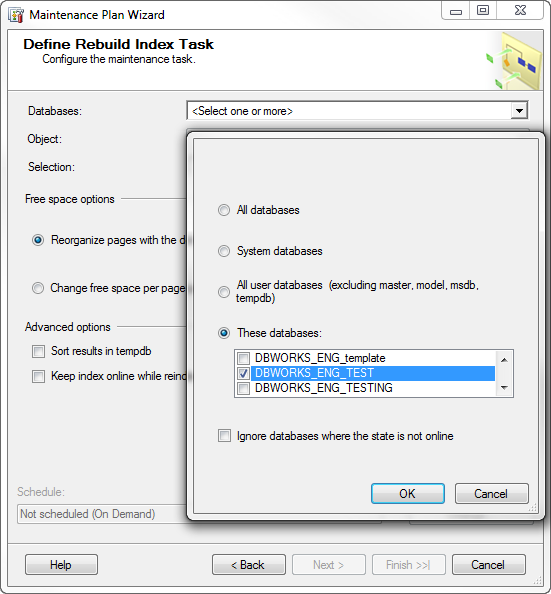
7.Choose the database in "These databases:" option, then locate the main PDM database and enable its check. Click first the button then the to proceed:
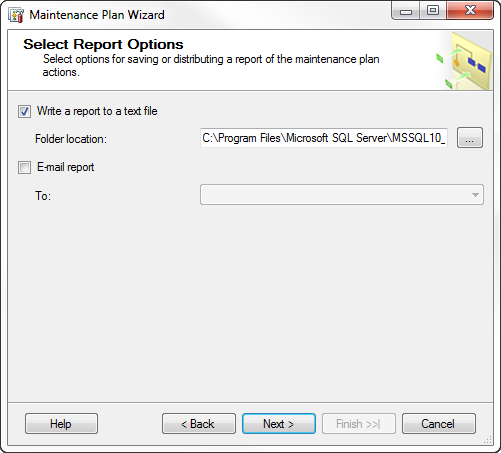
8.If you would like a report written, choose the location for that report to be written to. Click the button to proceed:
9.To build the plan, click the button:
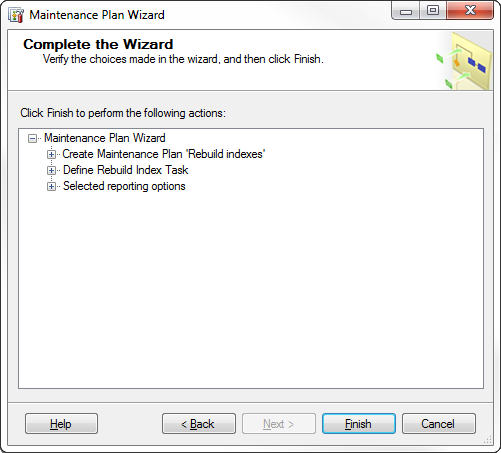
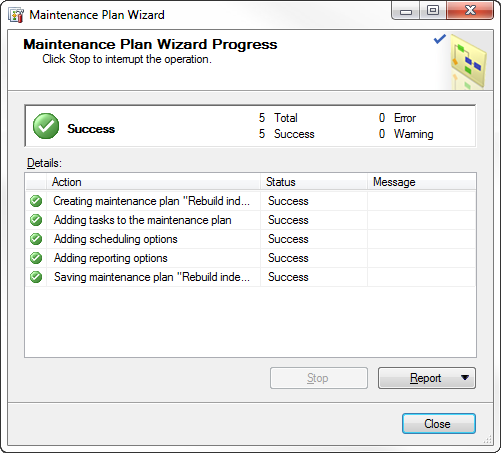
10.Ensure that the plan is built correctly and click the button.
The plan is now ready and will run accordingly to the schedule.
How to run planned indexing manually
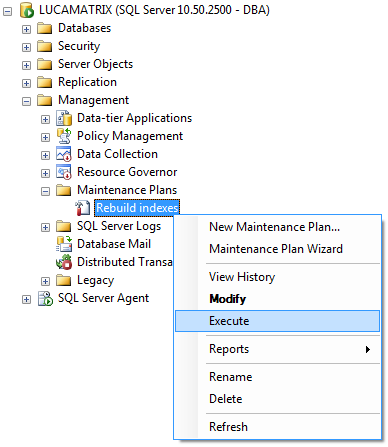
1.If you would like to run the plan manually, expand the Maintenance Plans and locate the plan you wish to run; then right click and select Execute from the popup menu:
2.Ensure that the plan runs correctly.
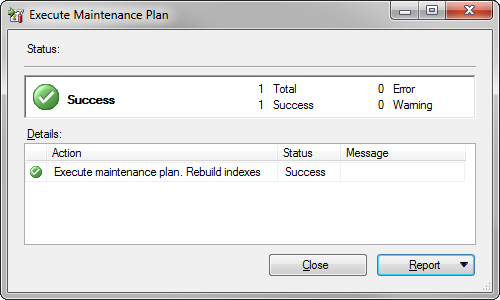
You can also view the report by selecting the drop down list and choosing View Report.
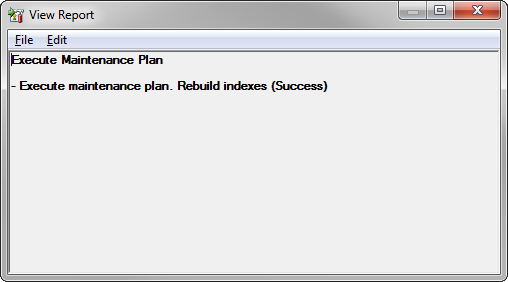
The report will display whether the plan was run successfully or not:
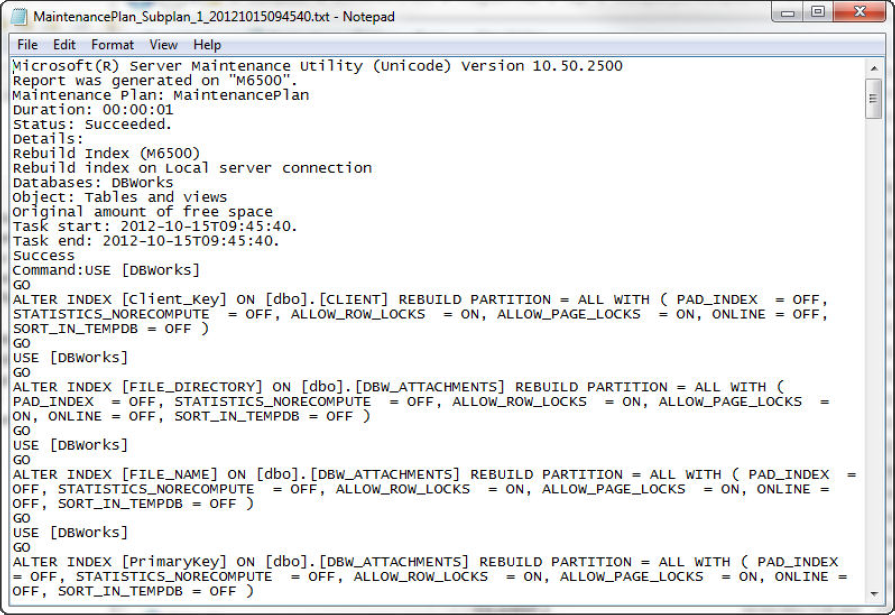
You can also view the entire log if you have selected an output file. Keep in mind, if you do write a log, these files are not automatically removed and will continue be created in the defined folder.