available from build: 20040608 |
Description
This command shows the default confirmation dialog proposed by DBWorks in many cases for selecting documents
Syntax
call DBWShell("ShowConfirmationDialog title uidList [ok_del_rec [ok_del_file [silent]]]")
Parameters
title |
title of the dialog |
|---|---|
uidList |
a comma separated list of the documents unique ids to be listed in the confirmation dialog |
ok_del_rec |
1: delete the records defined in the uidList |
ok_del_file |
1: delete the files of the records defined in the uidList |
silent |
1: all the operations will be done silently, without any user interface |
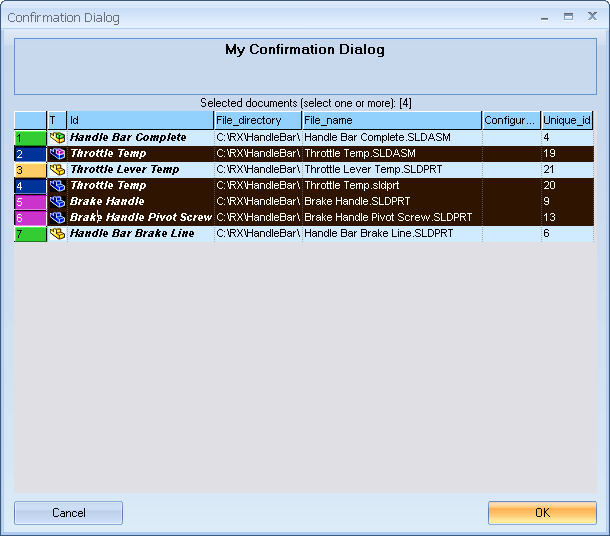
Results
@UIDLIST |
A comma separated list of the selected documents unique ids |
Remarks
In the dialog title you have to replace spaces with "|" characters.
Example
Sub Main()
DBWInit(TRUE)
title = "My Confirmation Dialog"
uidList = "71086,70849,70315,69836"
DBWShell("ShowConfirmationDialog " & replace(title," ","|") & " " & uidList & " 1 1 1" )
if okDBW then
uidList = DBWResult("@UIDLIST")
DBWMsgBox "uid list:" & uidList
end if
End Sub
Example2
Sub Main()
DBWInit(TRUE)
DBWShell("GetSelection")
if (okDBW) then
selection = DBWResult("@SELECTION")
DBWShell("ShowConfirmationDialog MyDeletedRecords " & selection & " 1 1 1")
DBWShell("Requery")
end if
end sub