How to shrink the database
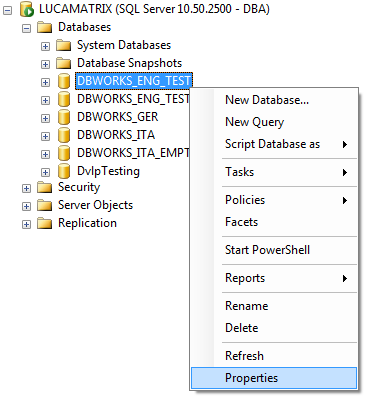
1.In SQL Management Studio locate the main PDM database and right mouse select.
in the popup menu select the Properties entry:
2.Change to the Options page. In the Recovery model drop down list choose the Simple entry:
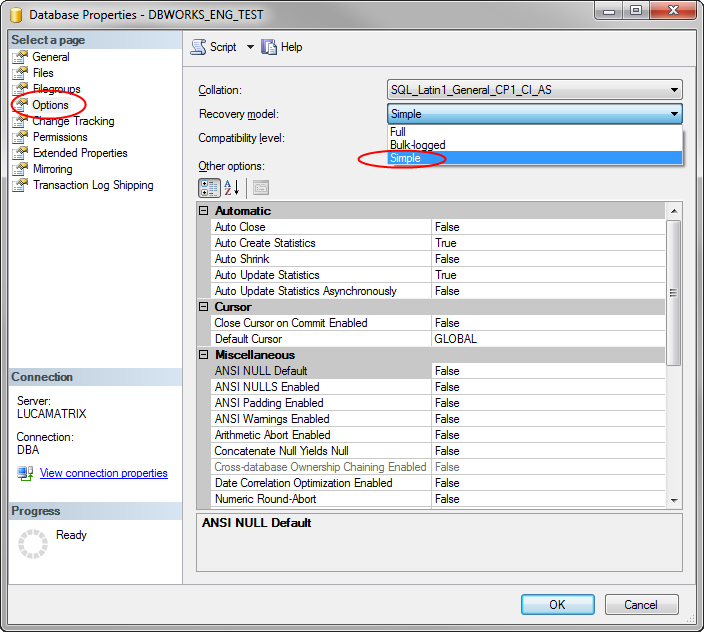
Then confirm the dialog by pressing the button.
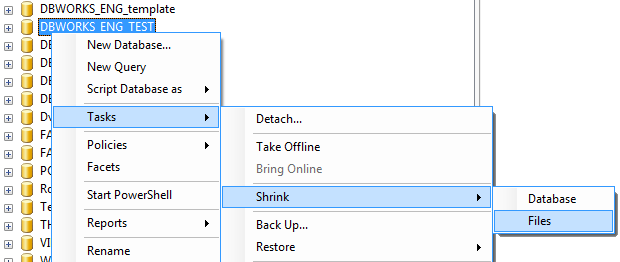
3.Right mouse button again on the main PDM database and select Tasks → Shrink → Files:
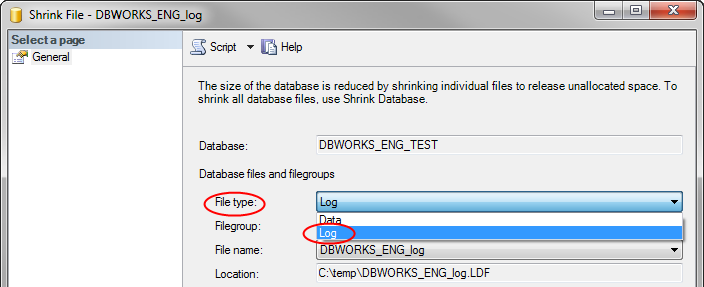
4.In the File type drop down list, choose Log:
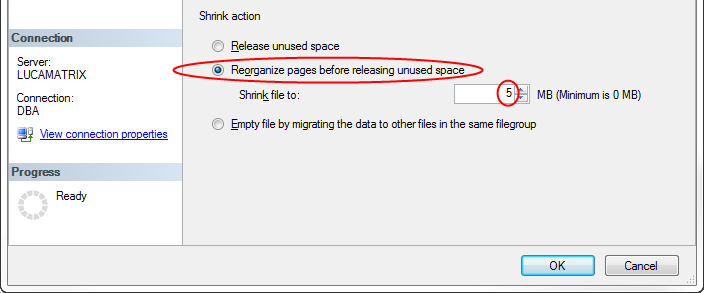
5.In the Shrink action options choose Reorganize pages before releasing unused space and set a value of 5 or something similar:
Finally click the button to shrink the database.