Description
The command replaces in a Solidworks assembly file a specific configuration of a component with another configuration of a different component.
Syntax
call DBWShell("SWReplaceReferencedConfiguration asmPath asmCfg componentToBeReplacedPath componentToBeReplacedCfg ReplacingComponentPath ReplacingComponentCfg")
Parameters
asmPath |
the containing assembly path |
|---|---|
asmCfg |
the containing assembly configuration |
componentToBeReplacedPath |
the path of the component to be replaced in the assembly |
componentToBeReplacedCfg |
the specific configuration of the component to be replaced in the assembly |
ReplacingComponentPath |
the path of the replacing component in the assembly |
ReplacingComponentCfg |
the specific configuration of the replacing component in the assembly |
Remarks
This command is available for Solidworks files only.
Example
In this assembly A1 I need to replace the reference on P01 with a reference on P03: 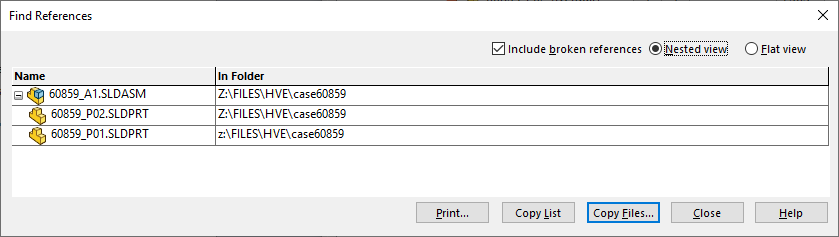
sub main()
DBWinit(TRUE)
asmPath = "z:\FILES\HVE\case60859\60859_A1.SLDASM"
asmCfg = "Default"
componentToBeReplacedPath = "z:\FILES\HVE\case60859\60859_P01.SLDPRT"
componentToBeReplacedCfg = "Default"
ReplacingComponentPath = "z:\FILES\HVE\case60859\60859_P03.SLDPRT"
ReplacingComponentCfg = "Default"
DBWShell("SWReplaceReferencedConfiguration " & asmPath & " " & asmCfg & " " & componentToBeReplacedPath & " " & componentToBeReplacedCfg & " " & ReplacingComponentPath & " " & ReplacingComponentCfg)
DBWMsgBox "done"
end sub
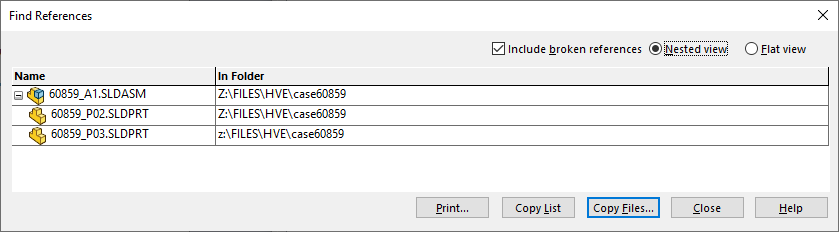
The reference has been replaced: