Rules are a powerful tool for improving conversion results.
Each user can create their own rules, which are automatically saved in a dedicated list called the Rules List, available on the Rules Page.
These rules are automatically reused in all subsequent conversions, allowing the conversion quality to improve over time and adapt to the user’s specific conventions and requirements.
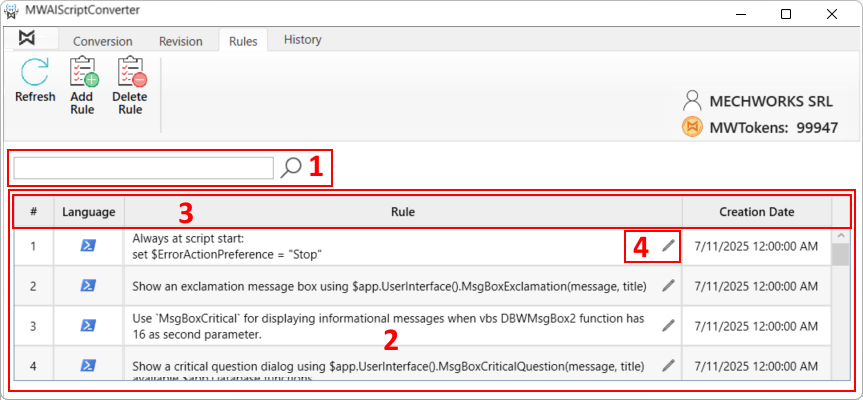
1)Rule Filter
2)Rule List
3)Rule List Header
4)Rule Edit Icon
The Filter and the Header provide filtering and ordering capability.
Rules are specific to the target language and are marked by a specific icon in the Rule List. Here is below a simple example:
 Get the system temp path via [System.IO.Path]::GetTempPath()
 Get the system temp path via tempfile.gettempdir()
The Rules can be created, edited and deleted. The following sections describe these operations in detail.