Briefcase: No AutoCheckout Mode
When the AutoCheckout Mode is disabled (default: enabled), the documents needn't be in checked out state to be inserted into a briefcase. The advantage of keeping this option disabled is that the administrator probably doesn't know beforehand exactly what components will be involved in the modifications and leaves the possibilty for the external designer to decide on which files to intervene.
The receiver of the briefcase is allowed to inspect it and to decide whether to intervene, checking-out only the documents he needs to modify. It is better to remember that the Briefcase functionality needs the options set as follows:
When the AutoCheckout Mode is disabled the option Options->Environment->Remote Access->[X] Make foreign documents with a not null OWNER_COMPANY_ID must be checked
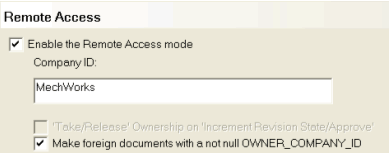
The working pattern with No AutoCheckOut Mode may be better explained with an example
Workflow example
The following is the workflow for exchanging an assembly for which it is not known what component needs to be modified.
We will call MAIN COMPANY the main company, and EXTERNAL DESIGNER the external company that will do the work on the assembly.
MAIN COMPANY
COMPANY_ID=MechWorks
The assembly 27570 needs to be sent to the EXTERNAL_DESIGNER_1 site for modification.
The assembly is selected in the Browser; the two columns on the right show respectively the COMPANY_ID and the OWNER_COMPANY_ID fields of the database:

and in the Shortcut Bar on the right click

Choose as "Destination Company ID" the COMPANY_ID of the external designer, in this sample EXTERNAL_DESIGNER_1
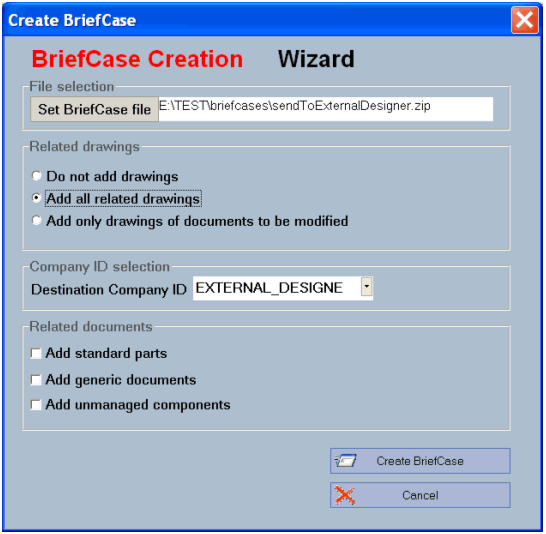
The document selector dialog is displayed:
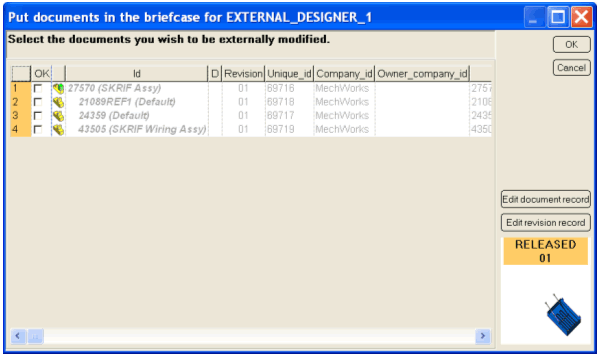
Check the documents that may or may not be modified by the external designer; in this case select all the documents:
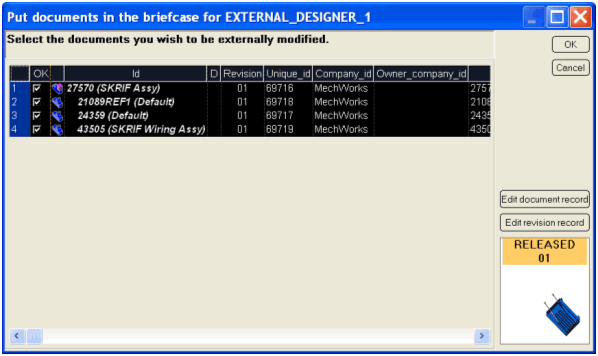
Click OK; the Briefcase creation confirmation dialog is displayed.
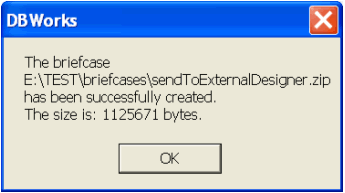
The documents being inserted into the Briefcase for the EXTERNAL_DESIGNER_1 company will have the field OWNER_COMPANY_ID populated with the value "EXTERNAL_DESIGNER_1"; since the option Remote Access->[X] Make foreign documents with a not null OWNER_COMPANY_ID is checked, they are considered foreign documents; any operation like creating a new revision or editing their data is not allowed.

EXTERNAL DESIGNER
COMPANY_ID=EXTERNAL_DESIGNER_1
Suppose the initial database state is the following:

The external designer loads the briefcase clicking:

He selects the briefcase file sent by the main company:
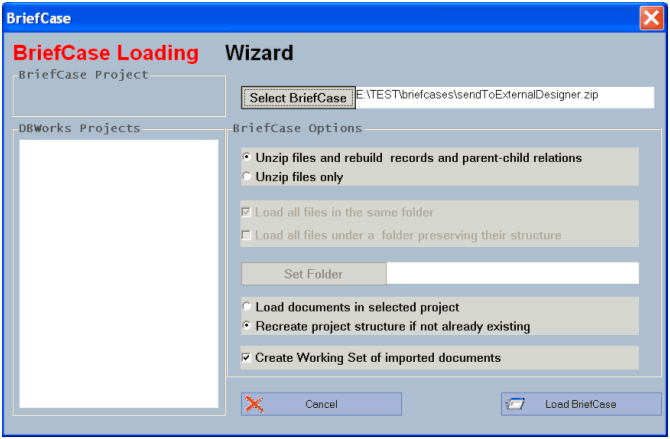
After pressing the "Load Briefcase" button, the document selector dialog displays the documents inserted in the briefcase (the grayed ones are reference records, needed for transferring the database structure from one site to another):
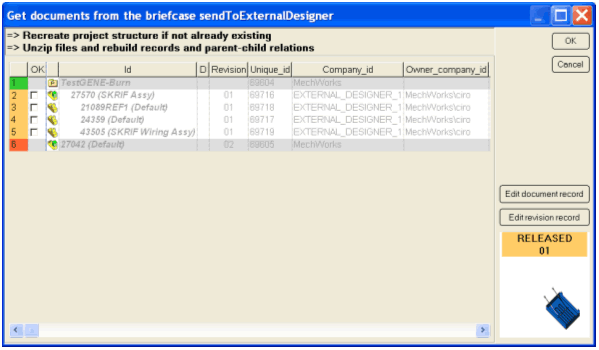
At this point you can read basic information on every file and preview them in SolidWorks as view only documents. Read the page on tehcnical advanced topics for more on the topic
The external designer selects all the documents inserted in the briefcase and confirms with the OK button; his database is populated as follows:

Note that the COMPANY_ID for the documents to be modified has been mapped into his own COMPANY_ID (EXTERNAL_DESIGNER_1), and that the information from which company/user those documents are coming from is maintained in the field OWNER_COMPANY_ID of the external designer database. In the above example, OWNER_COMPANY_ID='MechWorks\ciro' means that the user 'ciro' of the company 'MechWorks' has created this briefcase.
The external designer starts working on the assembly sent to him by the main company, and after inspecting it, decides that the component 24359 needs to be modified. He then checks out the component:

After working for a while on this component, he decides that the assembly can be sent back to the main company. Then, he creates a 'send-back' briefcase, inserting into it all the documents sent by the main company, specifically those with the OWNER_COMPANY_ID='MechWorks\ciro':

He then selects the top-level assembly sent for modification, and creates the 'send-back' briefcase using again

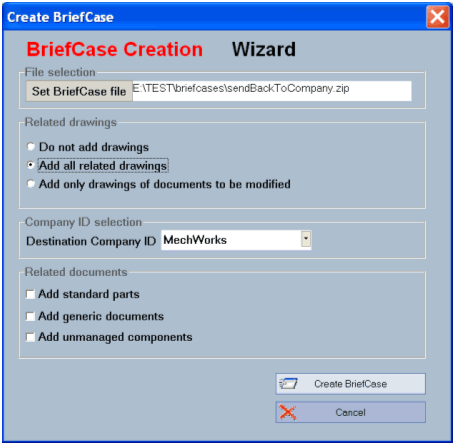
The destination company ID is now set back to the main company ID; after pressing the 'Create BriefCase' button, the document selector dialog is displayed once again, allowing to select the documents to be inserted in the briefcase:
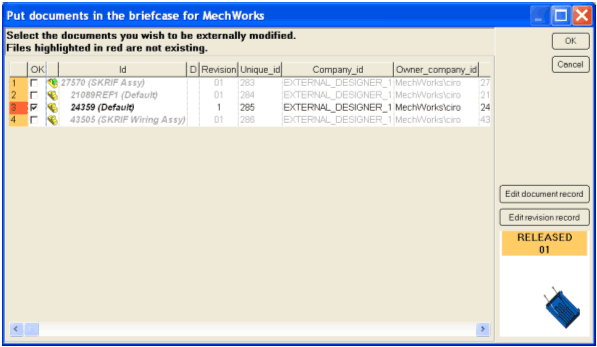
Since this is a 'send-back' briefcase, all the documents must be selected.
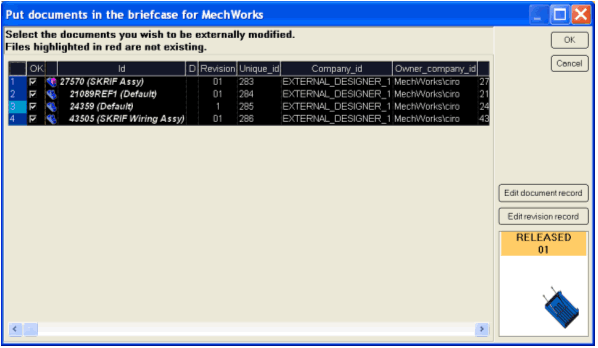
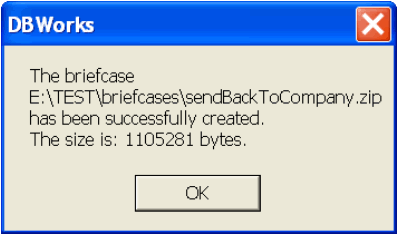
After confirming the ‘send-back’ briefcase is created and can be sent to the main company.
After putting back the documents in the briefcase, in the external designer database the records for those documents are now be marked as foreign records, not allowing any other modification.

MAIN COMPANY
COMPANY_ID=MechWorks
After sending the assembly for modification, the assembly and its components were marked as foreign:

When the briefcase from EXTERNAL_DESIGNER_1 is received, the designer that has created the briefcase (or any other administrative personality in the company) wants to load the briefcase sent back by the external designer.
The command

is executed, and the briefcase file sent back by the external designer is selected:
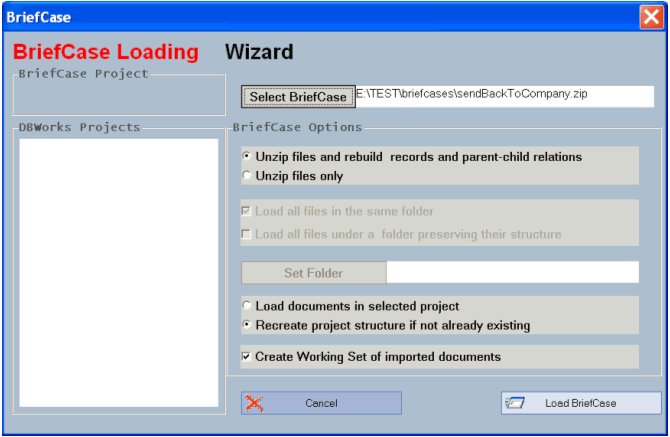
The document selector dialog is displayed:
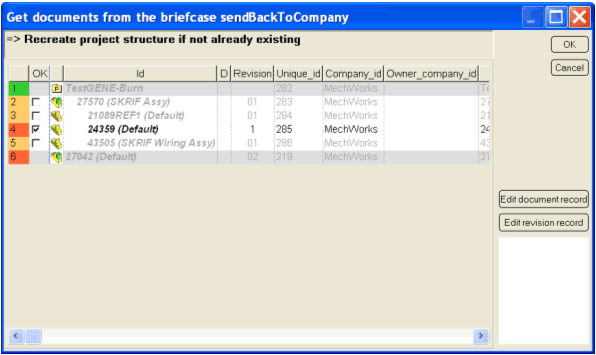
Only the checked-out files are phisically restored on the file system, but, in order to clean up the foreign state of the components sent for a possible modification to the external designer, all the documents need to be selected and checked.
After confirming the get-from-briefcase operation, the main company database has the OWNER_COMPANY_ID cleared for the documents selected in the document selector dialog (in this case for all the assembly components):

The component 24359, after being modified by the external designer, has its revision state incremented brfore the physical restore of the file from the briefcase so that the last-released copy of the file is not altered by the restore process.
To finish, a Working Set of all the modified files is created:

It is now responsibility of the designer in the main company to approve the modifications made by the external designer.