Set no browsing attribute on folders
If you deny a folder browsing permission, the user is not able to save documents into such folder anymore.
For this reason it's mandatory to delegate a script (DataEntr.LST) to generate a valid file location for the document.
Suppose you already set ACLserver and you want to hide a specific folder
C:\SHARED_PARENT_ROOT\DBW_FILES_ROOT
for a group of users (e.g. LimitedUsers).
Here are steps to achieve the goal:
1.select the folder → properties → Security Tab → Click advanced
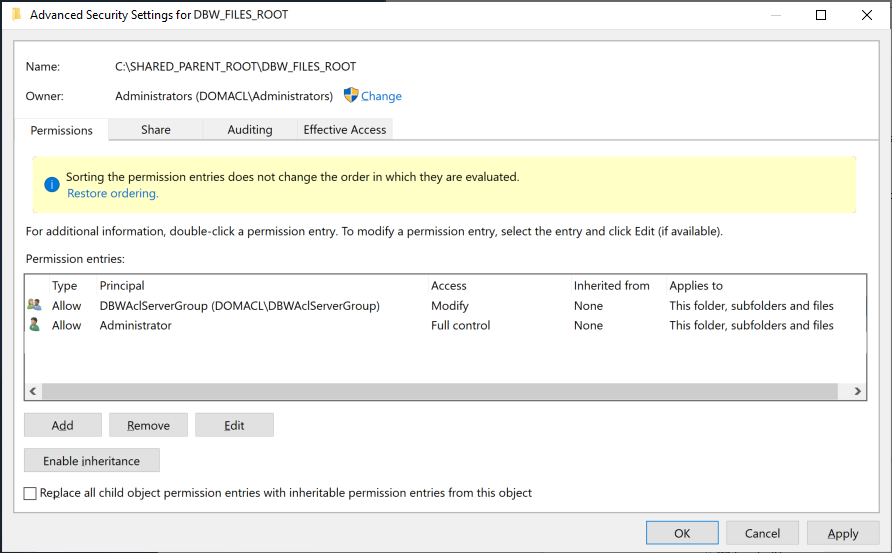
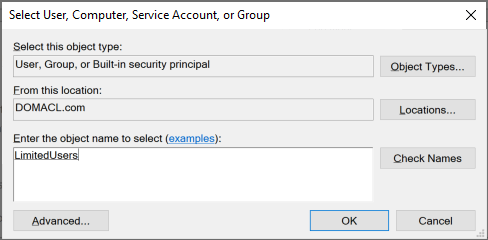
2.click button and -in the appearing dialog- click Select principal.
In the new form write LimitedUsers and validate with button
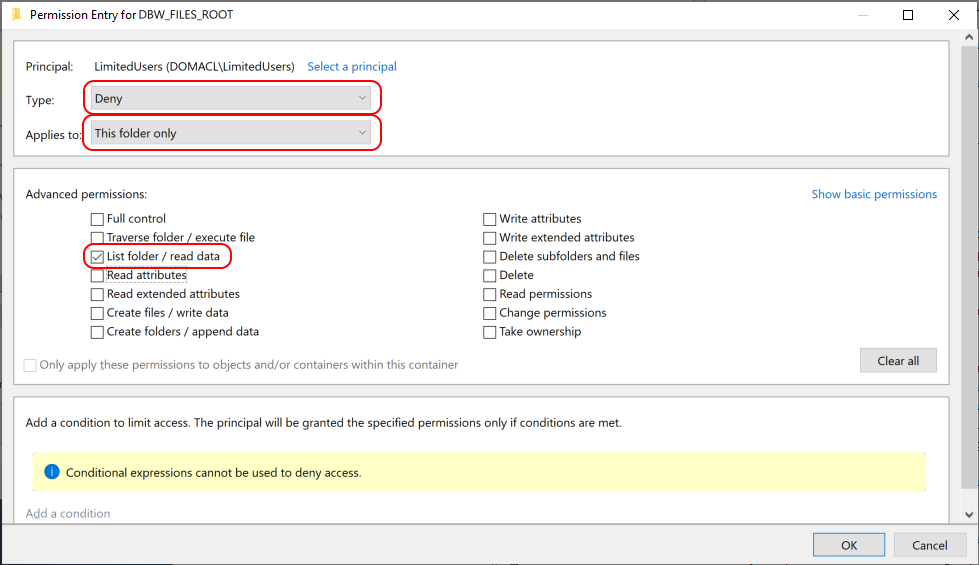
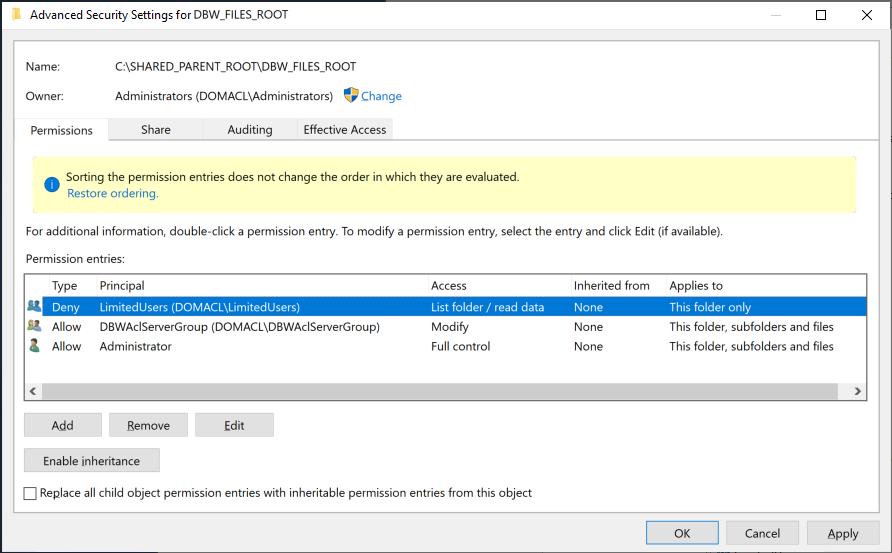
3.Set Type: "Deny", Applies to: "This folder only" and make sure Advanced permissions (click link on the right) have only "List folder / read data" checked.
4.finally the permissions for group LimitedUsers have been set:
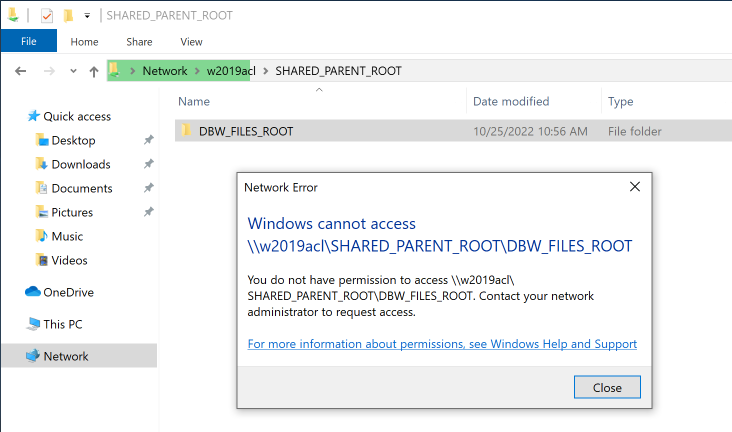
5.any user belonging to LimitedUsers group will not be able to browse such folder: