Find a Project
This command displays a popup dialog where you can define the search key for the identifier of the project that you want to find.
The search key can contain stars '*' or more sophisticated regular expression using wild chars like '?' or intervals like [0,5] for finding projects with an identifier in accordance with common DOS search patterns.

After clicking ok, in the tree the first project corresponding to the search pattern is selected:
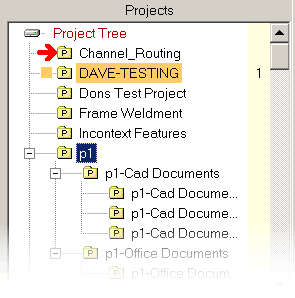
Press the F3 key to find the next matching item.