available from build: 20041105 |
Description
This command popups the Component Search Dialog for choosing a component file name / configuration
Syntax
call DBWShell("GetComponentFileNameFromSearchDialog")
Remarks
The dialog shown:
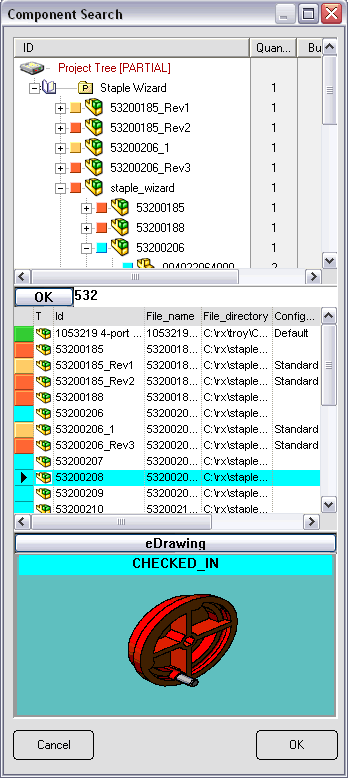
Starting from build 20050429 this command is availble for StandAlone installations too.
Results
@DOCUMENT_UNIQUE_ID |
the unique of the component selected in the dialog |
|---|---|
@DOCUMENT_PATHNAME |
the full path name of the component selected in the dialog |
@DOCUMENT_CONFIGURATION |
the configuration of the component selected in the dialog |
Example
sub main
DBWInit(TRUE)
DBWShell("GetComponentFileNameFromSearchDialog")
uid = DBWResult("@DOCUMENT_UNIQUE_ID")
fileName = DBWResult("@DOCUMENT_PATHNAME")
configuration = DBWResult("@DOCUMENT_CONFIGURATION")
DBWMsgBox "FileName=" & fileName & vbCrLf & "Configuration=" & configuration & vbCrLf & "uid=" & uid
end sub