available from build: 20100909 |
Description
It shows a File Selection dialog and returns the path name of the selected file
Syntax
call DBWShell("GetFilePathFromFileOpenDialog DefaultFileExt FileType FileFilter")
Parameters
DefaultFileExt |
The default extension for files with no extension assigned |
|---|---|
FileType |
The initial file type to be selected |
FileFilter |
A string defining the list of file types allowed for the selection; its format is: |
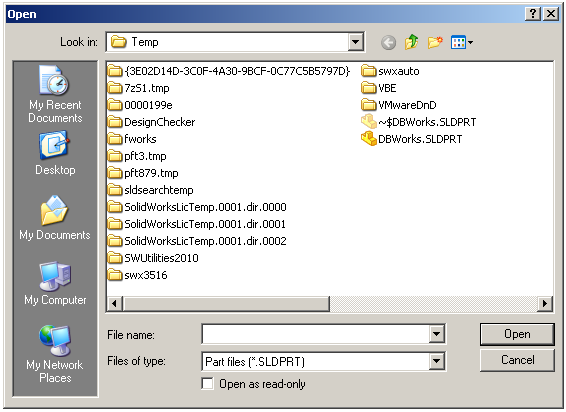
Example
Here it's an example for selecting files of type SLDPRT (SolidWorks Part files), allowing also the selection for any type of files:
Sub main()
DBWInit(TRUE)
DBWShell("GetFilePathFromFileOpenDialog SLDPRT *.SLDPRT " & replace("Part files (*.SLDPRT)@*.SLDPRT@All files (*.*)@*.*@@"," ","|") )
res = DBWResult("@CANCEL")
if( res = 1 ) then
DBWMsgBox "cancel has been pressed"
exit sub
end if
DBWMsgBox "File selected: " & DBWResult("@FILEPATH")
End Sub