Web Browser Pages
The browser allows to add custom web pages through tabs (in red, in the below pic) so to have an instance of Edge running in the pages on a specific URL address.
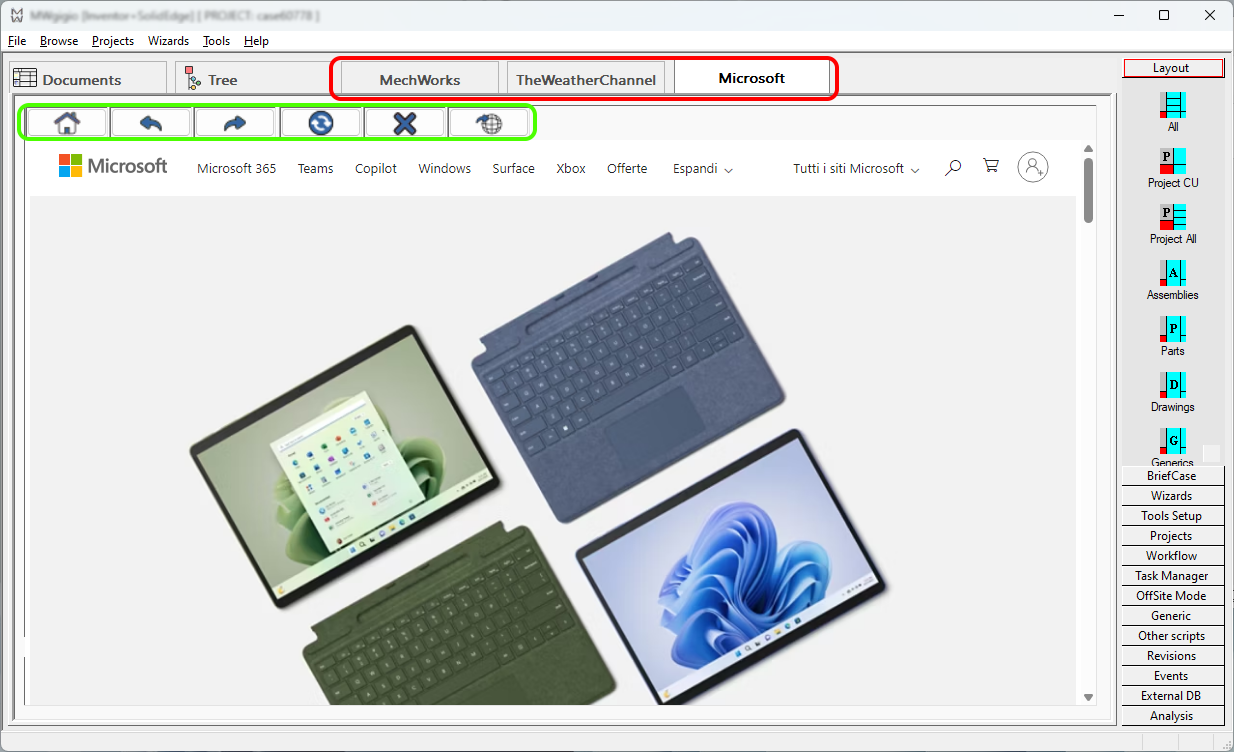
The buttons in the upper bar (in green) allow to perform common navigation actions and to open the current content in the default web browser.
Tabs with custom web pages
The list of the Pages and corresponding websites ha to be declared in file SCHEMA\DBWIEDEF.TXT;
every Page require a title and an URL to be valid:
TITLE <the title of the page>
URLWEBVIEW <a valid URL address>
...
or (to load through the deprecated Internet Explorer control)
TITLE <the title of the page>
URL <a valid URL address>
...
Example
This is the definition file of the above picture:
TITLE MechWorks
URLWEBVIEW https://reservedarea.mechworks.com/login/
;
TITLE TheWeatherChannel
URLWEBVIEW https://weather.com
;
TITLE Microsoft
URLWEBVIEW https://Microsoft.com
A browser restart is required to apply changes.
Required emulation for older versions
Please note service packs older than R24sp1.3 used URL directive rather than URLWEBVIEW directive (so IE instead of EDGE); most websites required a specific emulation to be properly visualized in the browser; otherwise style settings (css) could be not properly loaded and warning messages could be generated.
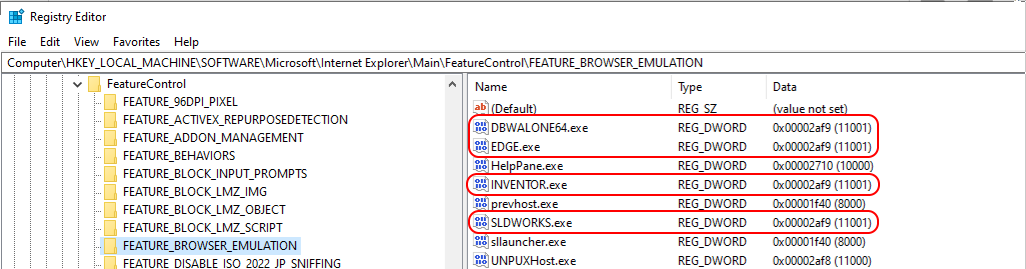
Here below are the keys in the registry to be added (all of DWORD type and all with value 11001) to enhance the emulation of the browser control to the latest Edge level
For users of integrated addins and Standalone Client x64:
•SLDWORKS.exe
•INVENTOR.exe
•EDGE.exe
•DBWALONE64.exe
\HKLM\SOFTWARE\Microsoft\Internet Explorer\Main\FeatureControl\FEATURE_BROWSER_EMULATION
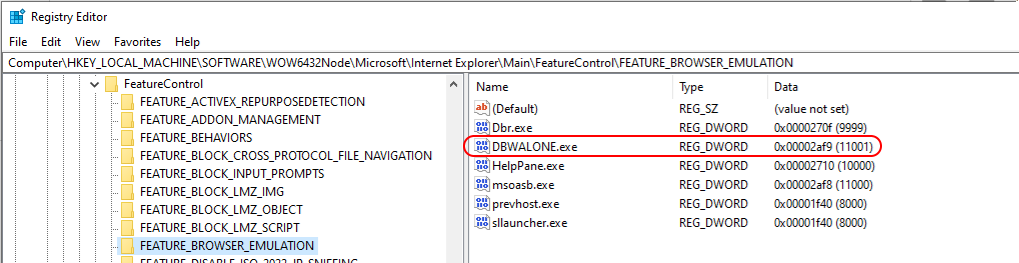
For users of Standalone Client x86:
•DBWALONE.exe
\HKLM\SOFTWARE\WOW6432Node\Microsoft\Internet Explorer\Main\FeatureControl\FEATURE_BROWSER_EMULATION
For further info please visit Microsoft specific page