Opening SolidWorks document: silent and non silent mode
 Users only |
By default, DBWorks passes the swOpenDocOptions_Silent parameter to the SW API OpenDoc routine, so as to avoid the annoying messages that sometimes SW displays when opening documents.
There may be cases where such messages are important, for instance when some drawings may have tolerances to be synchronized automatically:
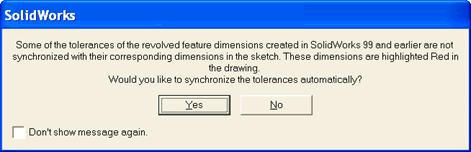
In those cases, the designer can press the CTRL key while opening, forcing SW to display all the messages that it would normally display.