Query results window
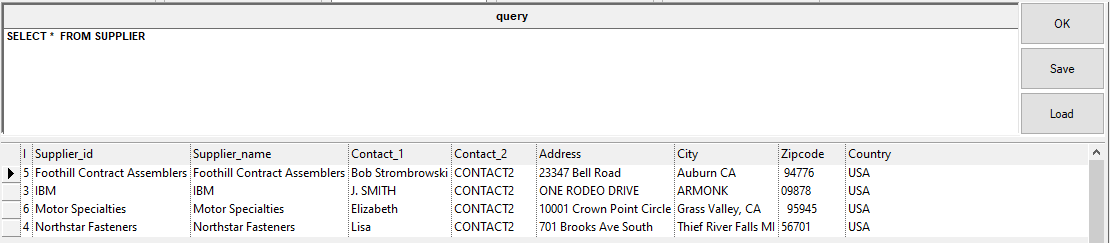
The results window displays the results of an sql query. To refresh the view click OK.
Special results formatting
Merging cells.MERGE_CELLS <start col>,<end col> Example:.MERGE_CELLS 1,2 SELECT T,ID,FILE_NAME FROM DOCUMENT In the above sample, the columns 1 and 2, corresponding to the fields T and ID will be merged. Autosize.RESIZE_COL_WIDTH_TO_FIT Example:. RESIZE_COL_WIDTH_TO_FIT SELECT T,ID,FILE_NAME FROM DOCUMENT |
|---|
Here's an example of a query and the results generated: .MERGE_CELLS 1,2 .RESIZE_COL_WIDTH_TO_FIT
|
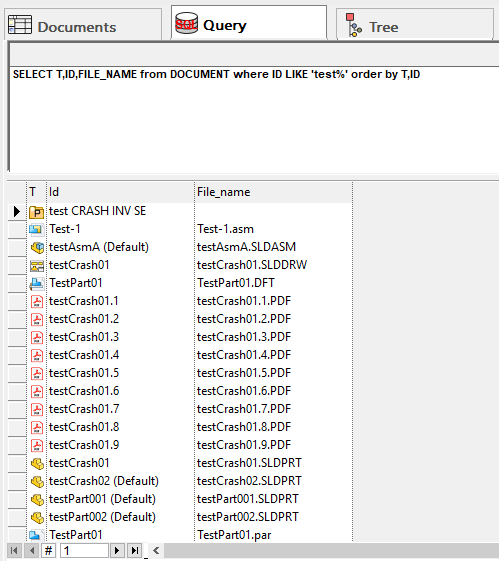
The list allows for most common operations through shortcuts and pop-up menus.