 The Query Page
The Query Page is by default disabled;
you can enable it by unchecking the option User Interface→Browser Behavior→ Disable Query Page SQL window
The Query Page displays a list containing information resulting from sql queries that can be saved and retrieved as text files. You can interact with the elements in the sheet using pop-up menus, shortcuts and the button bar.
Layout of the sheet
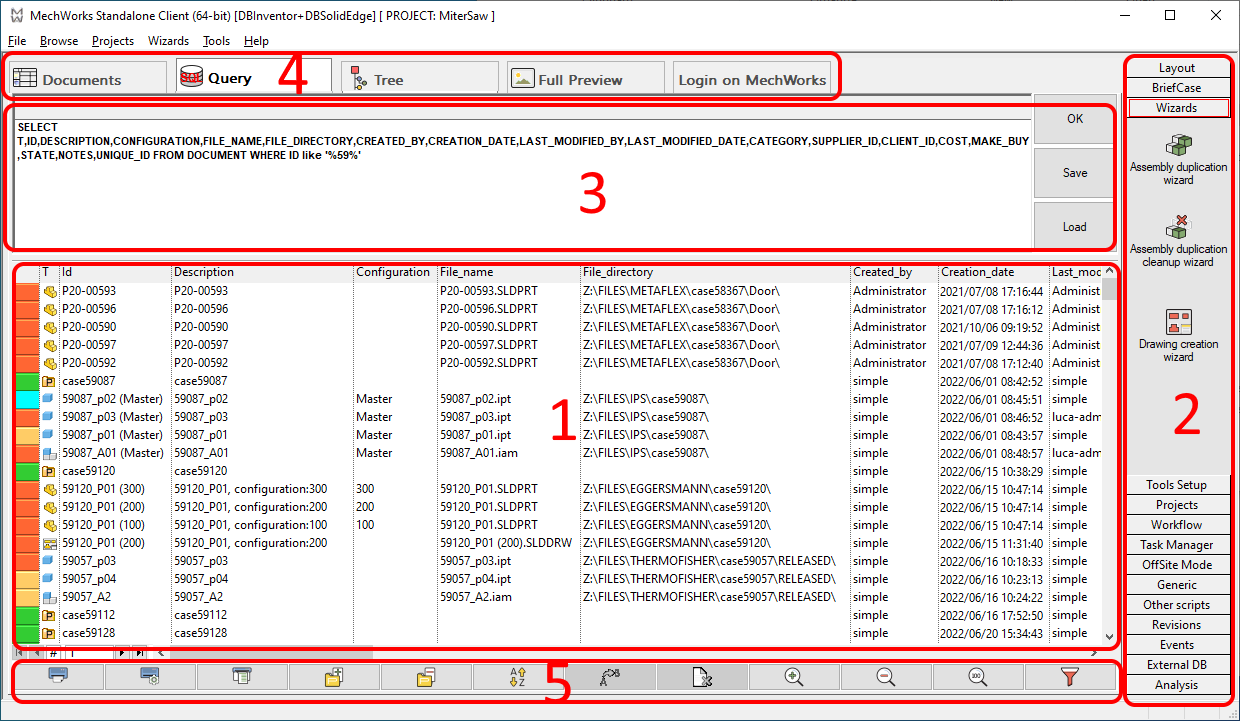
1. Query results 2. Shortcut bar 3. Editing area (see below) 4. Other tabs in the Browser 5. Bottom buttons bar
Editing a query
MechworksPDM includes many query templates ready for use. Starting from the nearest model you can obtain any query you like with a few modifications.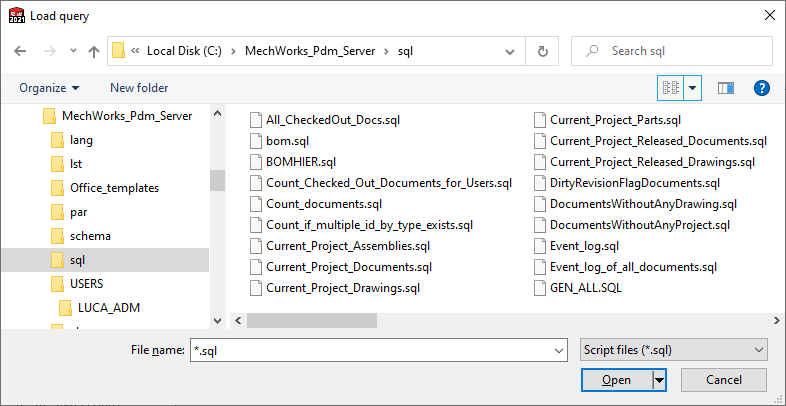
Example
In the following example we open the List_all_Parts.sql query meant to show many fields for each part record and to order them by ID.
Our goal is to change it in order to select only the brake parts.
The starting query is:
SELECT
T,ID,DESCRIPTION,CONFIGURATION,
FILE_NAME,FILE_DIRECTORY,UNIQUE_ID,
CREATED_BY,CREATION_DATE,LAST_MODIFIED_BY,LAST_MODIFIED_DATE,
CLIENT_ID,COST,NOTES,
LENGTH,SURFACE,VOLUME,
WEIGHT,MATERIAL,STATE
FROM DOCUMENT
WHERE T='P'
ORDER BY ID
We change the raw WHERE T = 'P' adding the further condition DESCRIPTION LIKE '%Brake%':
The resulting SQL script is:
SELECT
T,ID,DESCRIPTION,CONFIGURATION,
FILE_NAME,FILE_DIRECTORY,UNIQUE_ID,
CREATED_BY,CREATION_DATE,LAST_MODIFIED_BY,LAST_MODIFIED_DATE,
CLIENT_ID,COST,NOTES,
LENGTH,SURFACE,VOLUME,
WEIGHT,MATERIAL,STATE
FROM DOCUMENT
WHERE T='P' AND DESCRIPTION LIKE '%Brake%'
ORDER BY ID
Click OK to display the results.
Being satisfied with the result you wish to save your query to recall some other time.
To save a query click SAVE and enter a name that makes sense both to you and to your team mates. In this case you call the query "Brakes". 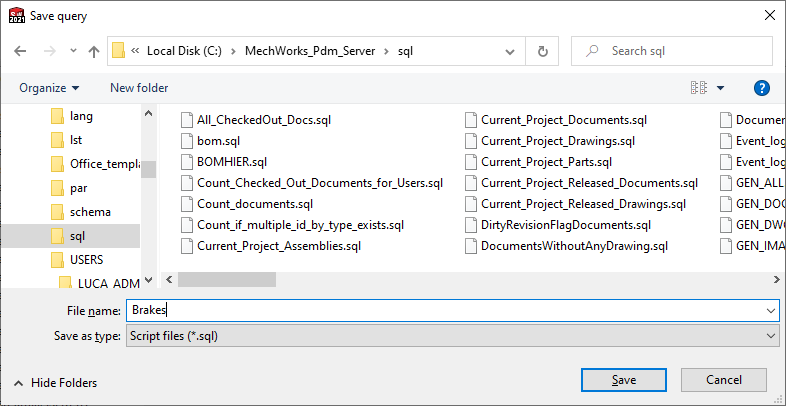
Bom related queries are special queries that cannot be effectively edited in this sheet as they contain variable strings. To know more, read the topic Modifying the SQL Bill Of Materials.
It is also possible to query external data sources other than MechworksPDM. For further information, please refer to the topic Querying an external data source.
Macros are available as code shortcuts to localize queries and refer to system variables otherwise not available. For further information, please refer to the topic Query macros.
Queries involving Working Sets
All the .SQL query files that begin with "Working Set" are managed by MechworksPDM as Working Set files and loaded as Working Sets.
Examples:
Current query → Save on "Working Set One.SQL" → the file is saved and the query title is set to "Working Set"
Current query → Load from "Working Set One.SQL" → the file is loaded and the query title is set to "Working Set"