available from build: 20080708 |
Description
With this command it is possible to temporarily set a selection of UNIQUE_ID using the Recursive Checkout dialog as user interface.
The temporary selection is available until the next DBWShell("GetSelection") is executed.
Syntax
call DBWShell("SetTemporarySelectionFromRecursiveCheckoutDialog uidList")
Parameter
uid |
the Unique ID of the main document to show tree of |
|---|---|
title |
the title of the selection dialog |
message |
the message shown in the selection dialog |
Remarks
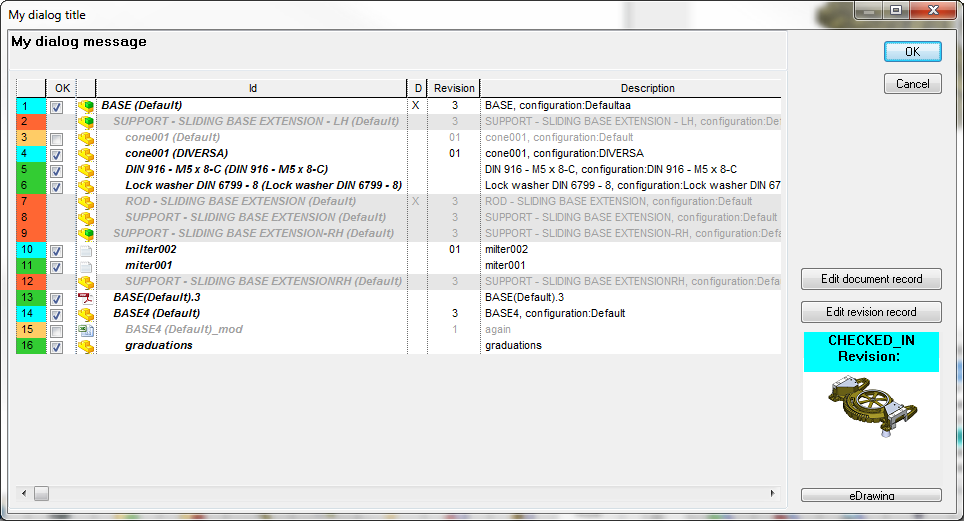
Example
Sub main()
DBWInit(TRUE)
DBWShell("CurrentDocument")
uid = DBWResult("@DOCUMENT_UNIQUE_ID")
dialogTitle = Replace("My dialog title"," ","|")
dialogMessage = Replace("My dialog message"," ","|")
okErrorMessages = false
DBWShell("SetTemporarySelectionFromRecursiveCheckoutDialog " & uid & " " & dialogTitle & " " & dialogMessage )
okErrorMessages = True
If okDBW then
DBWShell("GetSelection")
selection = DBWResult("@SELECTION")
DBWShell("WorkingSetCreate " & selection)
End if
End Sub