Execute an SQL scripting
Description
This feature has been introduced to allow you to perform direct actions on the database in SQL language. The most obvious occasion on which you may need this feature is to retrieve data from an SQL Backup, but there is no limit to the type of commands you can apply to the database.
This feature allows you to modify bulk quantities of data in a way which is not mediated by the MechworksPDM application. We strongly advice you to make a backup copy of your data before executing SQL scripting that have not been thoroughly tested before as there's no Undo feature for this function.
Interface
You are requested to indicate a valid sql scripting file in a standard open dialog: 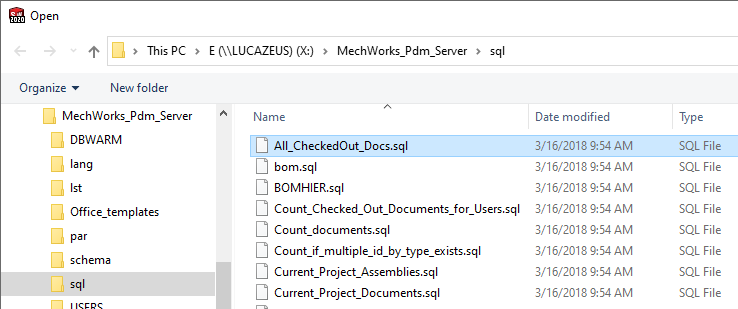
You can filter all the backup files in order to restore data. For each backup MechworksPDM created a copy with file names and without file names. For further information, please refer to the topic Backup as an SQL script.
Update queries in SQL scripts
Using the keyword
.ALLOW_UPDATE_EVEN_WITH_PARTIAL_SELECT_QUERIES header keyword for .SQL scripts
you can avoid the warning message:
WARNING! Cannot apply this query when in update mode.
Only query of the type SELECT * FROM are allowed.
shown by the Query Page when attempting, with the browser opened in update mode, to insert a query with a partial list of the DOCUMENT fields, that can have disastrous consequences on the database integrity if the key fields like UNIQUE_ID, FILE_NAME, CONFIGURATION are not listed.
However, under certain conditions, an Administrator can use partial queries for his purposes (it is MANDATORY to test the queries on a TEST ENVIRONMENT database).
MechWorks is not responsible of any damage to the database due to the incorrect usage of this functionality.