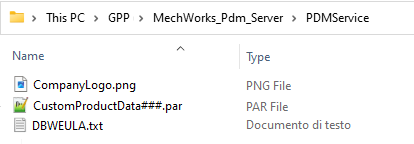
When the customization package is ready, install the MWPDM R24 or superior to the Company site following the instruction in the setup file. The setup creates a new empty folder named <GPP>\MechWorks_Pdm_Server\PDMservice.
a)Extract the ProductName.zip content to the folder <GPP>\MechWorks_Pdm_Server\PDMservice.
b)Run the MWPDM Standalone or a CAD add-in to validate the installation by checking the Add-ins or Standalone About. If an error is detected or an update is required in the customized data, follow the procedure in paragraph 5 to edit an existing Company’s customization.