CAD specific Standalone Client
Description
Mechworks PDM is an unique addin that fits every supported CAD; this is possible since the internal loaded DLL is well know due to the fact it runs inside the CAD.
For Mechworks Standalone Client this is not possible because it could be run on a workstation where no CAD is installed or where more than one CAD is installed.
Cases
So, how to choose if the runing Standalone Client will be a DBWorks Standalone Client, a DBInventor Standalone Client or a DBSolidedge Standalone client?
|
|
|



The behavior is driven by the existence of a file in the \<installationFolder>\bin\ named
DBInventorStandaloneSpecificFile.dat
or
DBSolidEdgeStandaloneSpecificFile.dat
files in \bin\ folder |
Result |
|---|---|
no .dat files |
Mechworks Standalone Client |
DBInventorStandaloneSpecificFile.dat only |
Mechworks Standalone Client [DBInventor] |
DBSolidEdgeStandaloneSpecificFile.dat only |
Mechworks Standalone Client [DBSolidedge] |
Both .dat files |
Mechworks Standalone Client [DBSolidedge][DBInventor] |
Selection of client
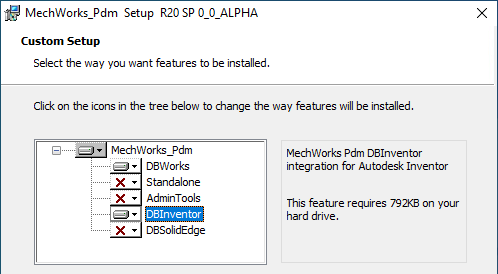
To select a specific client type even if no CAD application is installed on the worskstation, you have to enable the specific CAD addin as well from the installation setup dialog.
See the example below
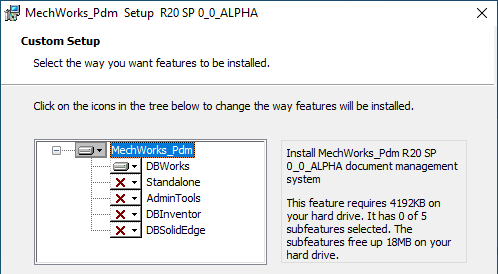
In this enviroment only Solidworks has been detected, so only DBWorks is suggested as addin.
By enabling also the DBInventor entry you'll obtain the DBInventorStandaloneSpecificFile.dat file will be created so to have a DBInventor Standalone Client.