Used by grid in the Data Form
The projects grid is displayed in the lower part of the Data Form, beside the Configurations grid.
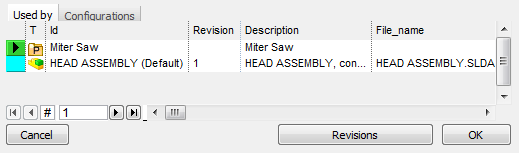
The first level Used By grid displays all the elements to which the current document belongs. As the picture shows, a document can belong to many projects but also to many assemblies and all the 'belongs to' or 'used by' parental link appear only as long as they are direct.
Let's see an example: if a part belongs to an assembly which in turn belongs to a wider assembly in the Used by grid of the part only the first assembly is displayed while the wider one is not enlisted as the 'belongs to' relation between the part and the wider assembly is indirect.
Behind this choice there's the wish to keep the grid simple and readable. If you want to see a complete hierarchical tree of the parents of a given document, you can build it from the pop-up menu of every document in the documents sheet or you can customize the related SQL query to display parents up to a certain degree.
The grid is not editable.