Interface
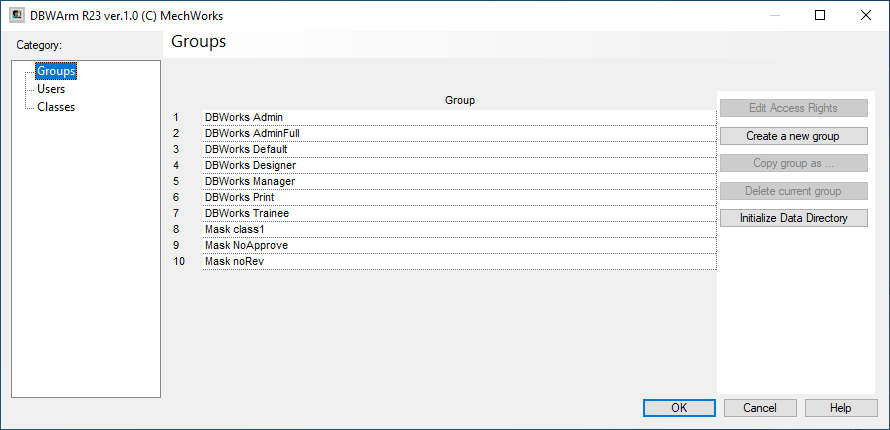
The first six groups are created by default. They correspond to the following user profiles:
DBWorks Admin |
is the super-admin of the Mechworks PDM system; 1.Can CHECKIN or CHECKOUT a document CHECKEDOUT by a different user 2.Can manually change the revision in a linked document; this allows also to ROLL BACK the same document to a previous revision |
|---|---|
DBWorks Default |
is the default profile for every user which is not listed in DBWARM users list. |
DBWorks Designer |
is the standard profile of Mechworks PDM, with all the rights minus the capability to view or reset the event log table. |
DBWorks Manager |
is intended as a business unit manager, so, normally, to avoid mistakes, he does not have any right expect the capability to view/reset the event log table and to view/print/plot the documents. |
DBWorks Print |
is a profile useful for anyone who wants to do only plotting and printing with Mechworks PDM. |
DBWorks Trainee |
is a profile specific for a beginner in the use of the PDM. He can work normally with the checkout/checkin flow, but he cannot create or approve a revision, he cannot create or delete projects, and so on. |
Buttons
Edit Access Right
When clicked, it shows a detailed dialog for setting rights, based on a denying policy.
For each category, you can choose what is denied for a user belonging to the current group.
The special group DBWorks Admin cannot have denied access rights
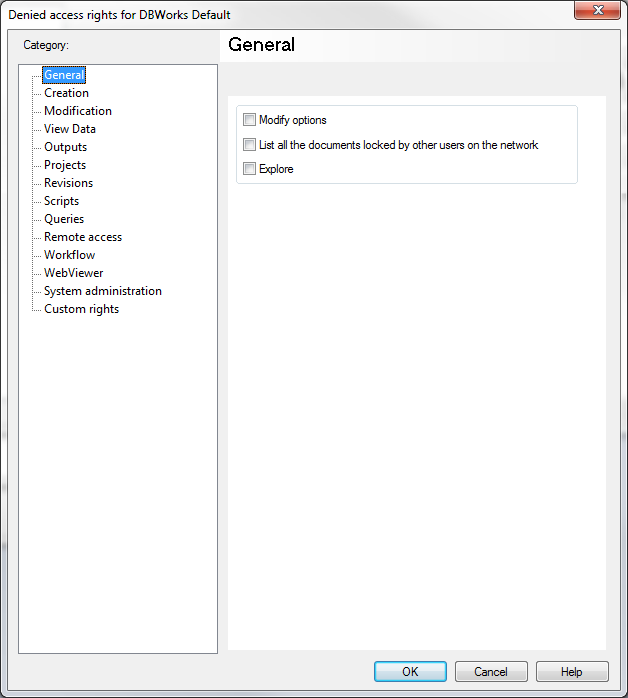
You can switch between left side category and click OK to confirm.
The Custom Rights are 32 security flags that can be managed by scripts with their own meaning.
The codes for the Custom Rights are from 65 to 96.
This script show how to manage custom scripts
const DBWARM_ex_custom_right_1=65
const DBWARM_ex_custom_right_2=66
const DBWARM_ex_custom_right_3=67
const DBWARM_ex_custom_right_4=68
const DBWARM_ex_custom_right_5=69
const DBWARM_ex_custom_right_6=70
const DBWARM_ex_custom_right_7=71
const DBWARM_ex_custom_right_8=72
const DBWARM_ex_custom_right_9=73
const DBWARM_ex_custom_right_10=74
const DBWARM_ex_custom_right_11=75
const DBWARM_ex_custom_right_12=76
const DBWARM_ex_custom_right_13=77
const DBWARM_ex_custom_right_14=78
const DBWARM_ex_custom_right_15=79
const DBWARM_ex_custom_right_16=80
const DBWARM_ex_custom_right_17=81
const DBWARM_ex_custom_right_18=82
const DBWARM_ex_custom_right_19=83
const DBWARM_ex_custom_right_20=84
const DBWARM_ex_custom_right_21=85
const DBWARM_ex_custom_right_22=86
const DBWARM_ex_custom_right_23=87
const DBWARM_ex_custom_right_24=88
const DBWARM_ex_custom_right_25=89
const DBWARM_ex_custom_right_26=90
const DBWARM_ex_custom_right_27=91
const DBWARM_ex_custom_right_28=92
const DBWARM_ex_custom_right_29=93
const DBWARM_ex_custom_right_30=94
const DBWARM_ex_custom_right_31=95
const DBWARM_ex_custom_right_32=96
Sub Main()
DBWInit(TRUE)
customRight1IsDenied = DBWIsDeniedFeature( DBWARM_ex_custom_right_1 )
if customRight1IsDenied then
exit sub
end if
MsgBox "Here the script can be used."
End Sub
Create a new group
When clicked, it shows the following dialog:
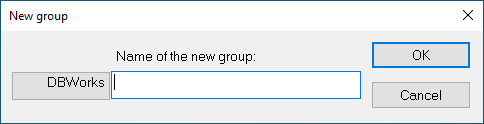
Type a name for the new group.
You can also choose to create a Mask group, clicking the DBWorks button on the left (it will change in Mask).
A Mask is a set of denied rights not regarding users (i.e. people) but some kind of documents.
For example you can choose that some kind of documents can be editated (or whatever else) only by some kind of users.
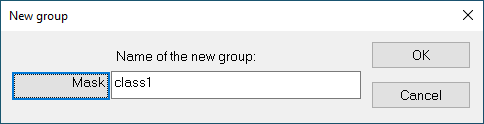
Once you confirm by clicking OK, the Denied access rights dialog will appear to allow you setting rights for the just created group.
Here followings are main differences between Groups and Masks:
Groups philosophy
|
Masks philosophy
|
Copy group as...
To enable this button, you have to select a group first (click on it).
This button shows the same dialog as the Create a new group button.
You have to select an existing group to create a copy of.
Delete current group
To enable this button, you have to select a group first (click on it).
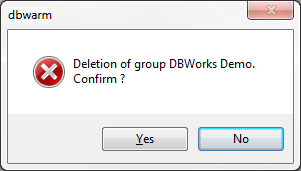
When you click the button, a confirmation dialog ask if you really want to delete the selected group.
The special group DBWorks Admin cannot be deleted.
Initialize Data Directory
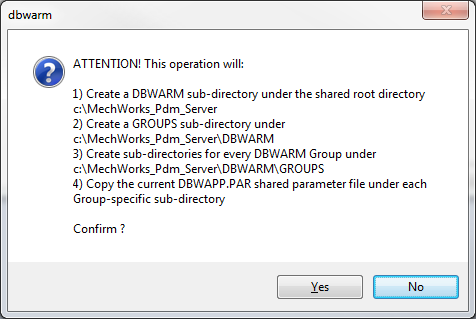
This buttons takes care to perform required tasks to enable the DBWARM environment.
the process steps are enlisted in a dialog box before proceeding: