DBWARM.EXE
This application must be run with a login that has the permissions to WRITE the DBWARM table in the database.
When started, it shows the following dialog:
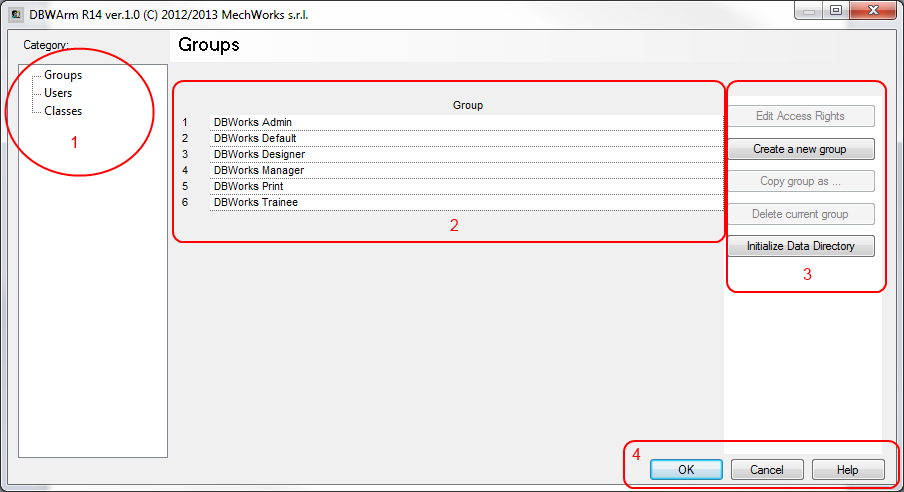
The dialog is composed of different section:
1.category selector
2.grid containing values set
3.buttons related to the grid (and of course to the category) functionalities
4.common dialog buttons
Choose a Category to see details about: