Description
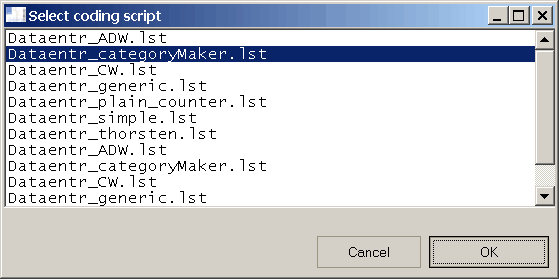
Shows a dialog box that allows to choose between file names retrieved from a folder.
Syntax
Function DBWListFiles(Title, FileDirectory, FileNameFilter, FileExtension)
Parameters
Title |
the dialog box title |
|---|---|
FileDirectory |
the folder to search into |
FileNameFilter |
a filter to apply to file names |
FileExtension |
the file extenision required |
Return Values
The function returns the name of the chosen file.
Remarks
The function search starting from the specified folder.
This means that it will show every file (matching criteria) present in subfolders too.
In the picture above, you can see more than one entry for the same file.
This because the same file is present both in DBWorks\LST\ and DBWorks\LST\Demo_LST\ folders.
See also
Function DBWList
Function DBWListFromFile
Function DBWListFromQuery
Example
Sub main()
DBWinit(true)
FileDirectory="c:\program files\dbworks\lst"
FileNameFilter="dataentr_" ' string to be searched in filename (any position)
FileExtension="*.LST"
Title="Select coding script"
ff=DBWListFiles(Title,FileDirectory,FileNameFilter,FileExtension)
DBWMsgBox ff
End Sub