Description
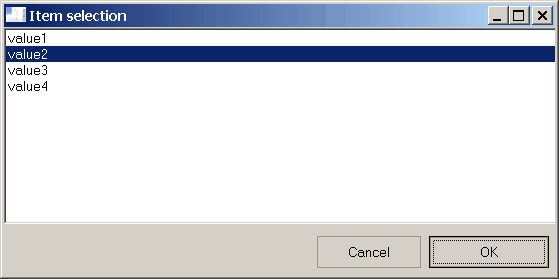
Shows a dialog box that allows to choose between entries retrieved from a text file.
Syntax
Function DBWListFromFile(ValuesFile, title, ByRef Resp)
Parameters
ValuesFile |
name of a file containing values. It has to be of the format: value1 with one value for each line. |
|---|---|
Title |
the dialog box title |
Return Values
TRUE |
if the user has closed the dialog by pressing the OK button |
|---|---|
FALSE |
if the user has closed the dialog by pressing the CANCEL button |
Resp |
Contains the item selected. If the function has a FALSE value resp contains a null string. |
See also
Function DBWList
Function DBWListFiles
Function DBWListFromQuery
Example
values_file = "c:\temp\my_values.txt"
title = "Select a value from a values file"
ok = DBWListFromFile(values_file, title, resp)
if ok then
msgbox "The value selected is " & vbCRLF & resp
else
msgbox "The user has canceled"
end if