Description
Shows a dialog box that allows to choose between entries retrieved from a query.
Syntax
Function DBWListFromQuery(DataSource, SQLQuery, ColumnToChooseFrom, Title, ByRef Resp)
Parameters
DataSource |
name of a valid datasource to query or |
|---|---|
SQLQuery |
string containing the query to submit to the datasource. |
ColumnToChooseFrom |
integer (starting from 1) that specifies the column to choose values from. SELECT a,b,c this parameter specify that values will be chosen from a, b or c column. |
Title |
dialog box title |
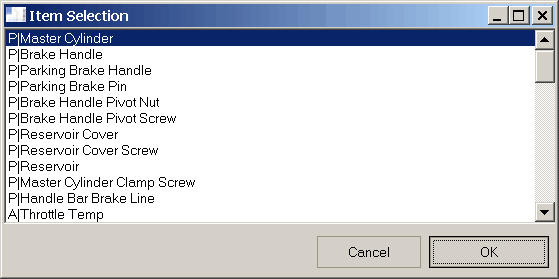
Return Values
TRUE |
if the user has closed the dialog by pressing the OK button |
|---|---|
FALSE |
if the user has closed the dialog by pressing the CANCEL button |
Resp |
Contains the item selected. If the function has a FALSE value resp contains a null string. |
Remarks
When connecting through file DSN, it's mandatory to use the datasource declared as @USEDEFAULTDATASOURCE.
See also
Function DBWListFromQuery1
Function DBWList
Function DBWListFiles
Function DBWListFromFile
Example
datasource = "DBWORKS"
sql_query = "SELECT T,ID FROM DOCUMENT"
column = 2
title = "Item selection"
ok = DBWListFromQuery(datasource, sql_query, column, title, resp)
if ok then
DBWmsgbox "The value selected is " & vbCRLF & resp
else
DBWmsgbox "The user has canceled"
end if
...
ok = DBWListFromQuery("@USEDEFAULTDATASOURCE", sql_query, column, title, resp)
...