Introduction
This utility is distributed to allow the user to set specific rights on an existing PDF document.
Specifically it's a 32bit .NET 3.5 Console Application that allows to ensure that the pdfs are protected from opening and/or from specific actions such as copy, modify contents and print.
Parameters
1 |
Complete path to the source pdf file |
|---|---|
2 |
Complete path to the resulting pdf file |
3 |
User password, necessary to open the file. An empty password will let the user at least open the file. |
4 |
Owner password. If both passwords are set when you try to open the document you will be asked for a password. |
Following parameters |
Can be one of the following to allow specific actions, otherwise disabled: allowPrint allowCopy |
Example
DBWPdfSecurityManager.exe Z:\FILES\MyOriginalDoc.PDF C:\SECURESTORAGE\MyProtectedDoc.PDF UserPWD OwnerPWD
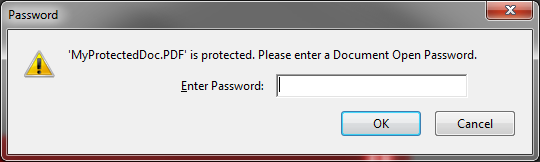
Once created, when opening the document you will be asked for the password:
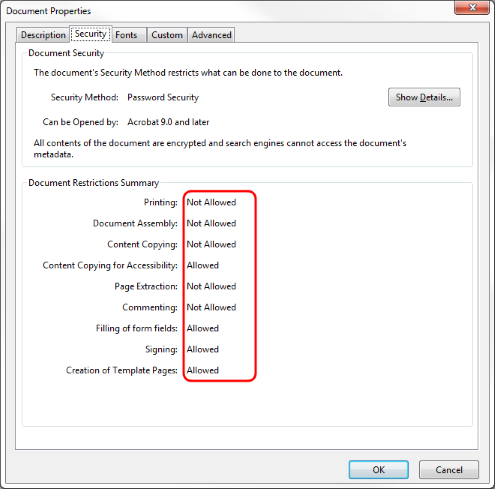
and if you take a look to security file properties you see the allowed/not allowed features:
Example
another example of this functionality is \LST\DEMO_LST\OnRevisionOutputFilesCreated_protectedPDF.LST (that has to be renamed as OnRevisionOutputFilesCreated.LST to be run) that create a protected copy of any PDF generated through the revision output.