DBWServer Installation: operations to be performed on the server's Folder Security Attributes
You have to modify the security settings ot the top level folder containing files to protect:
1.RMB click on the folder to protect and choose "properties"
2.click the Security tab
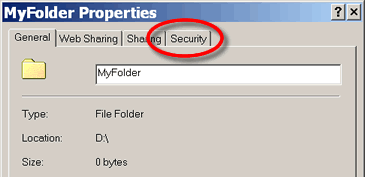
3.Click the Advanced... button
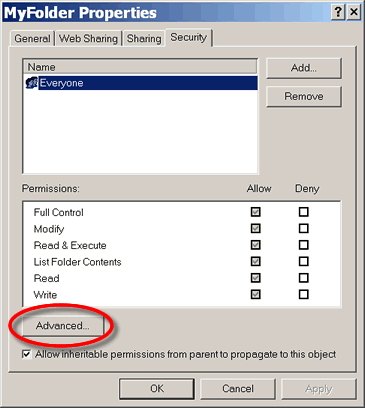
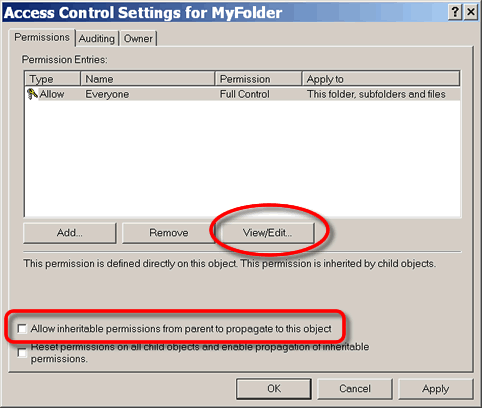
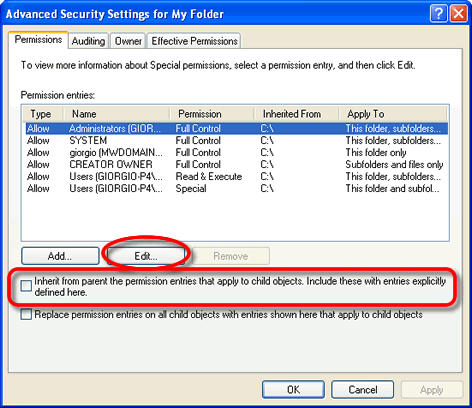
4.Make sure the option
Allow inheritable permissions from parent to propagate to this object
is unchecked the click then View/Edit... button
|
|
5.Make sure the entry
Delete Subfolders and Files
is unchecked both in Allow and in Deny
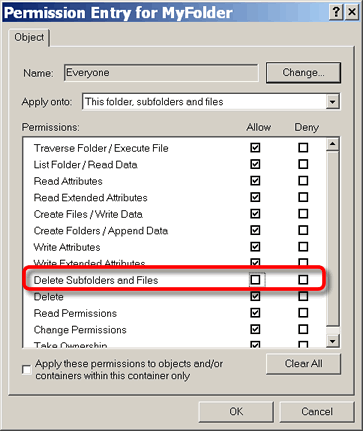
Additional user right settings
Open the Local Security Policy dialog
Select Security Settings → Local Policies → User Rights Assignment
For each of the followings entries
1.Act as a part of the operating system
2.Manage auditing and security log
3.Take ownership of files or other objects
do a double click and add group Administrators to local serurity settings as shown in picture
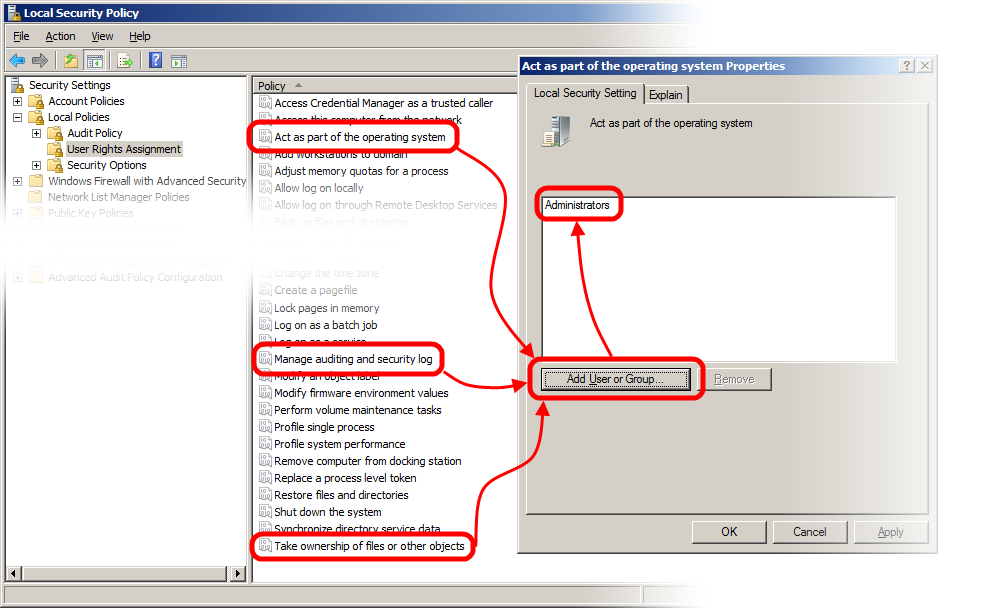
Then restart the pc
Afterwards make sure the file
<installation folder>\bin\dbwacl.exe
is present also in
c:\windows\system32\
folder.
As a test, try to enable the @DEBUG_MODE (as explained here) and look for an entry in Windows eventlog.