Intelligent menus
How to enable this feature
The option is in User Interface→Browser Behavior→ Use intelligent menus.
The menus keep track of the Most Recently Used (MRU) functions in the menu and automatically display them. Unchecking the option also causes the MRU function list to be reset.
How intelligent menus work
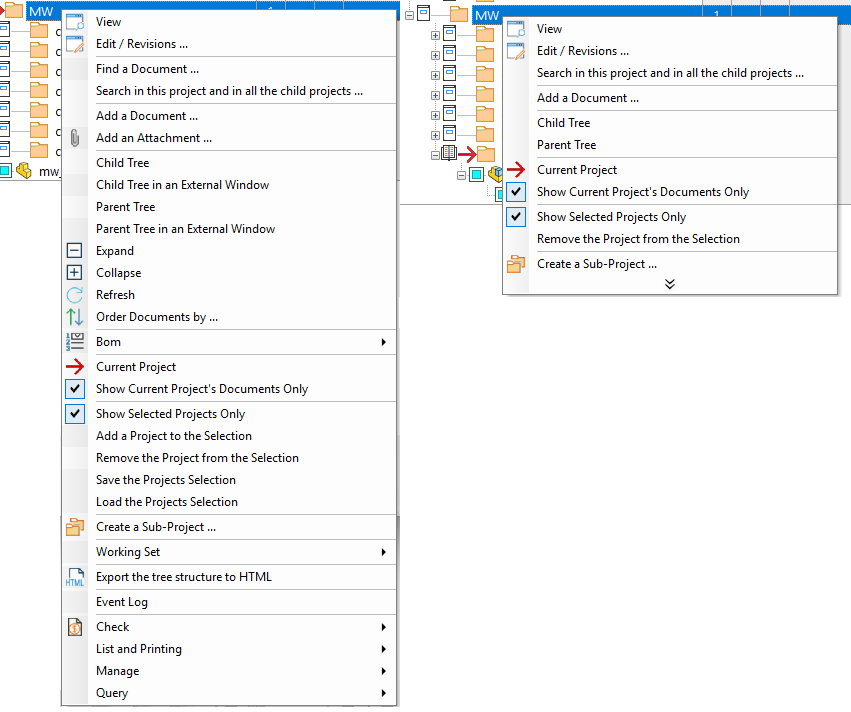
This feature, which became popular since the introduction in Microsoft Office, hides least used entries in popup menus, so that at first glance menus offer only commonly used commands. Eventually, you can click the chevron (double vertical arrows) at the bottom of the menu to display other entries.
On the left the Intelligent Menu is disabled, on the right it's enabled: