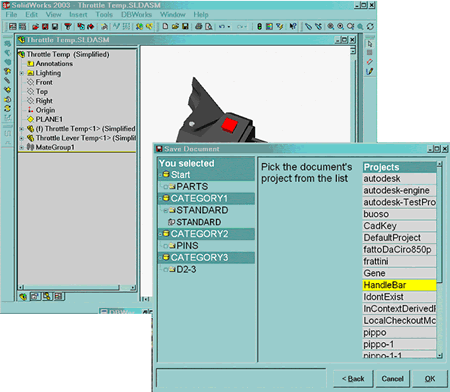
Management of automatically created CAD files
The new option Environment, Use 'DATAENTR.LST' on Automatically Created Components manages the part numbering and file creation of components created automatically by CAD in the process of mirroring, splitting or importing from 3D Content Central.
The procedure for automatic part numbering depends on the CAD action that triggers the event:
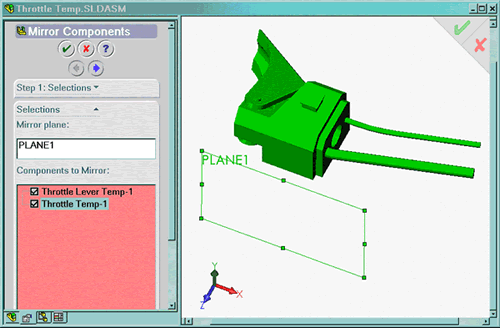
1) Components mirroring in SolidWorks
Check the components to mirror and click Next
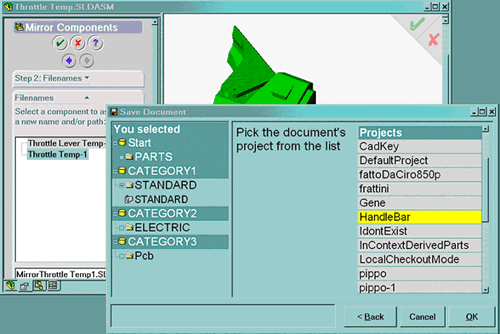
The Save Wizard appears letting you choose the category.
The file name is automatically assigned at the end of the selection process.
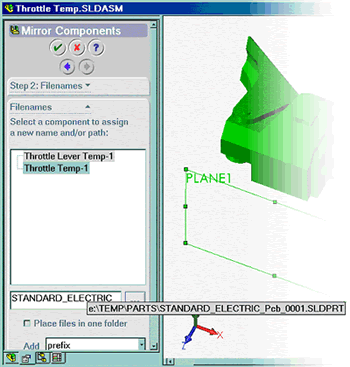
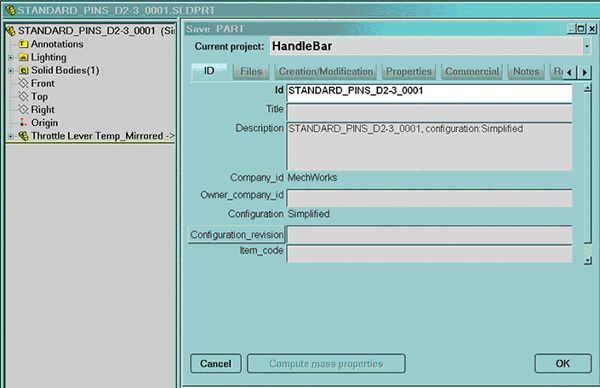
SolidWorks displays the assigned file name:
Select one by one the other components: the Save Wizard is displayed for each of them. To complete the mirroring, select the OK button of SolidWorks: DBWorks starts to register in the database all the mirrored components.
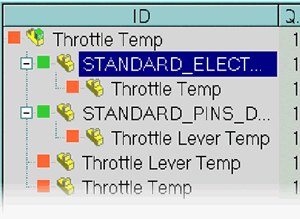
Saving the assembly itself shows the correct in-context part-to-part relationships between the original parts and the mirrored parts.
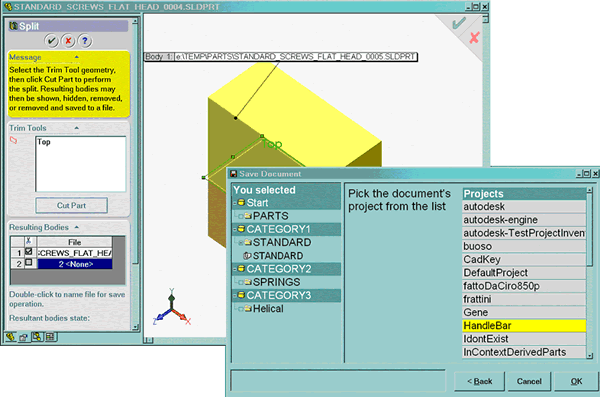
2) Parts splitting in SolidWorks
After pressing the 'Cut part' button, double-click on each resulting body: the Save Wizard is displayed for each of them:
3) 3D Content Central in SolidWorks
Choose the component to be imported in the 3D Content Central:
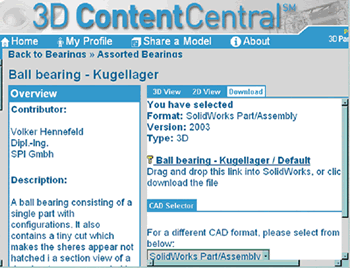
Drag & Drop the component into the assembly: the Save Wizard is displayed to let you to assign the part number, category and file location: