Length Calculation Options
Name of sketch for length calculation
MechworksPDM looks for a sketch with a name equal to this parameter while calculating the MASS PROPERTIES; if it finds such a sketch, the entities of it will be used to calculate the length, and the value will be put into the field LENGTH in the input data entry mask.
The default name is LENGTH (localized to every language).
It is possible to declare variables (even if defined as expressions) listed in the Inventor → Tools → Parameters table of an Part document
To use custom sketches in DBSolidEdge, after sketch creation, it is required to define the sketch as a smart dimension.
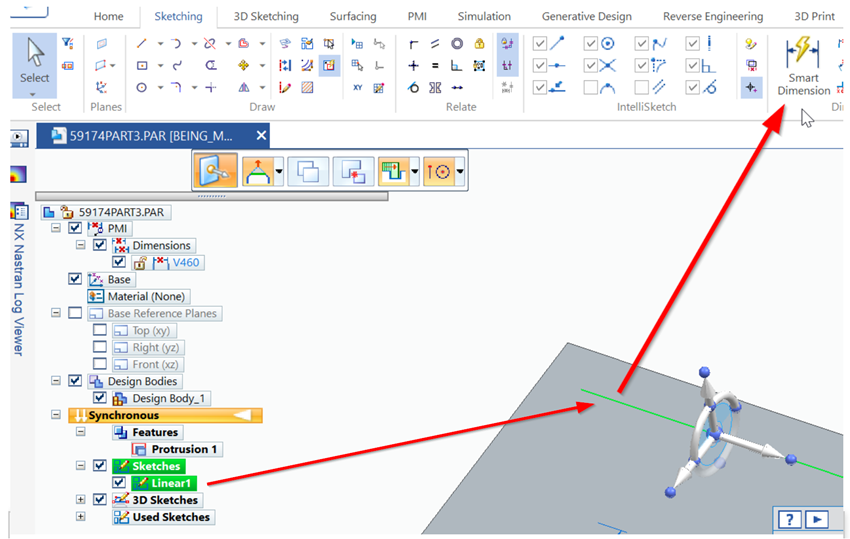
A new variable with a default progressive name will be added to the document variable List, see SolidEdge→Tools→Variables
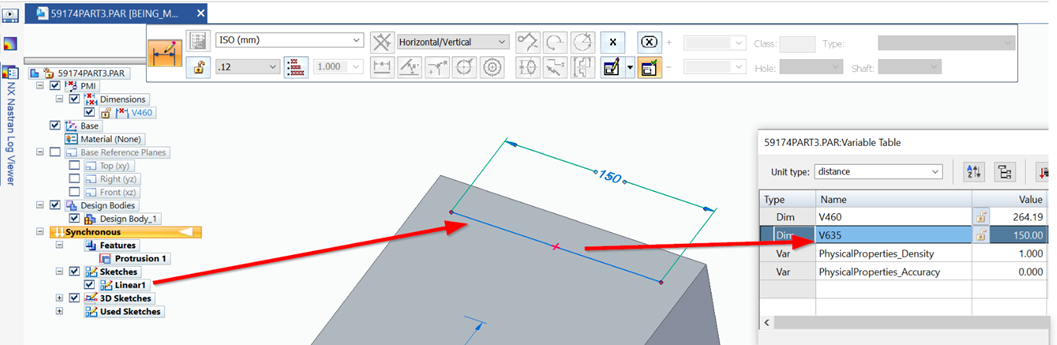
The variable must be renamed and locked (for example "Linear1");
Make sure the new variable name doensn't contain spaces

Finally the new name can be added to the PDM options to be linked as Length Calculation: 
More sketch/dimension/equation → field data input
MechworksPDM can calculate the values also of other sketches different from LENGTH, more, it can collect values from sketches and/or annotations.
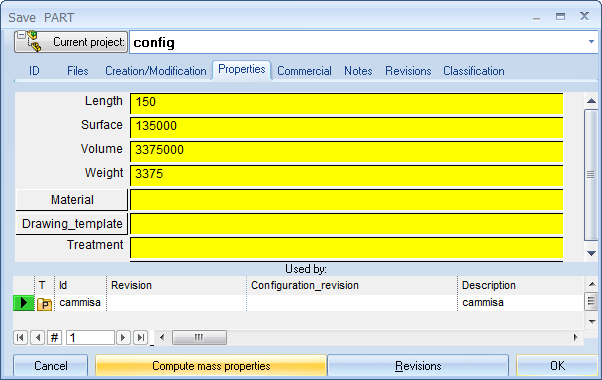
The calculation is done when you press the COMPUTE MASS PROPERTIES button at save time.
This list enumerates the names of the sketch/annotations that you want to calculate and the database fields where these values must be put in.
For example, the string HEIGHT->MY_FIELD means that DBWorks looks for a sketch named HEIGHT, it calculates the length of the elements of the sketch and puts this value into the database field MY_FIELD, if such field is found.
More, MechworksPDM looks for annotations with a Display Text string of the format: HEIGHT=<val>
MechworksPDM looks also for annotations named HEIGHT.
A string like RD1->HEIGHT puts the value of the first annotation of a part (normally named RD1@Annotations) into the database field HEIGHT.
All the values are considered to be of type LENGTH and so are scaled and formatted according to the DBWorks, Options, Units setting for the length.
Double-clicking on the list pops up a dialog that simplifies the string assignment.
Equation's name
It is possible to insert a SolidWorks Equation's name in that list to have it associated with the assigned DBWorks Database Field:
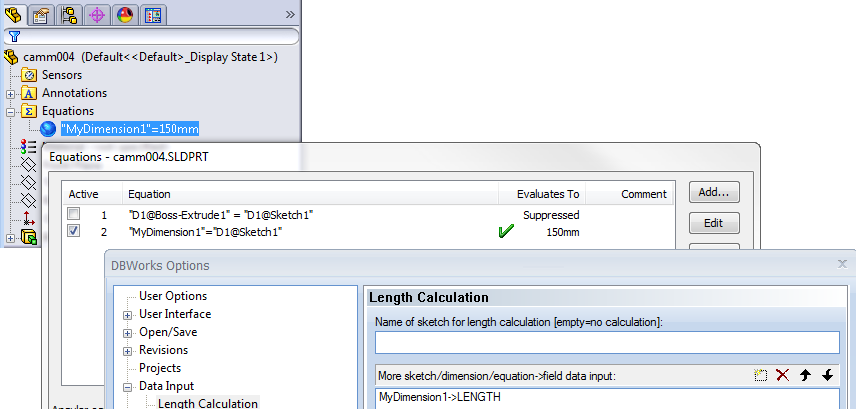
then at the computation of mass properties the value will be copied in the assigned field.
Feature dimensions
DBWorks can associate a feature dimension to any database field. A feature dimension is the one that you normally can view when double-clicking on a feature (for example is the dimension that you can see when double clicking on an extrusion).
To properly program the More sketch/dimension->field data input list that appears in that options section, you must right click the dimension that you want to map into a field, choose Properties… and copy and paste the full name of the dimension in the table.
For example, for a simple extruded rectangle new part in SolidWorks, double-clicking on the extrusion will show a dimension; right-click it and choose Properties; the full name is: D1@Base-Extrude. Suppose that you want to put the value of this dimension in the field NOTES of the database: go to DBWorks Options, Data Input, Length calculation section, double click an empty row of the More sketch/dimension->field data input list and insert:
Dimension name: D1@Base-Extrude
Field name: NOTES
While saving, the field is refreshed when you click the Mass Properties button of the main input form.
 Avoid blanking database field if length is not calculated
If checked, MechworksPDM avoids setting to NULL a field linked with a model’s dimension or equation, when the model’s dimension or equation cannot be found or calculated.