Property Manager
 Solidworks users only
How to enable this feature
The option is
User Options→ Use Solidworks Property Manager
How to display the DBWorks records in the Property Manager of SolidWorks
To display the DBWorks record in the SolidWorks Property Manager
1.open an assembly already saved in the DBWorks database
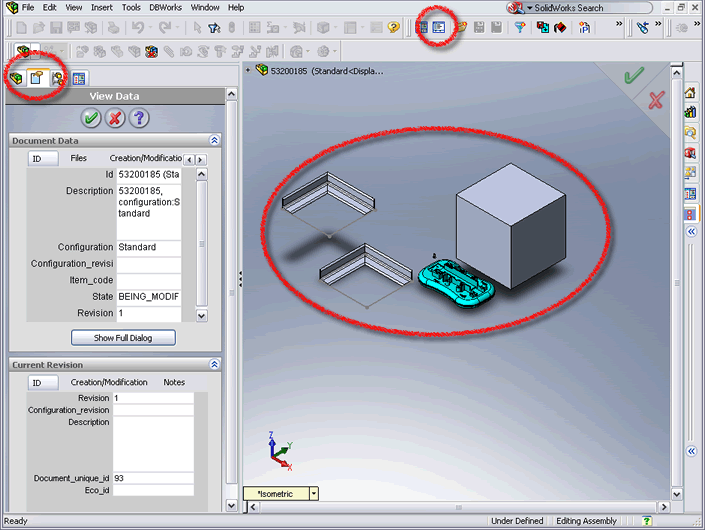
2.click the tab of the Property Manager
3.click the View button in the DBWorks toolbar, marked in the image below
4.click any of the components in the assembly to display it's data in the Property Manager
DBWorks displays in the Manager two data forms: above for the document and below for it's revision. The Data Forms displays the record information in tabs as in the usual Data Form dialogs.