Repair Wrong External References ...
 Solidworks users only | Available from
The purpose is to show info and try to fix external references in SolidWorks files that are out of the allowed directories. This typically can happen after a bulk registration of existing archives in the MechworksPDM database and it is highly recommended to run this utility after registering assemblies in a system where only a declared list of directories are taken into consideration by MechworksPDM.
The function asks for a selection of root documents (typically main assemblies), and then tries to replace all the references of the selected documents that are out of the directory set in the option: Options, General, Only store records for documents within the following directories
To run this command, first select the items of a tree:
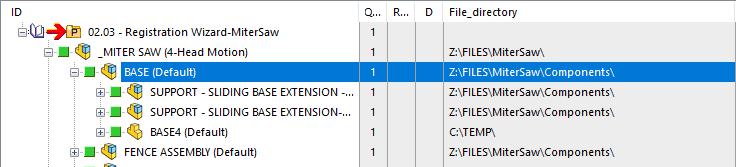
then run the command.
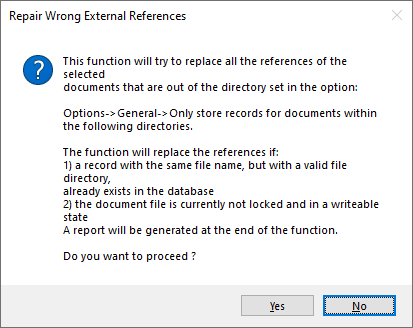
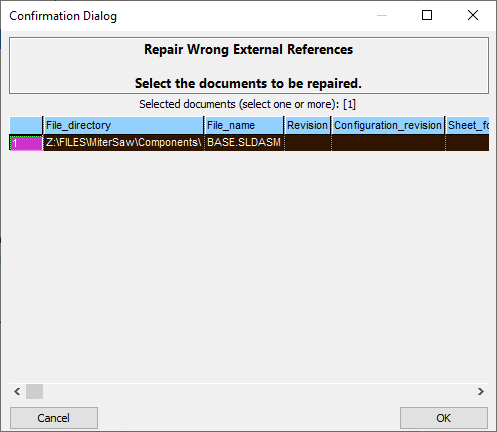
After confirming, select the items in the dialog that reproduces the selected list and click OK
A dialog displays a list of the modifications:
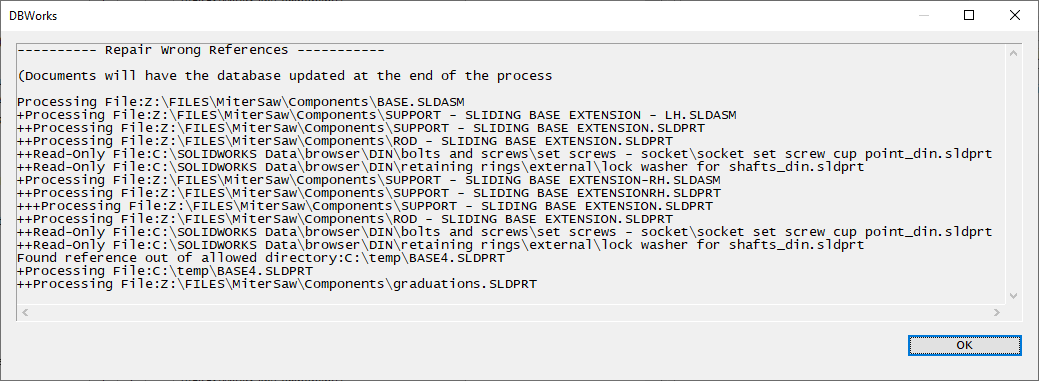
Mind that the process is generally very slow because the assemblies must be loaded in order to reassign the references.
The function replaces the references if:
1) a record with the same file name, but with a valid file directory,already exists in the database
2) the document file is currently not locked and in a writeable state
The updated documents will also be loaded and saved again, so as to update the database with the new references.