|
|
Show File outputs in external window
Show Files outputs in external window
This option is intended to improve performances when using RMB functionality.
With such option enabled, at each RMB, by clicking the Open File Outputs voice
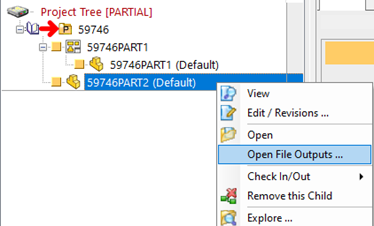
the revision files are shown in an external dialog.
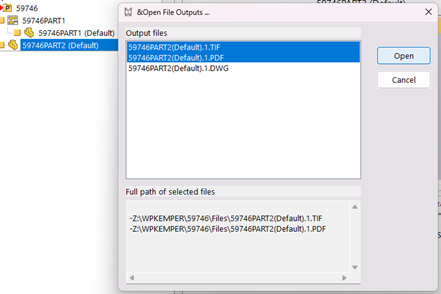
In other words, the revision paths are calculated not by default, only if the user asks for them.
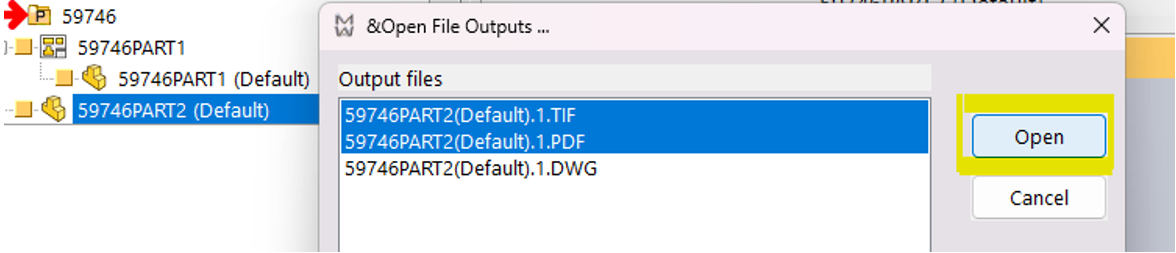
Maximum number of files to open at a time.
This option is intended to manage performances when opening several revision documents,
by limiting the maximum number of revision outputs to open in a single RMB.
Allow file outputs from custom scripts
If the revision outputs external dialog visualization is enabled, with this option activated,
it becomes possible to add custom path revision output files at each RMB using a custom script.
Script Setup
To customize file outputs during RMB operation, a custom script (.lst file) has to be:
- saved in GPP\lst (e.g. ManageCustomRevisionsFilePath.lst)
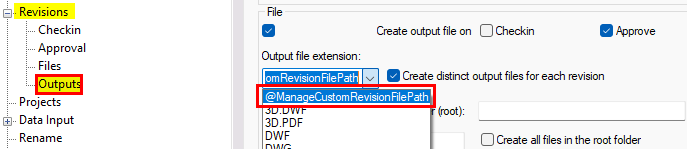
- defined in GPP\schema\DBWRevisionsOutputFileExtensions.txt
;--------------------------------------------------------------
; DBWRevisionsOutputFileExtensions.TXT
;
; DBWorks Revisions Output File Extensions File
;
;--------------------------------------------------------------
; EXTENSION <extension>
EXTENSION PDF
EXTENSION TIF
EXTENSION DWG
EXTENSION DXF
EXTENSION DWF
EXTENSION IGS
SCRIPT ManageCustomRevisionsFilePath.LST
<empty line>
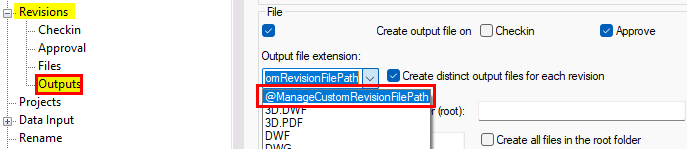
- selected on one of the Output File Extension options
Input Keywords
Tree input keywords can be used in the script logic:
1)to intercept the RMB event
...
If DBWInput("@QUERY_OUTPUT_CUSTOM_FILE_PATH") = "1" then
'output your custom paths
End if
...
2)to retrieve the current selected document unique id
...
If DBWInput("@QUERY_OUTPUT_CUSTOM_FILE_PATH") = "1" then
currUid = DBWInput("@CURRENT_DOC_UID")
End if
...
3)to get the possible linked drawings comma separated uids list
...
If DBWInput("@QUERY_OUTPUT_CUSTOM_FILE_PATH") = "1" then
currUid = DBWInput("@CURRENT_DOC_UID")
uidlist = DBWInput("@RELATED_DOCUMENTS_UID_LIST")
End if
...
Output keyword
A custom file path (CustomFullPath) can be outputted to the PDM through the output keyword
...
DBWOutput "@OUTPUT_FILE_CUSTOM_PATH", CustomFullPath, ForWriting
...
Example
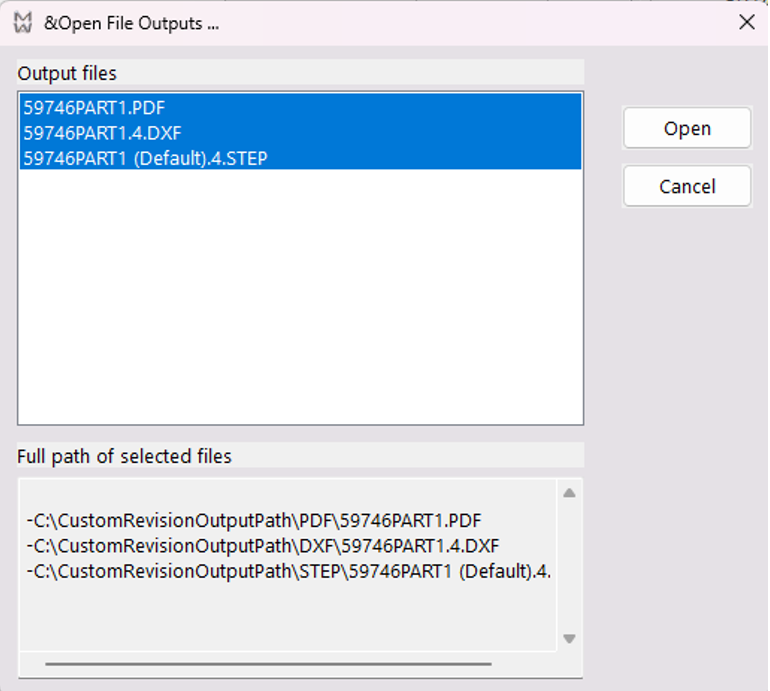
Let's suppose that during an approval operation of a part
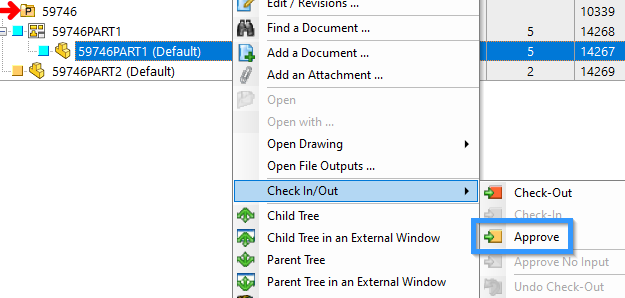
a user, through a script (lst), created a custom output file for a part
-C:\CustomRevisionOutputPath\STEP\59746PART1 (Default).4.STEP
and for its linked drawing
-C:\CustomRevisionOutputPath\DXF\59746PART1.4.DXF
-C:\CustomRevisionOutputPath\PDF\59746PART1.PDF
and that he/she generated the custom path locations according to the following logic.
...
uid = DBWInput("@DOCUMENT_UNIQUE_ID")
id = DBWQueryByUid(uid,DBWLookup("NAME_FIELD_ID"))
T = DBWQueryByUid(uid,DBWLookup("NAME_FIELD_T"))
revision = DBWQueryByUid(uid,DBWLookup("NAME_FIELD_REVISION"))
fdir = "C:\CustomRevisionOutputPath\"
DXFfile = fdir & "DXF\" & id & "." & revision & ".DXF"
STEPfile = fdir & "STEP\" & id & "." & revision & ".STEP"
PDFfile = fdir & "PDF\" & id & ".PDF
...
At the beginning of the same .lst used to generate revision files, at next RMB,
the user is now able to output custom revision files according to a custom logic
as an example, depending on the type of document that created them.
'At RMB show custom file path
if DBWInput("@QUERY_OUTPUT_CUSTOM_FILE_PATH") = "1" then
'uid of the RMB document
currUid = DBWInput("@CURRENT_DOC_UID")
'linked drawing uids
uidlist = DBWInput("@RELATED_DOCUMENTS_UID_LIST")
'create a single array with all document uids
arr = split(uidlist,",")
ReDim Preserve arr(Ubound(arr) + 1)
arr(Ubound(arr)) = currUid
'cycle over all documents
for i = 0 to Ubound(arr)
uid = arr(i)
id = DBWQueryByUid(uid,DBWLookup("NAME_FIELD_ID"))
T = DBWQueryByUid(uid,DBWLookup("NAME_FIELD_T"))
revision = DBWQueryByUid(uid,DBWLookup("NAME_FIELD_REVISION"))
fdir = "C:\CustomRevisionOutputPath\"
DXFfile = fdir & "DXF\" & id & "." & revision & ".DXF"
STEPfile = fdir & "STEP\" & id & "." & revision & ".STEP"
PDFfile = fdir & "PDF\" & id & ".PDF"
'find the revision according to the type of document
If T="D" then
DBWOutput "@OUTPUT_FILE_CUSTOM_PATH",PDFfile,ForWriting
DBWOutput "@OUTPUT_FILE_CUSTOM_PATH",DXFfile,ForAppending
elseif T="P" then
DBWOutput "@OUTPUT_FILE_CUSTOM_PATH",STEPfile,ForAppending
end if
next
Exit sub 'to avoid executing the remaining script logic
end if
...
As a result, the revision outputs external dialog will show the outputted custom paths.