 The Documents Page
The Documents Page is the control panel of the database. From here you can perform all the allowed actions given the selected document and its state using the interface elements: pop-up menus, button bar and shortcuts.
Layout of the sheet
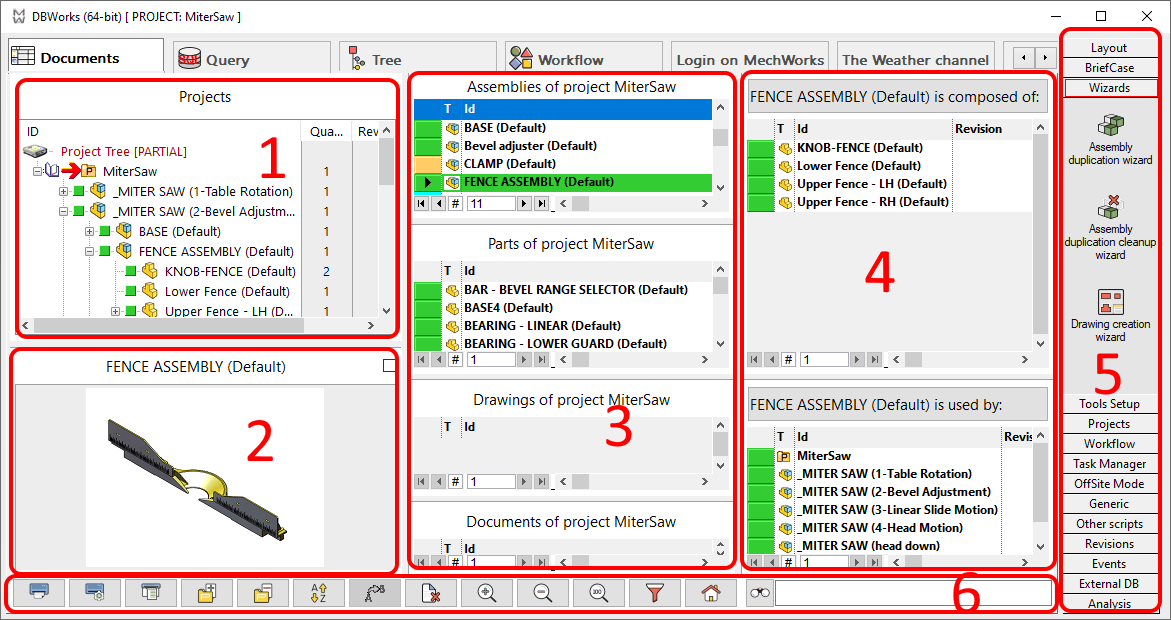
1. Project tree
2. Preview window
3. Grids divided by type (Assemblies, Parts, Drawings, Generics)
4. Composed of/Used by grid
5. Shortcut bar
6. Bottom buttons bar