Solid Edge users only | See also
Performance issues
When saving assemblies containing FOA, a slowness issue may affect the whole process.
The slowdown performance is related to the custom property management at asm level when models are on a network location: it could take several seconds for each custom property to be saved since the default behavior implies a writing of about 50 (as many as the number of the fields in the database), the save process of a single model could take a lot of time.
Mechworks suggestions
The main suggestion at DBSE level is to avoid unnecessary property save operation using the option:
Data Input→ Write only Propertis defined in SCHEMA/BOMTITLE.TXT
In this way, decreasing the number of saved properties, the performance should enhance considerably .
Siemens suggestions
1.turning off the network SE save failure mechanism that are part of the Save workflow architecture:
a DWORD registry key should be created under
HKEY_CURRENT_USER\Software\Unigraphics Solutions\Solid Edge\Version 108\DEBUG\UseST5SaveBehaviorforFOA
and set to 1
Mechworks PDM detects this scenario and warns the user through a message (lasting for the current session):
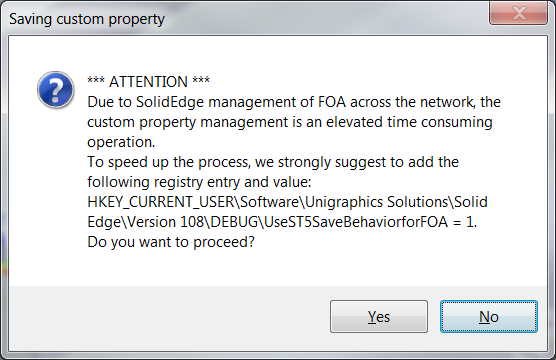 so to add the registry entry for the user.
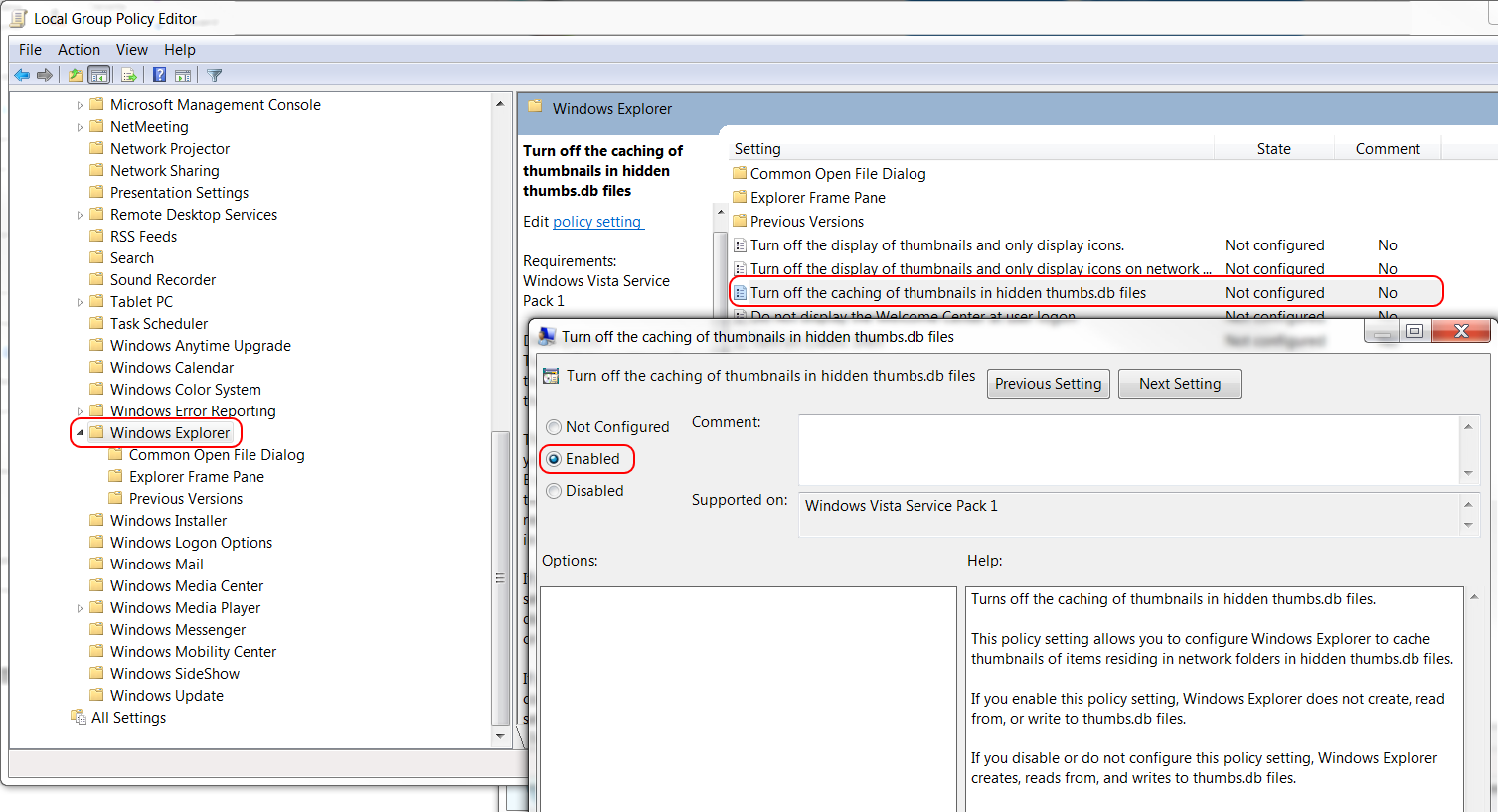
2.turning off thumb nail caching:
1.Go into Local Group Policy Editor. (Type gpedit.msc in the Start/Run bar)
2.Navigate to User Configuration/Administrative Templates/Windows Components/Windows Explorer
3.On the right, right-click "Turn off the caching of thumbnails in hidden thumbs.db files" and edit.
4.Change to Enabled, reboot computer