 Solid Edge users only
Support for Solid Edge Assembly Reports attributes.
In BOM generation, starting from R14 DBSE is compatible with the following SE option at first assembly level.
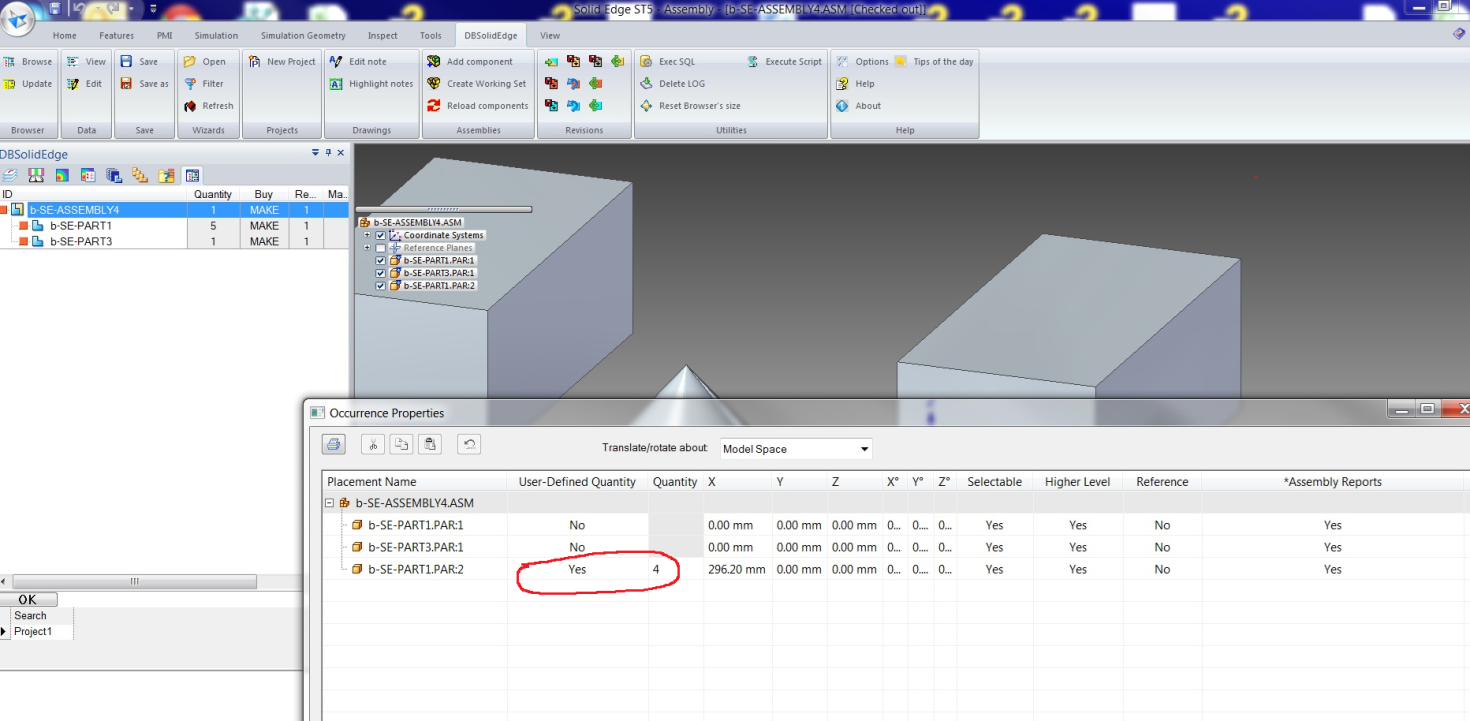
Occurrence properties → User defined quantity
Changing the User-Defined Quantity at occurrences level, DBSE updates accordingly at the next save operation:
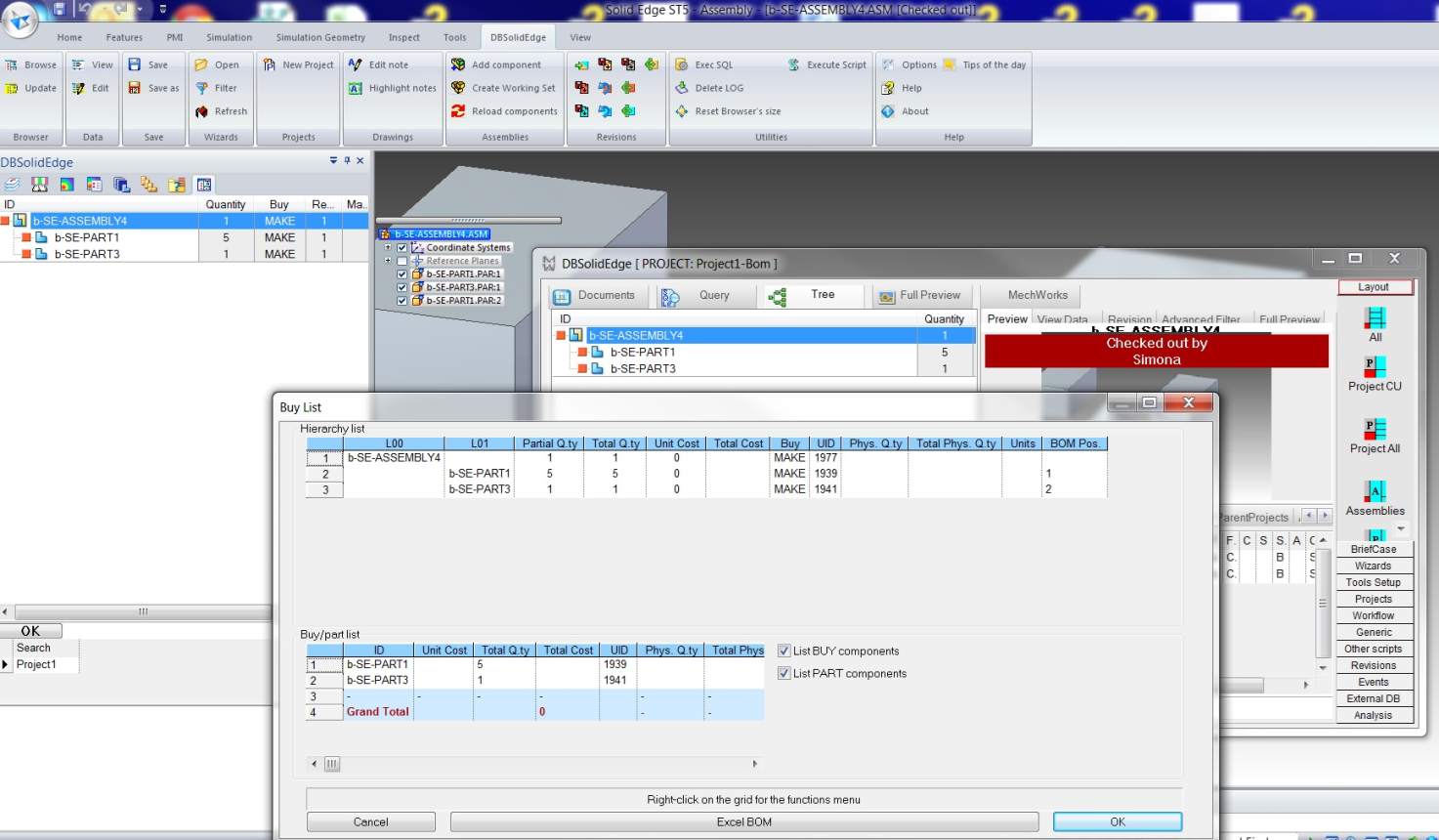
The BOM generation is updated as follows:
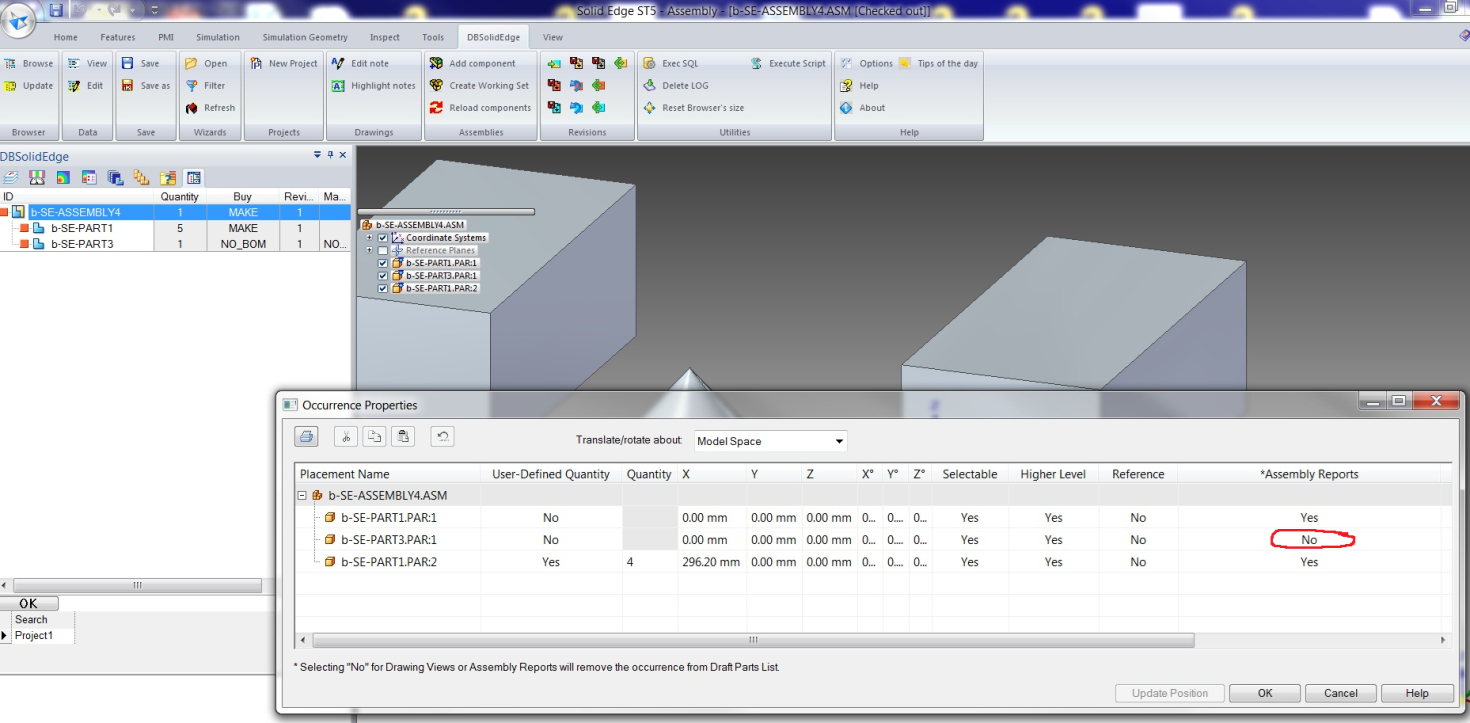
Occurrence properties → Assembly Reports
Changing the Assembly Reports at occurrences level, DBSE updates accordingly at the next save operation:
The BOM generation is updated as follows:
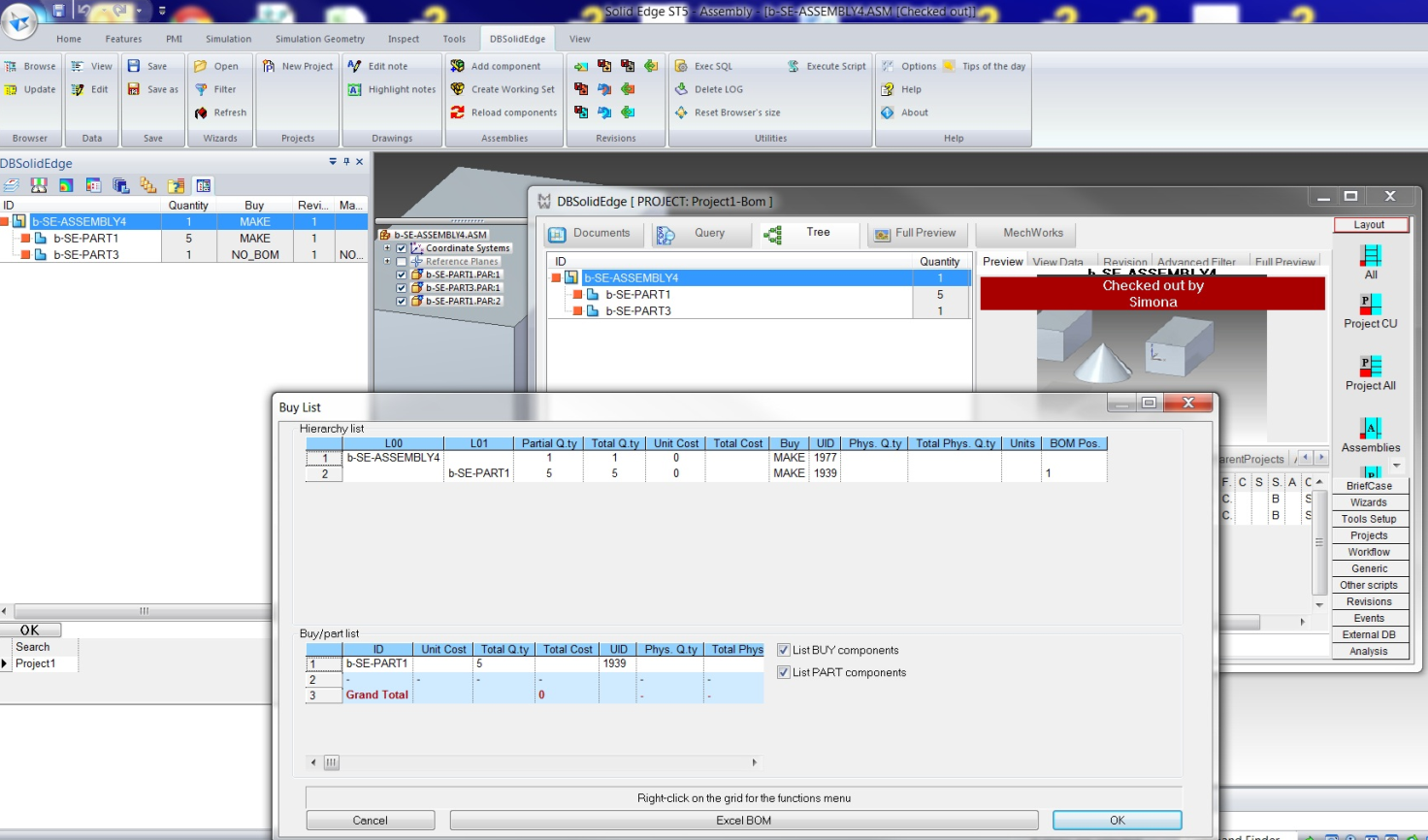
To manage the attribute assignment in case of NO Assembly report, you can set the option
General→Assemblies→ Force Parent-Child Make/Buy attribute from SolidEdge occurrence properties value: '[NO]' Assembly Reports
as NO_BOM.
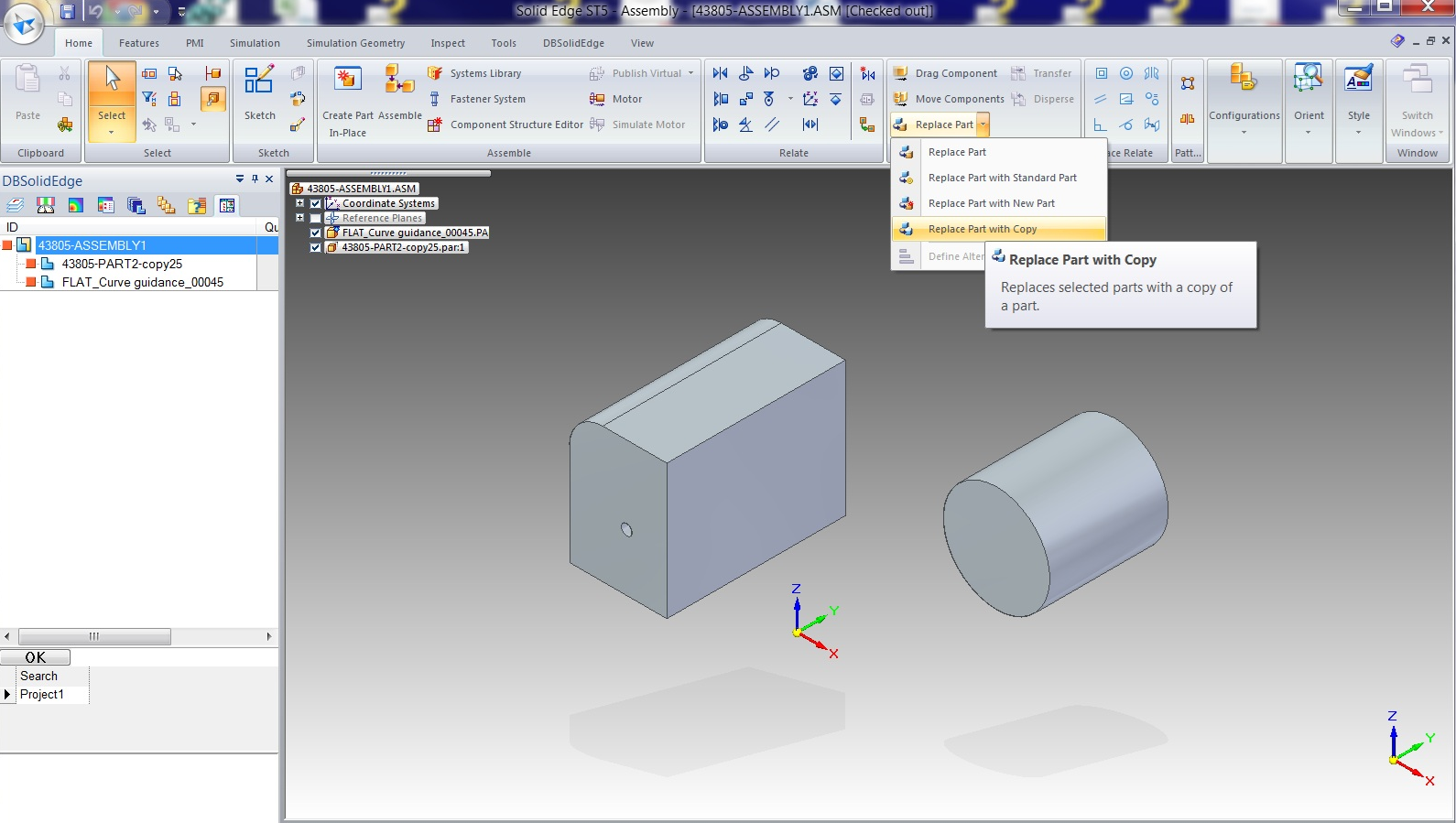
Support for the SolidEdge Replace Part by copy command
Starting from Solid Edge ST5, it is possible to use the Save Wizard (DataEntr.LST script) when saving (creating) the new part.
When executing the command and when the follogin option is active
Open/Save→Save as→Use DataEntr.LST data entry script on DBSolidEdge 'Save As ...'
option activated, the interaction with the Save Wizard starts after the selection of the part to replace:
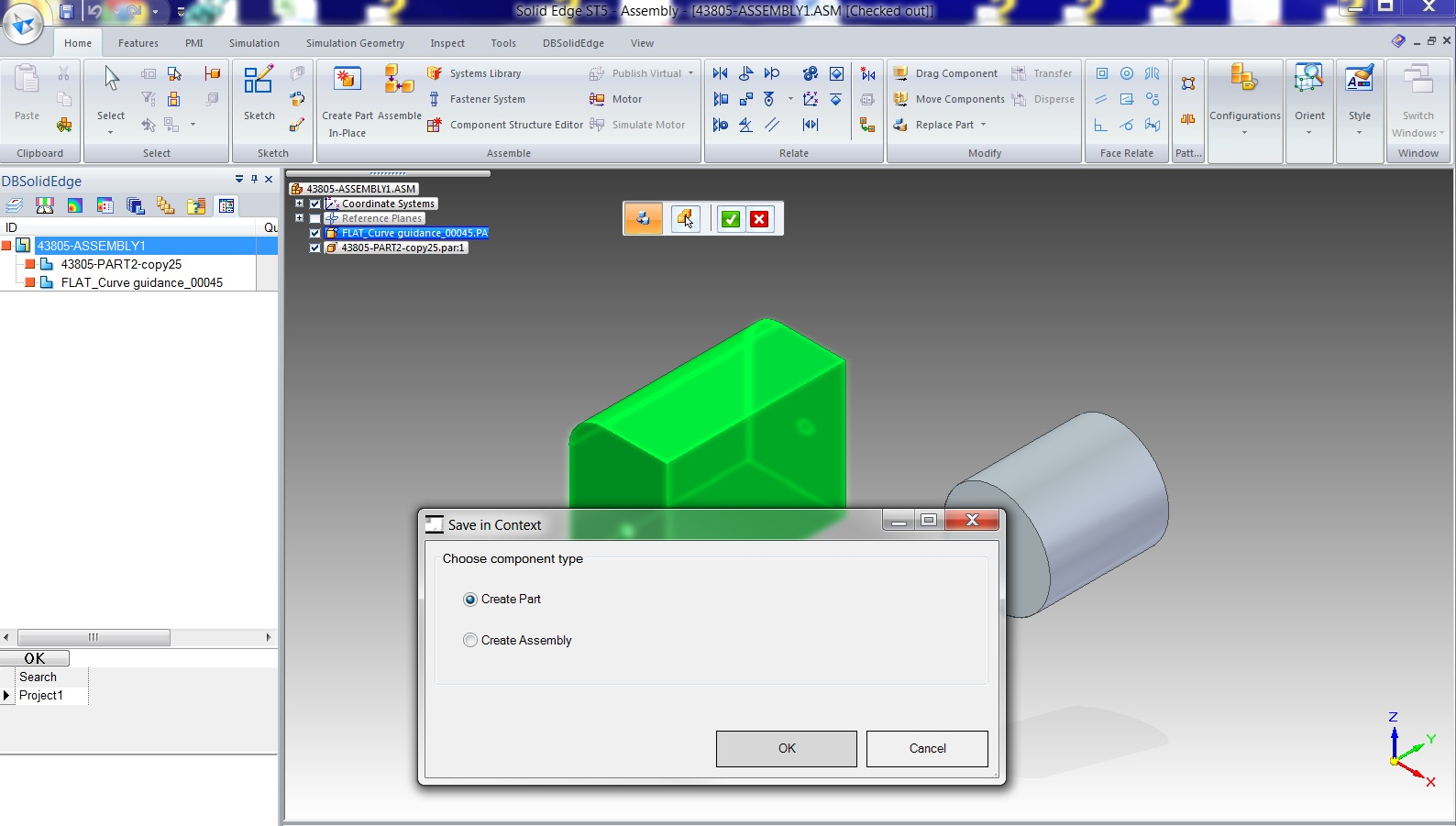
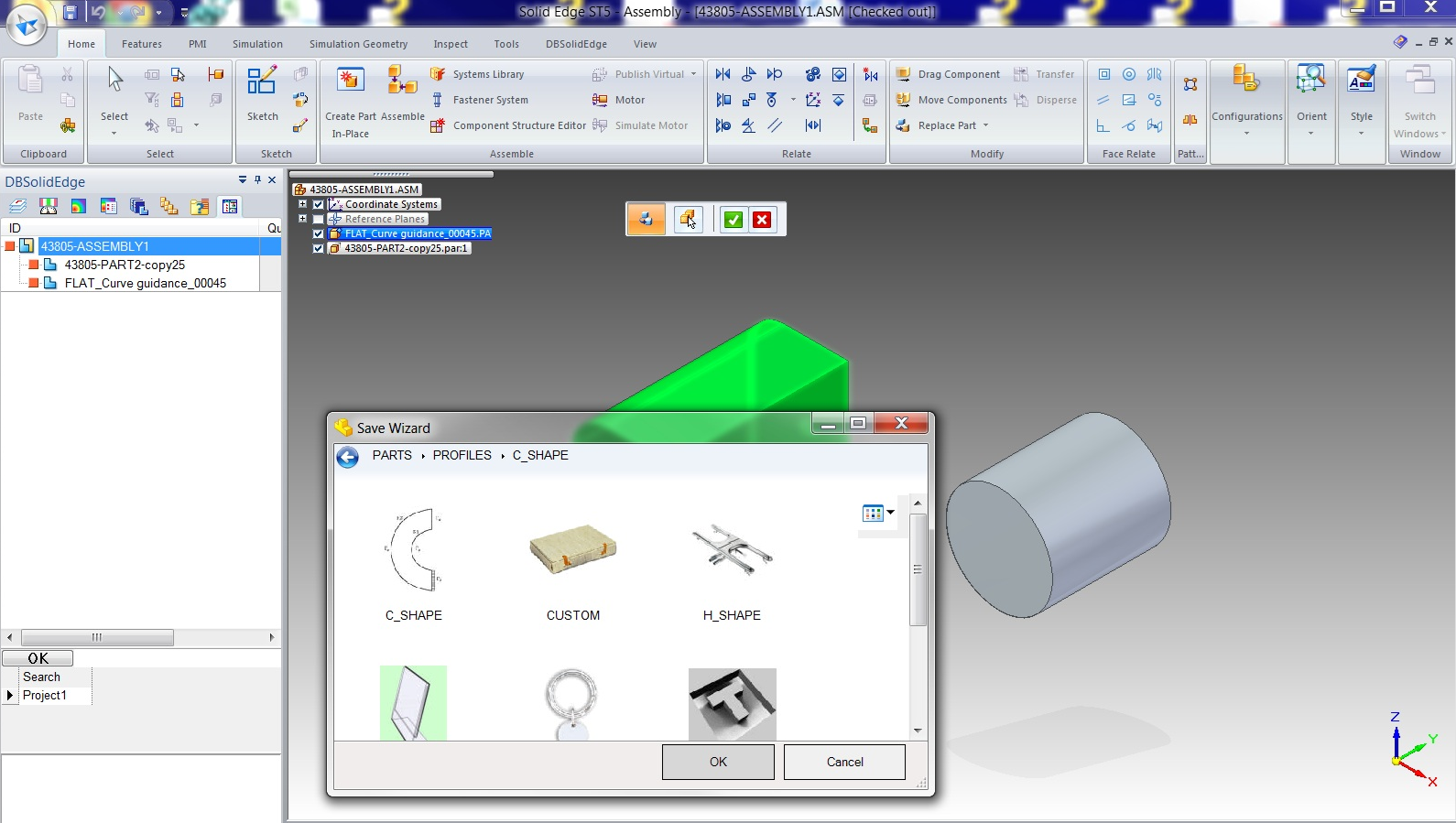
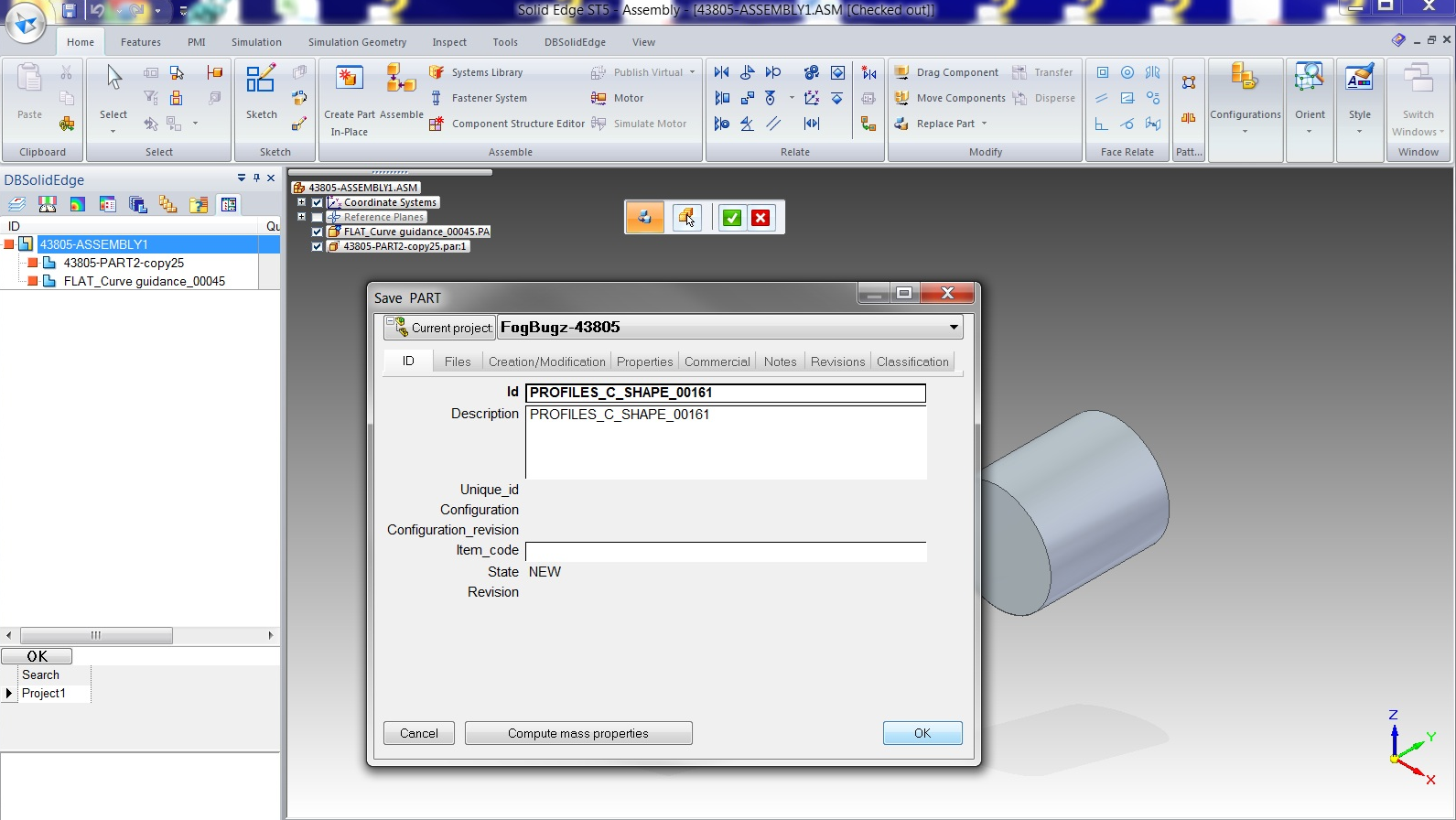
If the option is disabled, the registration of the new document at database level will be done during the next assembly saving.
Support for Transfer part into new subassembly command
Based on SE ST5, since there is no API to customize the new SubAssembly window execution, the SE command has been extended to manage subassembly registration at database level: at the end of the command, DBSE opens the new subassembly document and performs a SaveAs.