Clean Download Directory
Clean Download Directory
Once in a while it's a good idea to clean the download directory. Here is explained how to do it.
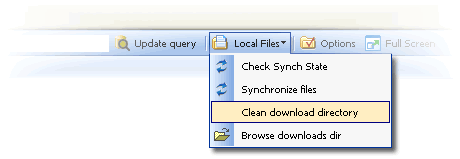
Select the menu Local Files, Clean Download Directory.
The dialog opens displaying the content of your current download directory.
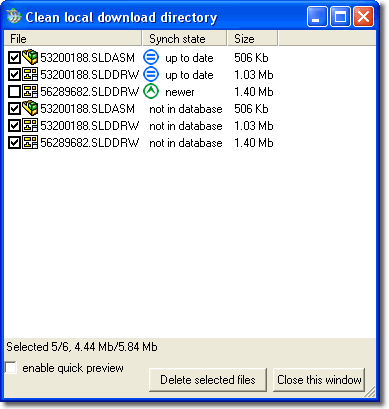
The information displayed includes the state of the local files in comparison with the current files on the server, their name and size.
As you click to select the files, at the bottom of the dialog a label displays how many files you have selected and how much space you would free on your hard disk if you proceeded now with the deletion.
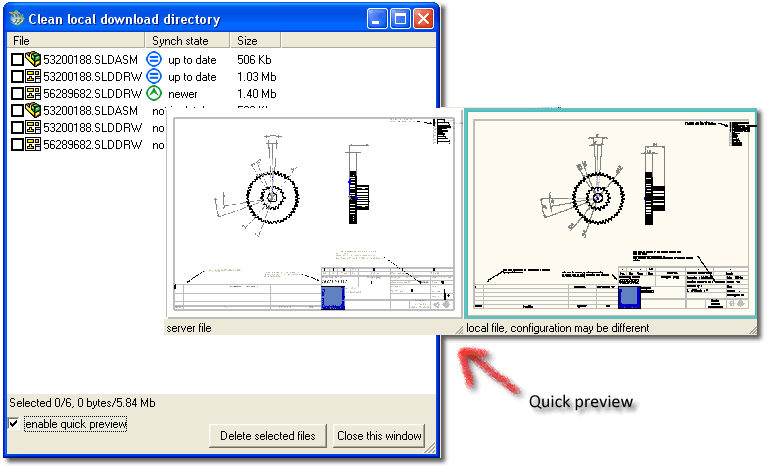
If you don't quite remember what models are in the files are or if you want to compare the local files with the ones on the server, you can click the check box to display a quick preview under the mouse. This options is not available for documents not in the main database on the server.
To proceed click the button Delete selected files. Read Only files are also deleted automatically.