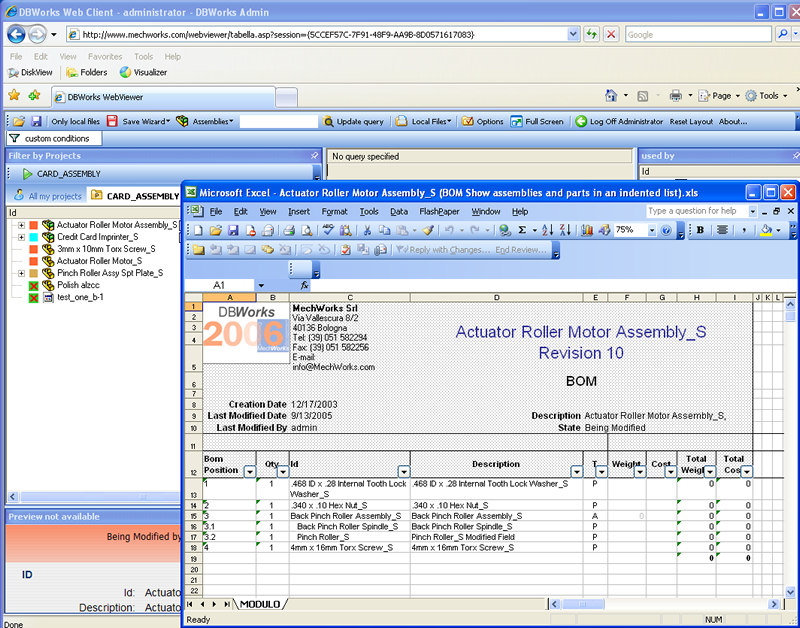
Remote Excel BOM
Setup
The remote Excel BOM is configured as a script that runs on the server on demand and provides BOMs in .xls format to the requesting clients.
In a standard installation you need to ensure that:
oThe Stand Alone running on the Web Server does see a list of local BOM templates (try to create an Excel BOM locally).
oThe clients have sufficient right to have the custom menu entry for Request BOM active on the client.
Note that Microsoft Excel is not needed on the server in order to create Excel Bill of Materials
Please refer to the topic on custom menu entries for how to set the rights for a specific script.
Execution
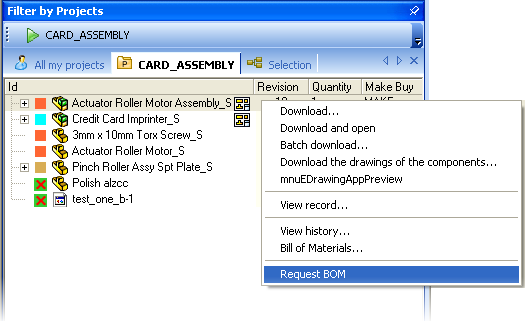
To request a BOM right click the assembly and select Request BOM.
The client receives and displays a list of the available BOM templates available on the server as seen in the Stand Alone installation on the server.
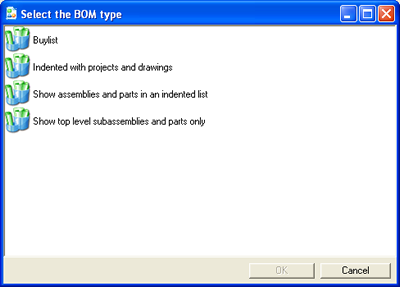
After the selection the task is executed on the server and the result is sent back to the client.
The creation of a large BOM might require up to 30 seconds, depending on the load of the server and the size of the assembly.