Revision Commands
Revision commands: remote check in/out
With Web Client you can check in/out the files remotely. The commands include both the download/upload of the files and the update of the database.
In Web Client all the lifecycle commands are performed server side by a DBWorks Stand Alone version of DBWorks. When the check in and approve commands are performed, CAD documents are not loaded in the CAD. As a result, variant notes and relations between documents (for instance parent child relations between assemblies and parts) are not updated. It is left to the Administrator to make sure that the Variant Notes in the drawings and the links are updated before the final approval.
It is mandatory to make sure that during the lifecycle commands the related scripts, if active, require no human interaction whatsoever server side (selection dialogs, confirmation dialogs, and so forth...) as this would block the process when performe automatically by an API call server side.
All operations that require DBWorks Integrated are not supported by the Tasks Client for Web Client. These operations require specific customization to be discussed separately.
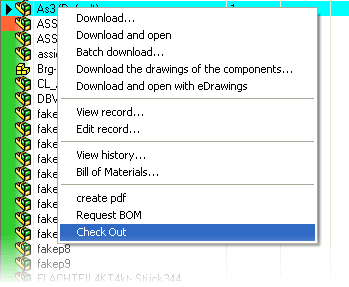
Suppose you have a document in check in state (pale blue) and you want to check it out and update it remotely.
If in DBWARM you have sufficient rights, right click the record either in the grid or in the trees and select 'Check Out'
On the server there must be at least one Tasks Client available to perform the check out in the database and allow you to download the document.
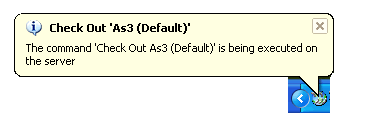
The revision commands are implemented as server side scripts and are therefore customizable by the Administrator, but as they are they provide the basic functionality that you would normally expect from them, including backward notification
This is the balloon that appears client side while the record is being checked out.
As soon as the document has been checked out (succesfully), the download of the compressed file begins. The file is downloaded to the local Download Directory as set in the client side options.
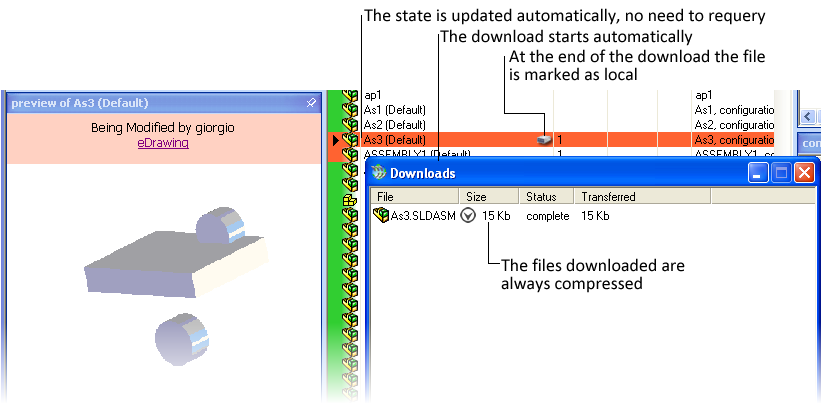
At the end of the download the Last Modified property of the file is set in accordance with the file on the server, so if the server and the clients' clocks are not aligned you might find a document last modified in the future! The management of synchronized files handles this kind of situation correctly also if you are in a separate time zone, which is easily the case in an Internet environment.
As anticipated in the previous section the revision commands are implemented as server side scripts and are therefore customizable.
For these commands a special security management applies, so that they're both under the security of DBWARM and of the scripts managed in the file Program files\DBWorks Stand Alone\WebViewer\customScripts.xml. If, as a DBWARM user you are not entitled to check out a document you won't be able to do it in the Web Client, but it is also possible to specify in the scripts that some users that would normally be able to check out documents in DBWorks cannot do the same in the Web Client. It is also possible to specify that only documents having special properties can be checked out.
The management of the security for custom scripts is not explained in detail in this section. Please refer to the custom scripts topic for the details.
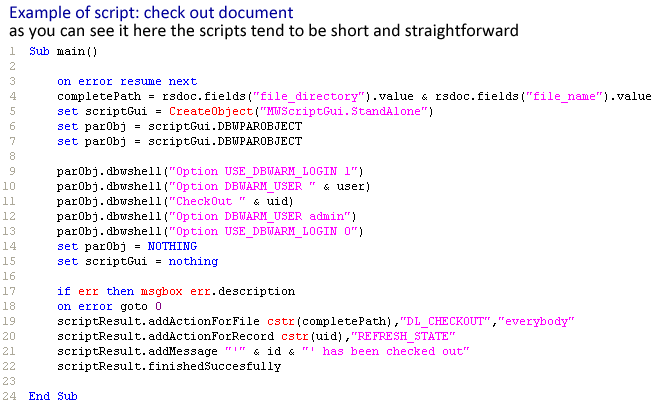
The labels associated with the commands are customizable. By default they are:
oCan be called when a document is in state NEW (green) to make it enter the revisions process.
oChecks out and downloads the documents
oUndoes the check out
oUploads the document setting the Last Modified date on the server, then checks the document in. Available when the file has been checked out by you.
The upload is done only if the local file is newer than the one on the server. The upload phase of the document could take some time and make you think that the software has crashed. Please be patient: the file is compressed before uploading but the http protocol for uploading through firewalls cannot be highly optimized.
The local file after the check in is made read only.
oUndoes the check in
oFrom released to Check In
oApproves a document in Check in state. Remember to disable the scripts that require human interaction.
The actions triggered by the scripts take place presumably on a DBWorks Stand Alone instance server side where the Tasks Client is located. All the related scripts are executed, but mind that the scripts that display a dialog and require human interaction must be avoided as the human interaction is not possible in an automated environment. In such a case the script would simply hang there blocking the operation.
You can approve or increment the revision remotely.
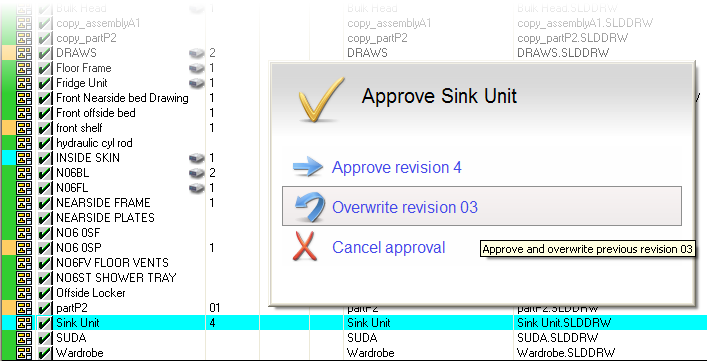
If your custom scripts rely on human interaction for choices and use standard DBWorks dialogs the dialogs will be displayed on the client while the script runs on the server.
The interaction can be timed out and works in real time.
The operation of check in/out are compatible with Link Mode.
At checkout both the model and the drawing are downloaded.
Before a check in the drawing must be local and up to date with respect to the model contained.
Files are uploaded, then checked in. If field values are designed to be in synch, the Stand Alone on the server takes care of updating them accordingly.