Projects commands
These commands are all under the control of DBWARM in the Projects section. If you add a new user, please make sure that the related security settings are correct.
Click to add a new root project.
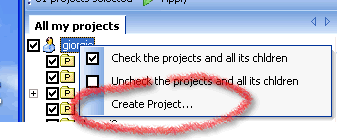
A dialog is displayed where you can set a name and indicate if the project will be visible to other users both in the web environment and in DBWorks. Users in the group DBWorks Admin never have restrictions on projects.
The project created is visible to the user who created it and to Administrators. In order to set specific rights please user the Project User Admin Tool which is provided with the Stand Alone.
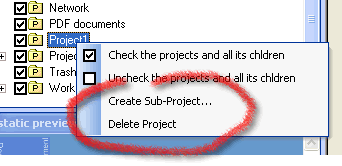
Click to add a sub-project to the selected project.
A dialog is displayed where you can set a name and indicate if the project will be visible to other users both in the web environment and in DBWorks. The name proposed starts with the name of the parent project. Users in the group DBWorks Admin never have restrictions on projects.
Click to delete the current project. A confirmation dialog is displayed before executing the command.