How to change the range of Unique IDs
This is an example document of changing the "UNIQUE_ID" value of an established MechworksPDM database that is about to participate within an already established DISTRIBUTED_SITE database configuration. Throughout this example, the goal is to convert everything:
•< 100000000
•to 800000000
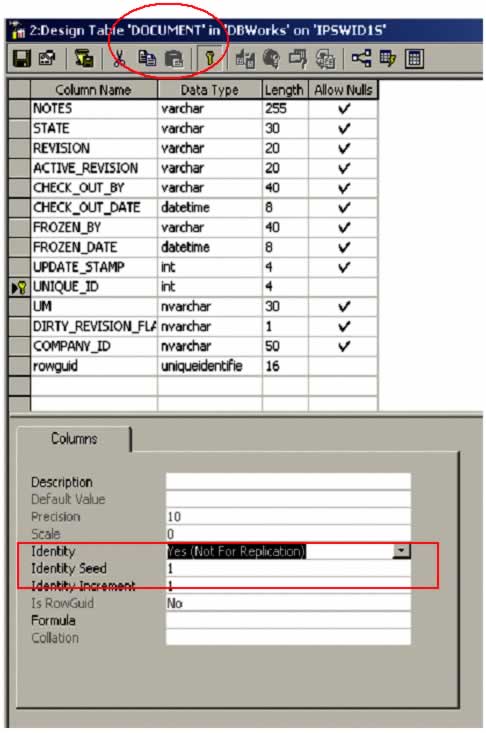
The above figure represents the default settings. By default, MechworksPDM established an Identity Seed and an Identity. The Identity Seed should be updated to ensure that the system does-not accidentally reuse existing values. The Identity needs to be temporarily changed.
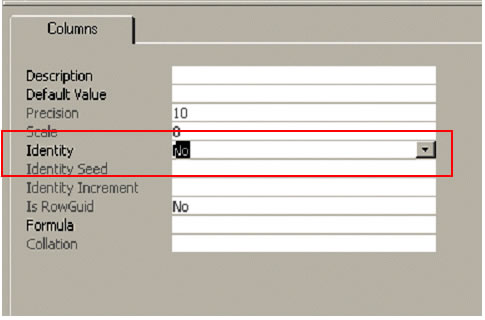
Temporarily change the Identity before making any other changes.

This is an example query to locate all of the records with a UNIQUE_ID < 100000000.

To increase each UNIQUE_ID (located within the DOCUMENT table) by a set value, reference the above figure.

This is an example query to locate all of the records with a UNIQUE_ID > 800000000. Its row-count should be equivalent to the earlier query.
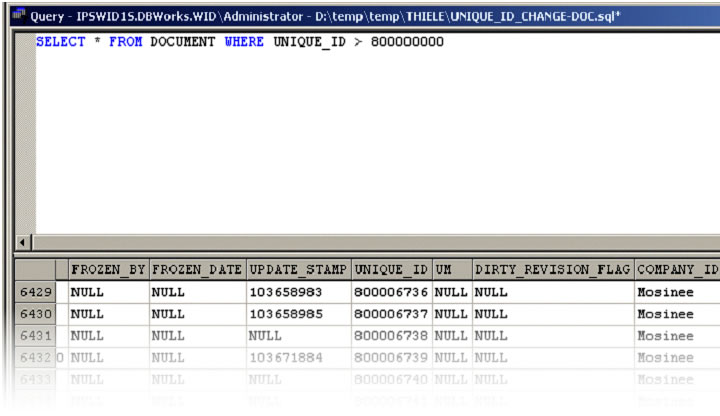
The results of the query clearly note the updated UNIQUE_ID value.
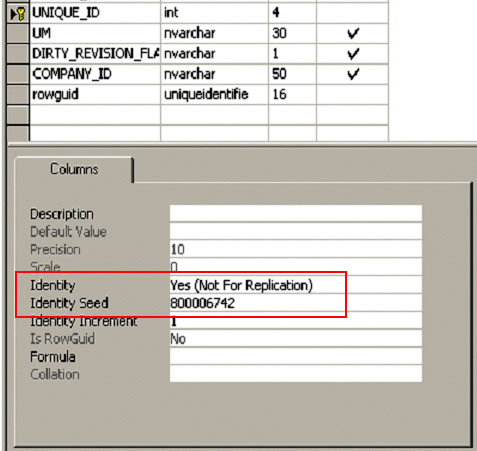
Please make sure that the Identity and the Identity Seed are properly reset and/or modified.
NOTE: Special attention should be given to the Identity Seed value.

Continuing on, changes must be made to the REVISIONS table. Start by locating all of the related documents.

To increase each DOCUMENT_UNIQUE_ID (located within the REVISIONS table) by a set value, reference the above figure.
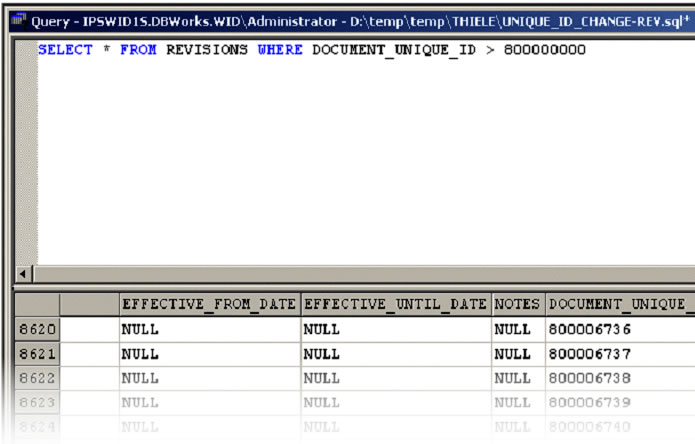
Validating the results, displays the line-count as well as the new values for the DOCUMENT_UNIQUE_ID.
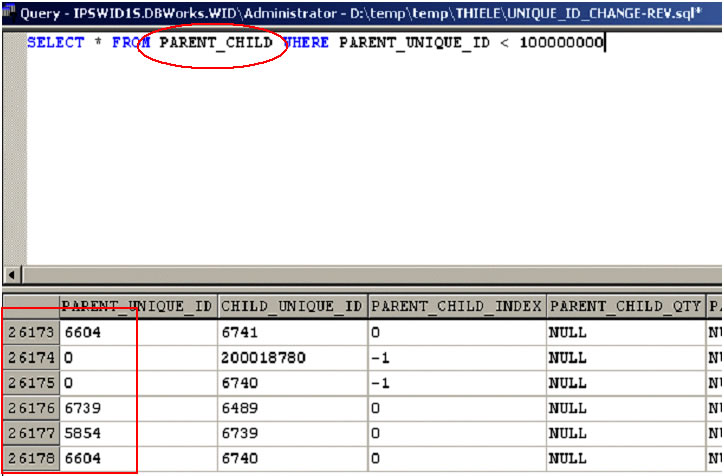
Continuing on, changes must be made to the PARENT_CHILD table. Start by locating all of the related documents.

To increase each PARENT_UNIQUE_ID (located within the PARENT_CHILD table) by a set value, reference the above figure.
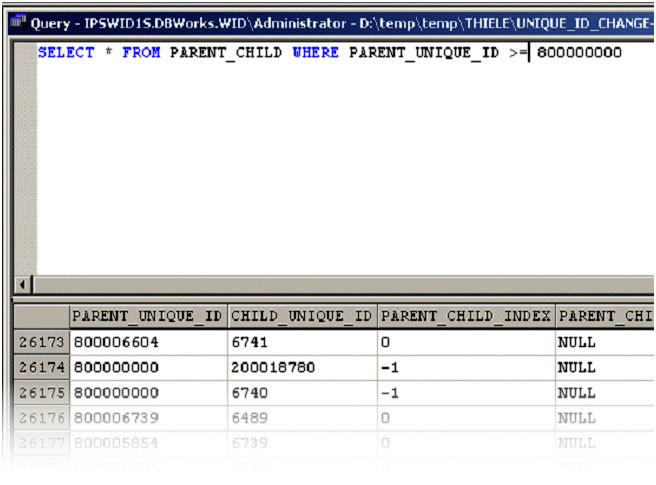
Validating the results, displays the line-count as well as the new values for the PARENT_UNIQUE_ID.
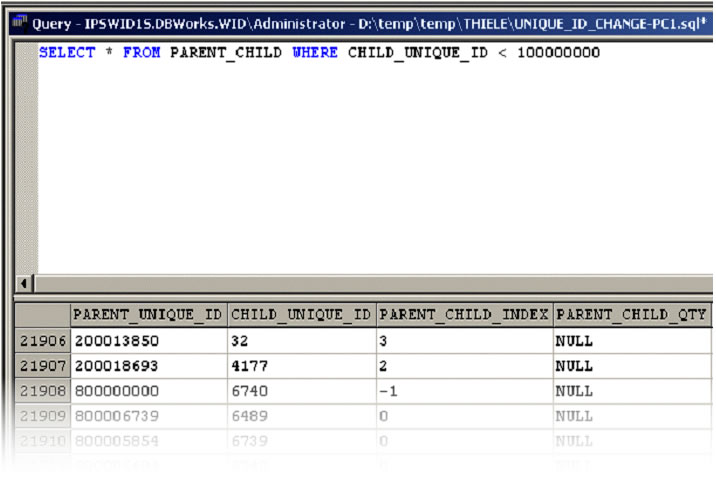
Because the PARENT_CHILD table has two fields being affected by this type of modification, continue by modifying the CHILD_UNIQUE_ID value.
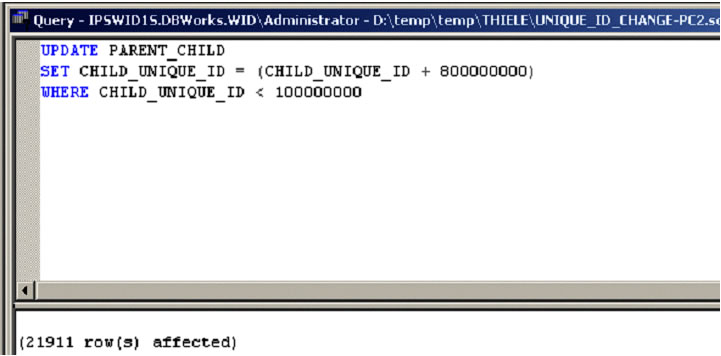
To increase each CHILD_UNIQUE_ID (located within the PARENT_CHILD table) by a set value, reference the above figure.
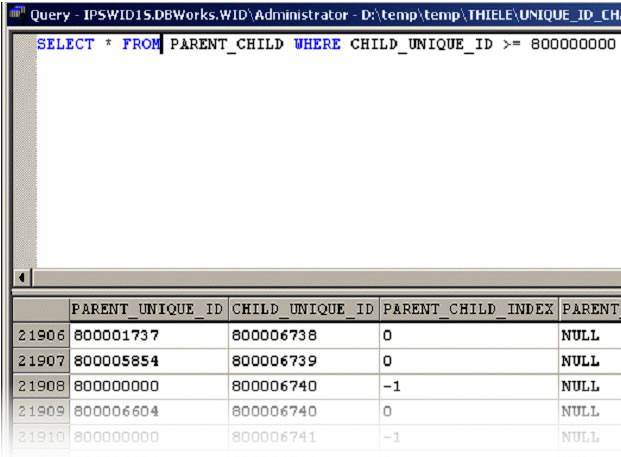
Validating the results, displays the line-count as well as the new values for the PARENT_CHILD field.