Copy a field value to the clipboard
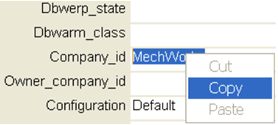
In the Data Input Form it is possible to select text inside the cells and cut/copy/paste the selected text by pressing respectively the Ctrl+X / Ctrl+C / Ctrl+V keys or by right-clicking the selected text and choosing the Cut/Copy/Paste commands: