The current project
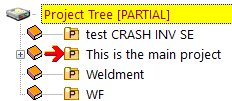
Every time you save a document in the CAD, MechworksPDM retrieves information from the application and assigns field values consequently. In MechworksPDM every new record belongs to the current project if not other one is specified.
MechworksPDM always has a Current Project and because of this reason there has to be at least one project in the database.
You can change the current project anytime: right-click the project you wish to become current and click Current project. If you wish to filter documents in order to display only the ones belonging to the current project, right-click the active project and click Show current project's documents only; to cancel the filter, click it again.
Setting the saving project using a dialog interface
When registering a new record, the dialog displayed contains both a structured project view (on the left) or a flat dropdown project list (on the right) to choose the project to register the document in.
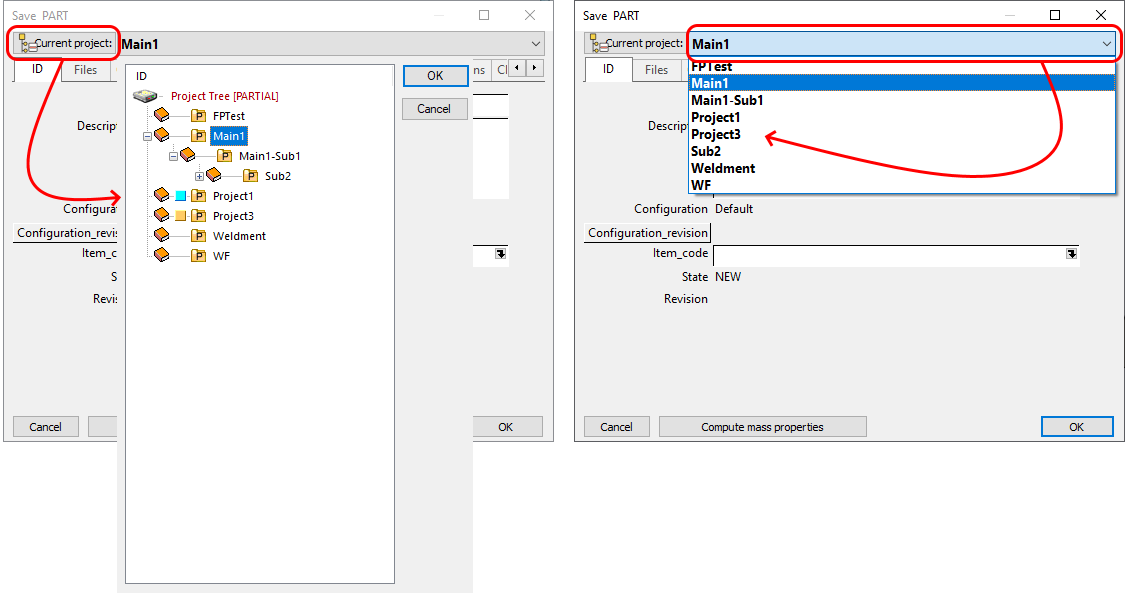
Please note in the save dialog you'll find the Current Project as the default entry, but of course you can select a different project to register the new document in.